


Introduction
Ring Jenny, Smith.ai, Upfirst, Goodcall, Retell AI and Synthflow AI are the six AI answering services compared for Melbourne businesses. Ring Jenny and Upfirst provide packaged reception; Smith.ai adds human service options; Goodcall structures qualification; Retell and Synthflow support custom workflows. Choose by after-hours intake, service-area information and who owns the next callback.
AI answering services for Melbourne businesses: comparison
Pricing, ease of use and ROI
| Product | Starting price | Ease of use /10 | ROI | Key differentiator |
|---|---|---|---|---|
| Ring Jenny | A$0/month | 9.4 | 113% | Website-trained setup and a free tier |
| Smith.ai | US$0/month | 8.7 | 8% | AI and human reception options |
| Upfirst | US$24.95/month | 9.1 | 221% | Scheduling and texts from Starter |
| Goodcall | US$79/month | 8.4 | 175% | Unique-customer billing |
| Retell AI | US$0.07–US$0.31/min | Not studied | Not studied | Configurable voice agents and APIs |
| Synthflow AI | From US$30,000/year | Not studied | Not studied | Visual enterprise voice workflows |
Source: LunaCal Research 2026 on AI Answering Services. Ease of use is scored out of 10. ROI is modeled first-year administrative return for 100 calls per month using USD assumptions. Starting prices use the stated billing basis; advanced features can require higher tiers. “Not studied” means the product was outside the research; “Not calculated” means no comparable ROI was published.
Features, intake and plan limits
| Product | Intake approach | Follow-up responsibility | Limitations | Included usage | Service type | Core features | Call records and notifications | Additional charges |
|---|---|---|---|---|---|---|---|---|
| Ring Jenny | Ready-made AI receptionist; saved messages | Business callback owner; Scale for live actions | Scale needed for booking and transfer | Free: 5 min; Professional: 150 min | AI receptionist | Website-trained answers; call summaries; booking and transfers on Scale | Recordings, transcripts and summaries | Professional overage: A$0.25/min |
| Smith.ai | AI + provider human escalation options | Provider handles agreed intake; business accepts work | Confirm Melbourne coverage and human-service quote | Free: 25 calls; Pro: 75 calls | AI receptionist | Lead screening; appointment booking; AI and live-agent options | Recordings, transcripts, summaries and CRM handoff | Free-plan overage: US$3/call |
| Upfirst | AI reception with scheduling and transfers | Business defines after-hours action and fallback | Starter includes 30 calls | Starter: 30 calls/month | AI receptionist | Answering; scheduling; texts; call records | Recordings, transcripts and summaries | US$1.50/additional Starter call |
| Goodcall | Configurable AI phone agent; qualification | Business owns deciding questions and connected tools | Allowance counts unique customers | Starter: 100 customers/month | AI receptionist | Call answering; lead questions; connected workflow actions | Lead forms and connected records | Starter overage: US$0.79/customer |
| Retell AI | Custom voice-agent platform | Implementer owns intake logic and integrations | Separate technical setup and telephony | Usage-based; no fixed minute bundle | AI receptionist | Voice agents; tools; APIs; testing | Transcripts, call analytics and testing | Telephony and configuration affect total cost |
| Synthflow AI | Enterprise voice workflow deployment | Agreed deployment and operational owners | Contracts start at US$30,000/year | Defined in the proposal | AI receptionist | Visual flows; integrations; transfers; booking actions | Call monitoring and action outcomes | Volume, integrations and support affect total |
AI answering services in Melbourne: after-hours intake, features and costs
Ring Jenny
Ring Jenny suits a service business that needs a clear record of jobs requested while its owner or technicians are unavailable. Existing-number forwarding and website or Google Business Profile training provide a relatively direct starting point. Separate overnight message capture from dispatch: Professional records the enquiry, while Scale adds booking and live transfer.
Who is Ring Jenny best for?
Ring Jenny suits Australian service businesses. It combines website-trained answers, call summaries, and booking and transfers on Scale.
Who should avoid Ring Jenny?
Booking and live transfers require Scale. Website-derived answers still need an owner when business hours, services or policies change.
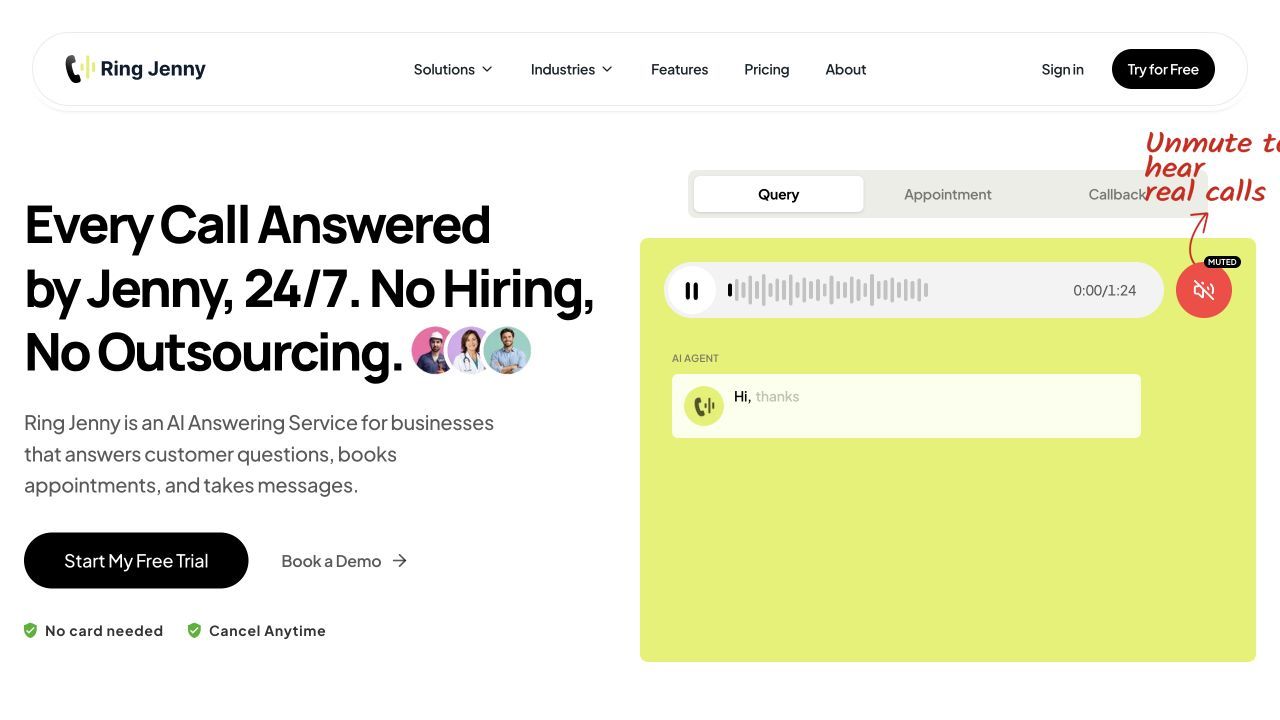
The homepage below introduces Ring Jenny’s website-trained answers, call summaries, and booking and transfers on Scale.
Features
Service information
Use approved FAQs to explain the services offered and business hours. Keep service-area information explicit so the caller does not mistake an enquiry for an accepted job.
After-hours answering
Forward unanswered or after-hours calls from the business number. Set the information needed for the next person to assess the request.
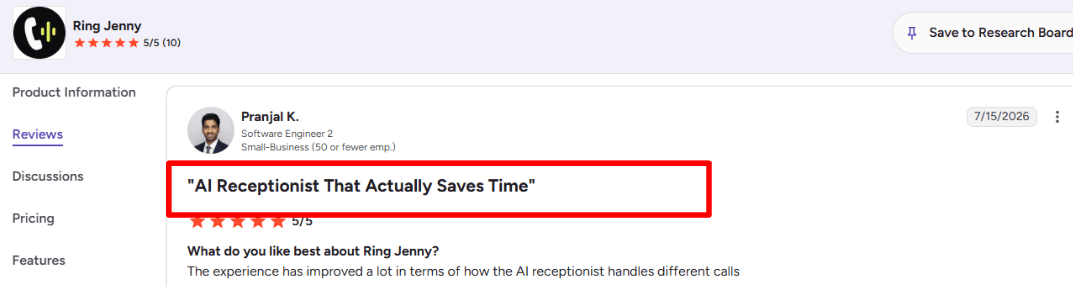
One G2 review of Ring Jenny describes improvements in handling different call types. The useful outcome is a complete enquiry that the team can act on across its normal call types. The reviewer’s comments are shown below.
Call records and dashboard
Summaries, recordings and transcripts preserve caller details and the conversation. Assign a person to review them when the business reopens.
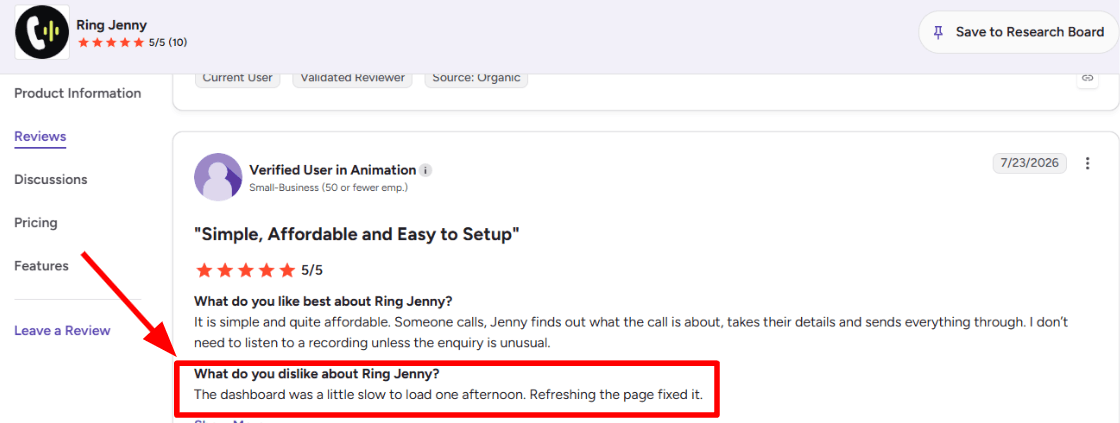
One G2 review of Ring Jenny describes a temporary dashboard slowdown resolved by refreshing. For a busy reception team, fast access to the dashboard matters when deciding who should return a call. The review excerpt is shown below.
Booking and live transfer tier
Scale supplies booking, transfers and caller texts. Select it when the after-hours policy requires an action during the call rather than a later callback.
Pros
- Existing-number forwarding allows the main business number to remain the entry point.
- Call records help the next shift understand a job request without asking the caller to repeat everything.
- Summaries let the person returning an enquiry start with the caller’s request instead of repeating intake.
Cons
- A message-taking subscription does not create an on-call workforce.
- Booking or a live handoff requires Scale; five free minutes allow only a small initial trial.
- Website-derived answers still need an owner when business hours, services or policies change.
Pricing
Free
- A$0/month for 5 minutes
- AI answering, messages, summaries, recordings and transcripts.
Professional
- Advertised offer A$59/month for 150 minutes
- A$0.25 per extra minute.
Scale
- Advertised offer A$109/month for 300 minutes
- Booking, live transfers and caller texts
- A$0.20 per extra minute.
Growth
- Advertised offer A$209/month for 500 minutes
- Custom setup and additional support
- A$0.15 per extra minute.
Booking and live transfers require Scale. Compare the allowance and required tier in the pricing breakdown below.
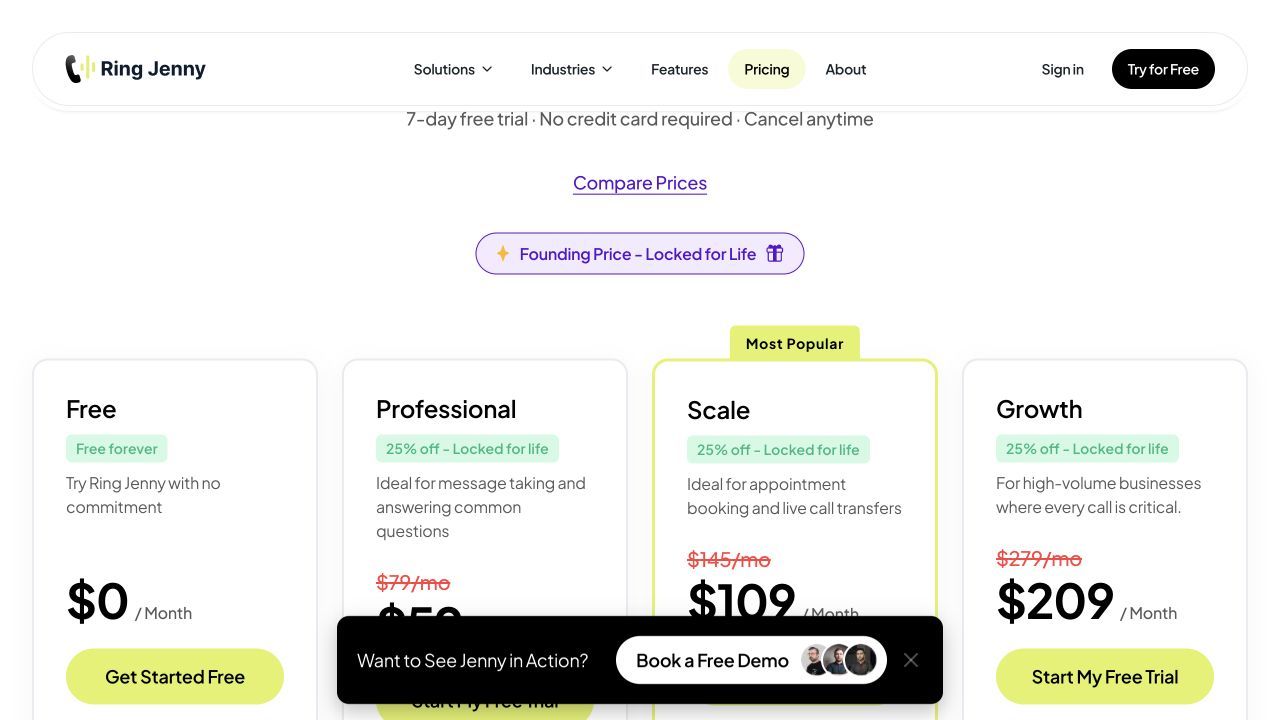
Prices checked 29 October 2026 against Ring Jenny pricing.
Smith.ai
Smith.ai deserves a place in the shortlist when unusual enquiries need a provider-supplied person to continue intake. Define which information that person must collect and who in your business accepts the job afterward. Its North American reception operation also makes Melbourne hours, terminology and the Australian calling arrangement questions for the service agreement.
When should you choose Smith.ai?
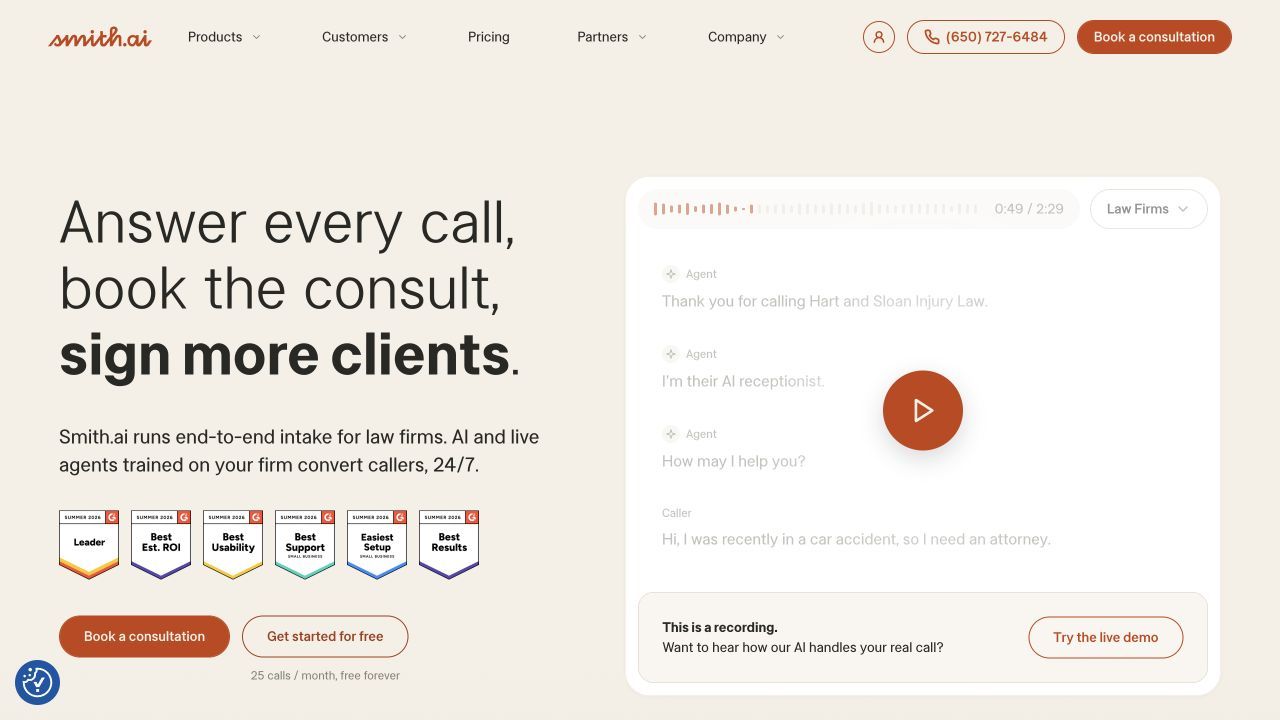
Smith.ai suits intake with human escalation. It combines lead screening, appointment booking, and AI and live-agent options.
When is Smith.ai a poor fit?
North American human reception; test local fit. Australian teams must account for local-number arrangements and time-zone coverage alongside the service fee.
The homepage below introduces Smith.ai’s lead screening, appointment booking, and AI and live-agent options.
Features
Job qualification
Qualification rules can gather the requested service and other deciding details before the enquiry reaches your business.
Human escalation
AI, hybrid and human-first options have different scopes. Establish when the provider’s receptionist takes over and when your own staff must respond.
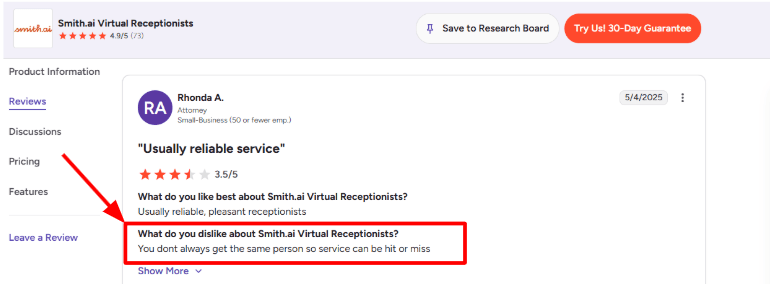
One G2 review of Smith.ai describes inconsistent service when different live receptionists answer. Clear intake instructions and a defined escalation path matter when different receptionists may answer. The reviewer’s comments are shown below.
Consultation booking
Supported scheduling can arrange a consultation. A scheduled conversation is distinct from committing a technician or accepting work outside the service area.
CRM callback records
Supported CRM connections, summaries and transcripts keep the request available for follow-up. Name the destination that owns the callback.
Onboarding support
Agree job-intake rules, coverage expectations and the Melbourne team’s escalation responsibilities during setup.
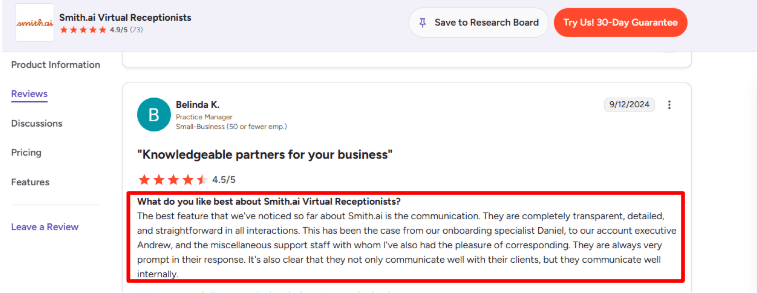
One G2 review of Smith.ai praises transparent onboarding and responsive support. Onboarding quality matters when the business is translating its own call rules into the receptionist setup. The screenshot below illustrates that experience.
Pros
- Provider-supplied human escalation can continue an intake conversation that needs judgement.
- Qualification rules help distinguish a potential job from a general enquiry.
- The business can scope AI, hybrid and human-first reception separately as its staffing needs change.
Cons
- Confirm coverage for Melbourne after-hours rather than assuming North American staffing meets it.
- Human-service scope has separate pricing from the displayed AI-first allowance.
- Australian teams must account for local-number arrangements and time-zone coverage alongside the service fee.
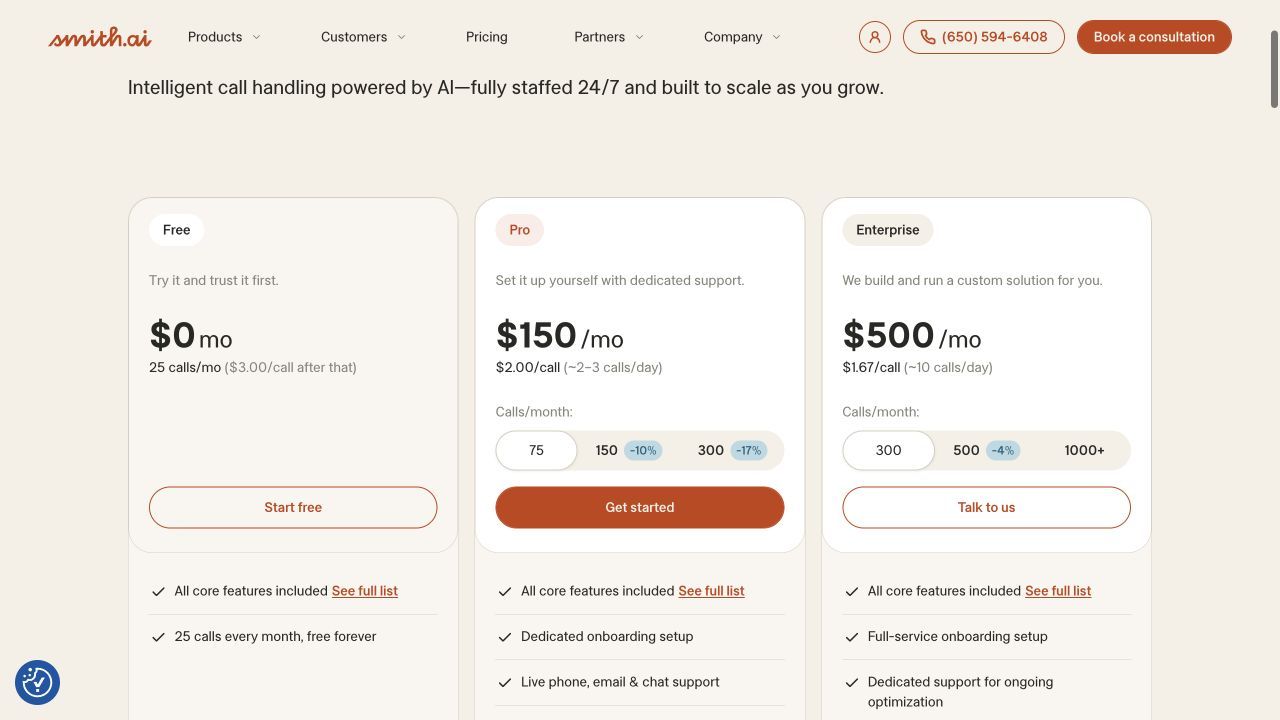
Pricing
AI-first Free
- US$0/month for 25 calls
- Additional calls US$3 each.
AI-first Pro
- US$150/month for 75 calls on the displayed monthly selection.
AI-first Enterprise
- Displayed from US$500/month for 300 calls.
Usage and terms
- Hybrid and human-first services have separate pricing
- Use the relevant service when comparing quotes.
North American human reception; test local fit. Compare the allowance and required tier in the pricing breakdown below.
Prices checked 29 October 2026 against Smith.ai pricing.
Upfirst
Upfirst offers a packaged way to answer when a small service team is occupied or off duty. Its Starter plan includes scheduling and transfers, so the buying question is how much action the business wants to allow after hours. Thirty included calls makes the expected overnight and weekend call count particularly relevant.
Which teams benefit most from Upfirst?
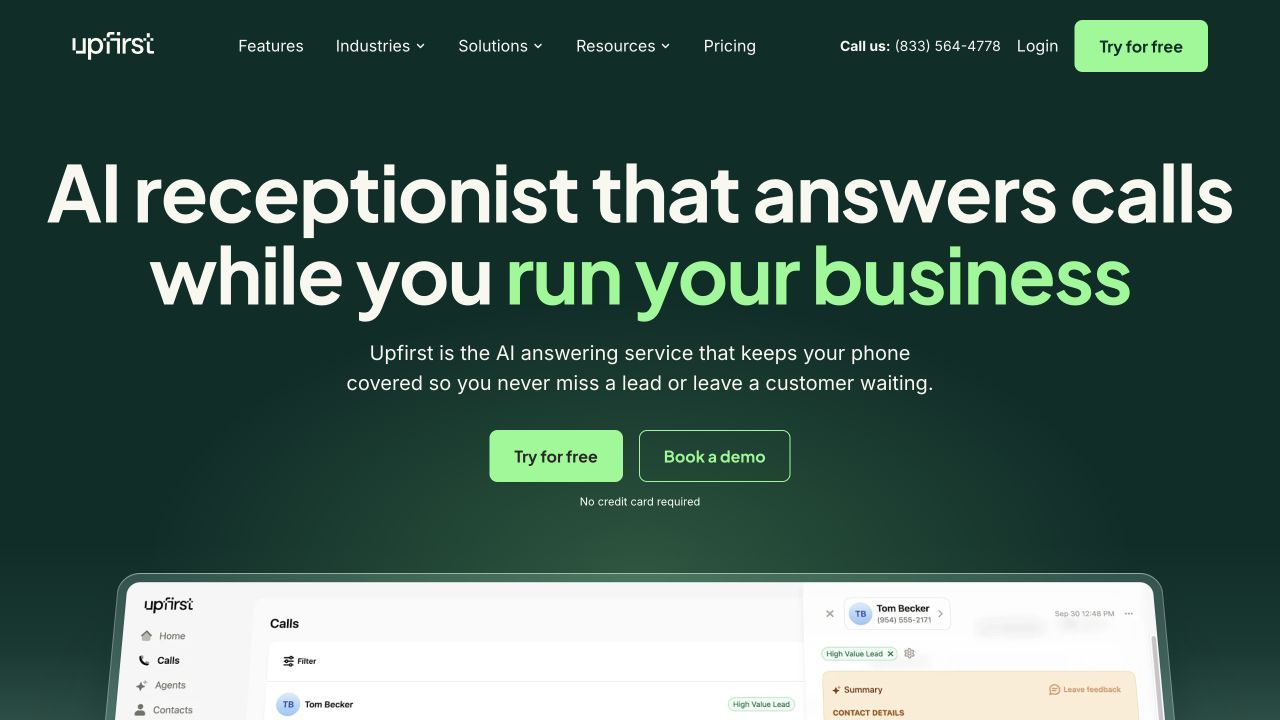
Upfirst suits lower-volume calls with bookings and transfers. It combines answering, scheduling, texts, and call records.
Who needs an alternative to Upfirst?
Usage is counted in calls. Repeat callers can use several calls in the allowance even when they are one customer.
The homepage below introduces Upfirst’s answering, scheduling, texts, and call records.
Features
After-hours reception
24/7 answering receives enquiries outside the staffed period and can answer configured business questions.
Callback records
Call recordings, transcripts and summaries give the reopening team the details needed to decide who should respond.
Booking and text messages
Scheduling and in-call texts can provide the agreed next step. Restrict that step to the business’s actual booking and service policy.
On-call transfers
Transfers can route a call to staff. Define the fallback when the on-call contact does not answer rather than treating a transfer attempt as a completed response.
Pros
- Entry-plan scheduling and transfers allow more than an overnight message if the business needs it.
- Call-count pricing makes a low-volume coverage window straightforward to estimate.
- Published call allowances make a small incoming-call workload easier to budget.
Cons
- A busy weekend can consume a material share of the 30-call Starter allowance.
- Australian number arrangements, carrier charges and the intended calendar connection need confirmation.
- Repeat callers can use several calls in the allowance even when they are one customer.
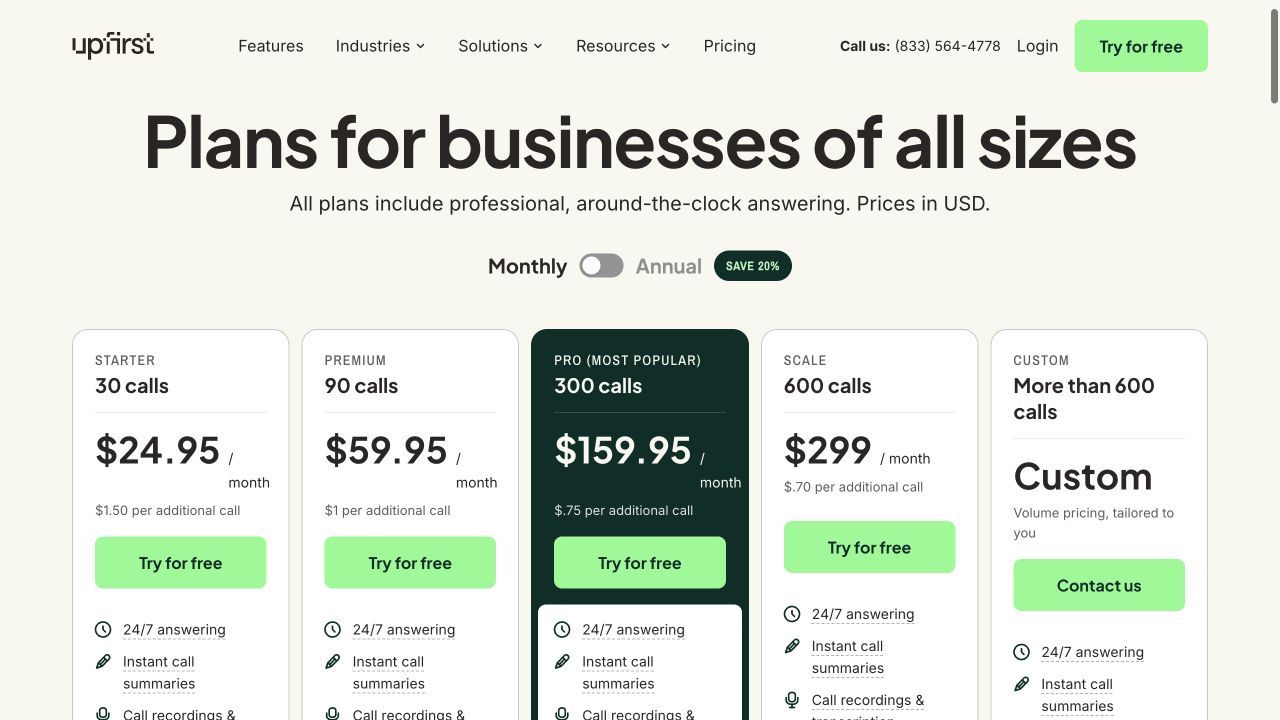
Pricing
Starter
- US$24.95/month for 30 calls
- US$1.50 per extra call.
Premium
- US$59.95/month for 90 calls
- US$1 per extra call.
Pro
- US$159.95/month for 300 calls
- US$0.75 per extra call.
Scale
- US$299/month for 600 calls
- US$0.70 per extra call. Custom plans cover higher volume.
Usage is counted in calls. Compare the allowance and required tier in the pricing breakdown below.
Prices checked 29 October 2026 against Upfirst pricing.
Goodcall
Goodcall fits an intake process where the key task is collecting the right job information before staff call back. Configure the required questions and connected destination around the person who will assess the work. Its unique-customer billing can also suit customers who call again about the same enquiry, although each new caller still uses the allowance.
What does Goodcall suit best?
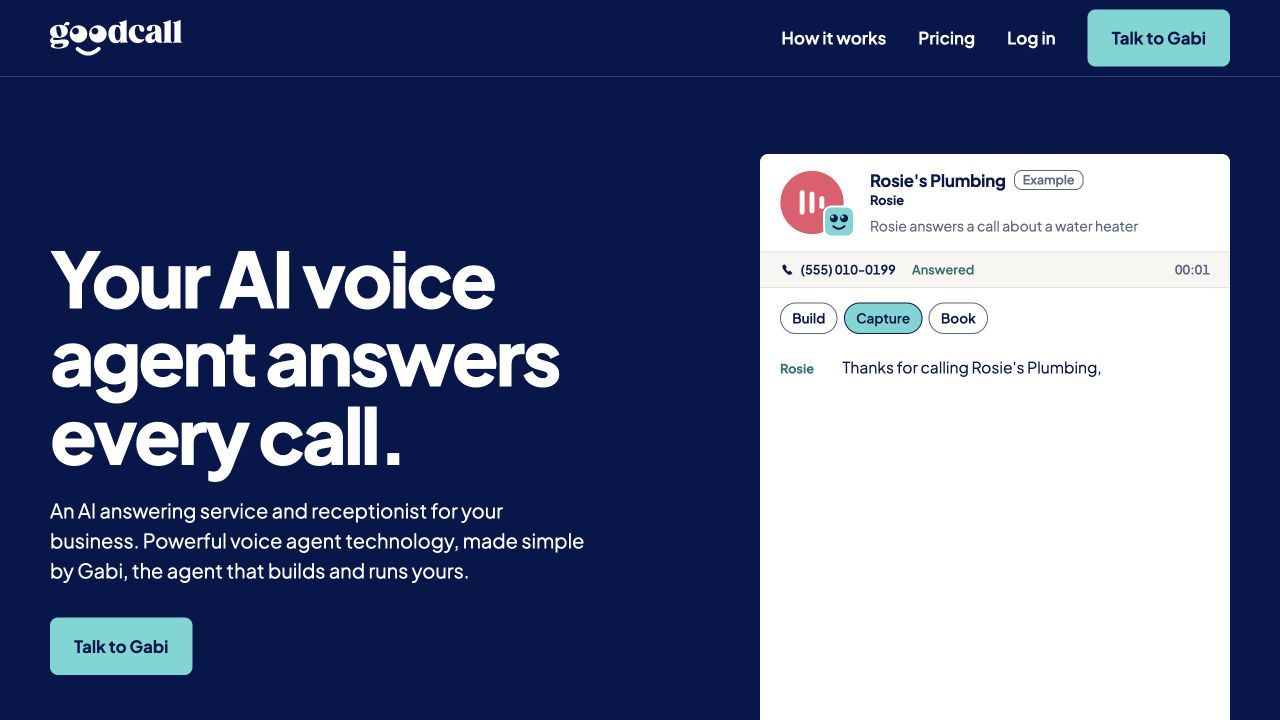
Goodcall suits repeat callers and longer conversations. It combines call answering, lead questions, and connected workflow actions.
Where does Goodcall fall short?
Usage charges follow unique customers. Workers, connected tools and team access can constrain the selected plan as well as caller volume.
The homepage below introduces Goodcall’s call answering, lead questions, and connected workflow actions.
Features
Approved service answers
Business-trained answers can cover services and the business’s approved coverage information without promising that a particular job has been accepted.
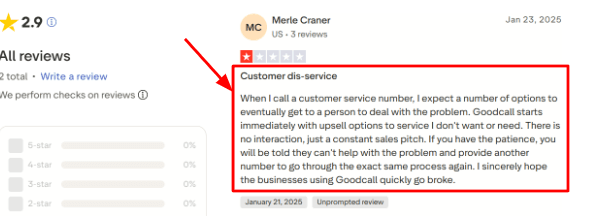
One Trustpilot review of Goodcall raises concerns about upsell-style prompts during calls. Keep reception focused on the caller’s enquiry so extra prompts do not interrupt the intended next step. The review excerpt is shown below.
Job-intake questions
Qualification questions can gather the service request, location and other information your team needs to assess an enquiry.
Connected follow-up
Supported tools can move the captured information into scheduling or another workflow. Define the receiving system and the staff member who acts on it.
Customer-based usage
The allowance counts unique customers rather than conversation minutes. Repeat calls from the same number do not create a new minute-based bill.
Agent administration
Keep service information, qualification questions and connected actions aligned with the way the Melbourne team handles enquiries.
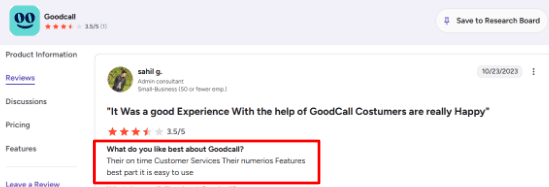
One G2 review of Goodcall praises features and ease of use. A simple setup helps a small team maintain answers without turning every change into a separate project. The review excerpt is shown below.
Pros
- Qualification can reduce the information the callback owner needs to collect again.
- Longer explanations of a job do not generate per-minute usage charges.
- Published customer allowances let the team budget from distinct caller numbers rather than guessing average call length.
Cons
- Useful intake still depends on maintaining the right questions and connected tools.
- Many first-time callers can exceed the unique-customer allowance even when calls are brief.
- Workers, connected tools and team access can constrain the selected plan as well as caller volume.
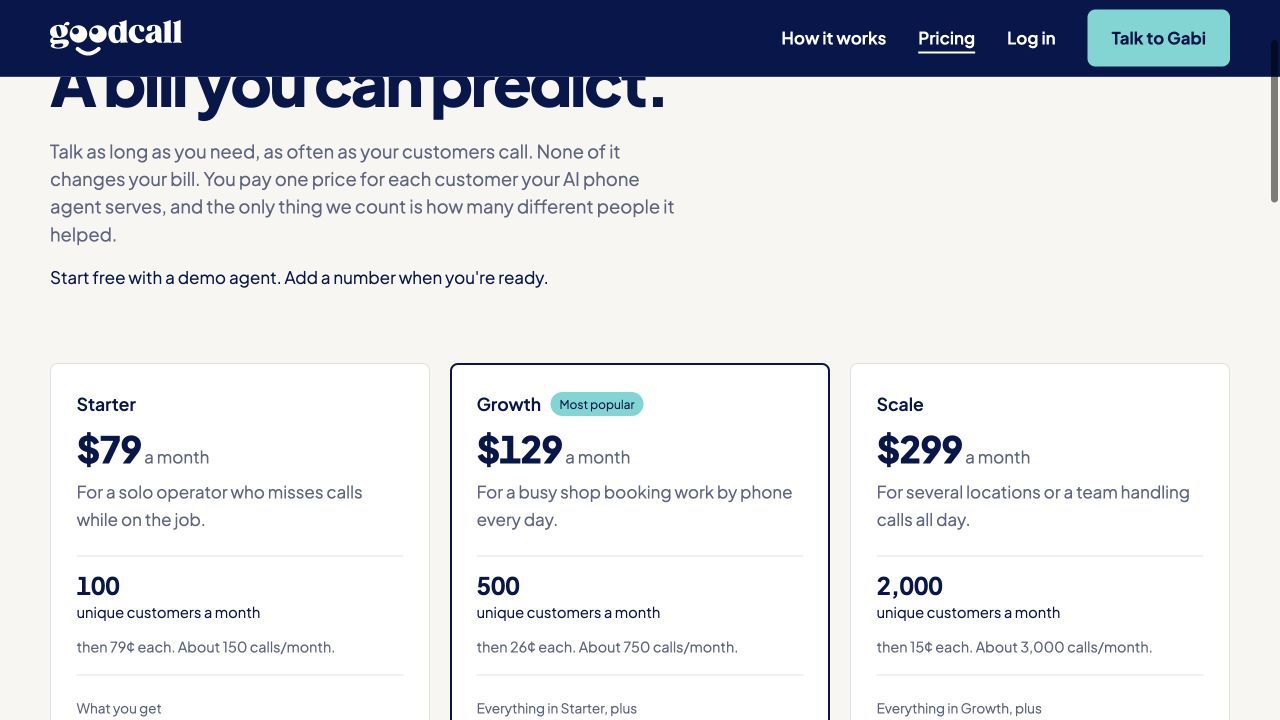
Pricing
Starter
- US$79/month for 100 unique customers
- US$0.79 per additional customer.
Growth
- US$129/month for 500 unique customers
- US$0.26 per additional customer.
Scale
- US$299/month for 2,000 unique customers
- US$0.15 per additional customer.
Enterprise
- Custom pricing. A free demo agent is available before connecting a business number.
Usage charges follow unique customers. Compare the allowance and required tier in the pricing breakdown below.
Prices checked 29 October 2026 against Goodcall pricing.
Retell AI
Retell AI is appropriate when job intake needs custom branches and a team can own the implementation. A developer or implementer must connect the agent to business systems and define what happens when a request cannot be completed. Buying the platform alone does not establish service-area decisions, dispatch responsibility or an after-hours response process.
Is Retell AI right for your business?
Retell AI suits teams building custom voice workflows. It combines voice agents, tools, APIs, and testing.
When should you skip Retell AI?
Requires workflow configuration and integration work. Model, telephony and integration choices affect the final operating cost.
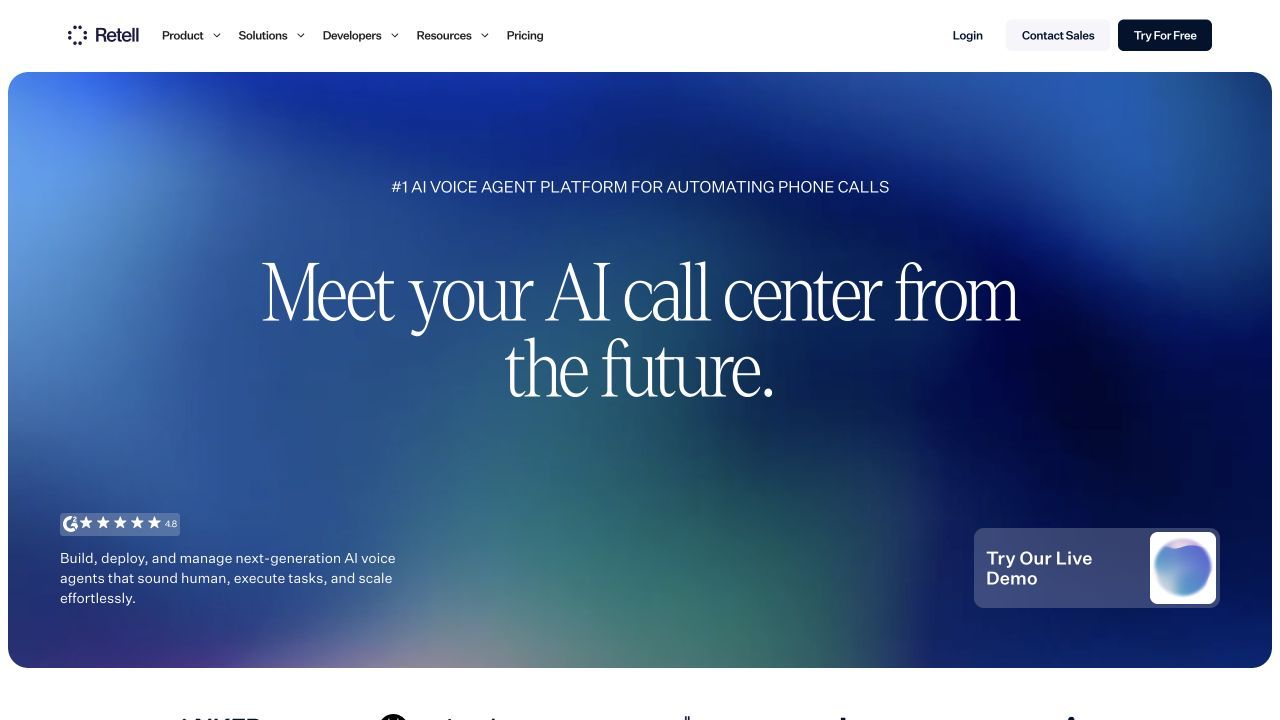
The homepage below introduces Retell AI’s voice agents, tools, APIs, and testing.
Features
Job intake and routing
Configurable conversation logic lets the implementer organise questions around the business’s job-assessment process.
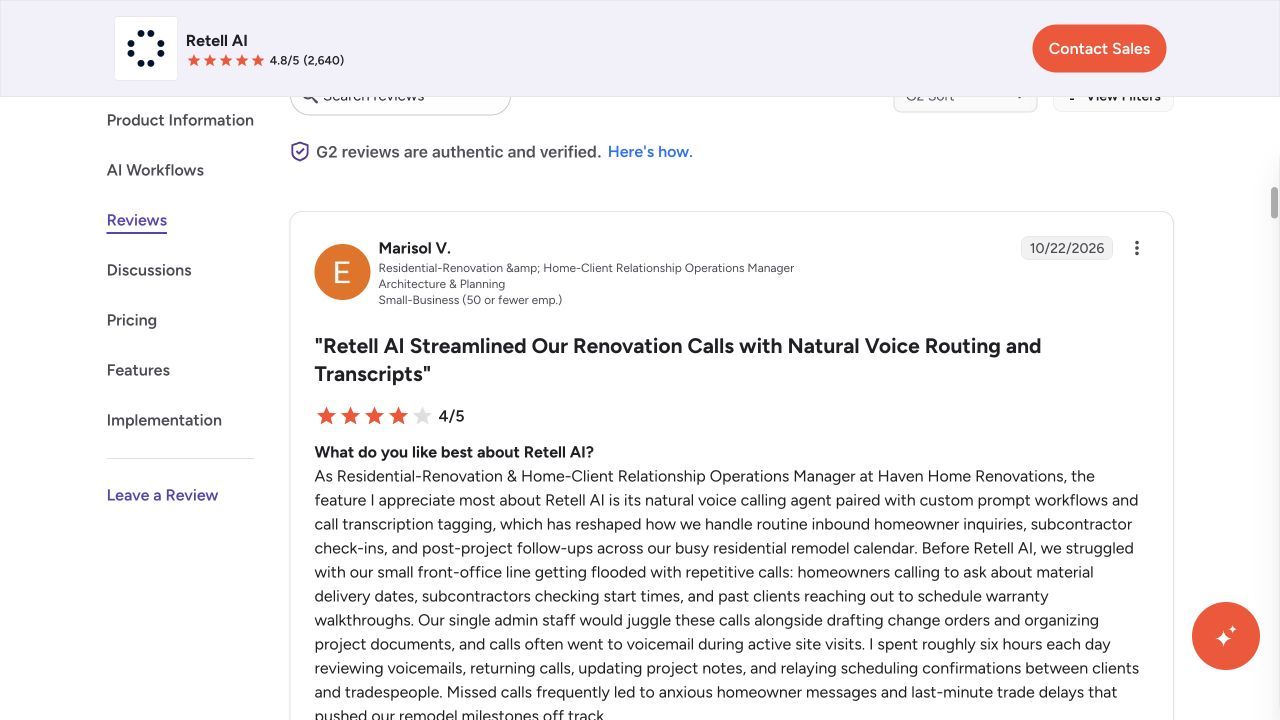
One G2 review of Retell AI describes custom routing and transcripts in a service business. Routing is most useful when the greeting, destination and unavailable-person fallback match the actual branch or team. The screenshot below illustrates that experience.
Business-system API actions
Tools, APIs and webhooks can pass information to supported business systems. Specify whether the output is an enquiry, a booking or another recorded action.
Language and voice configuration
Voice and language configuration should use the terms callers and staff actually use for services and locations.
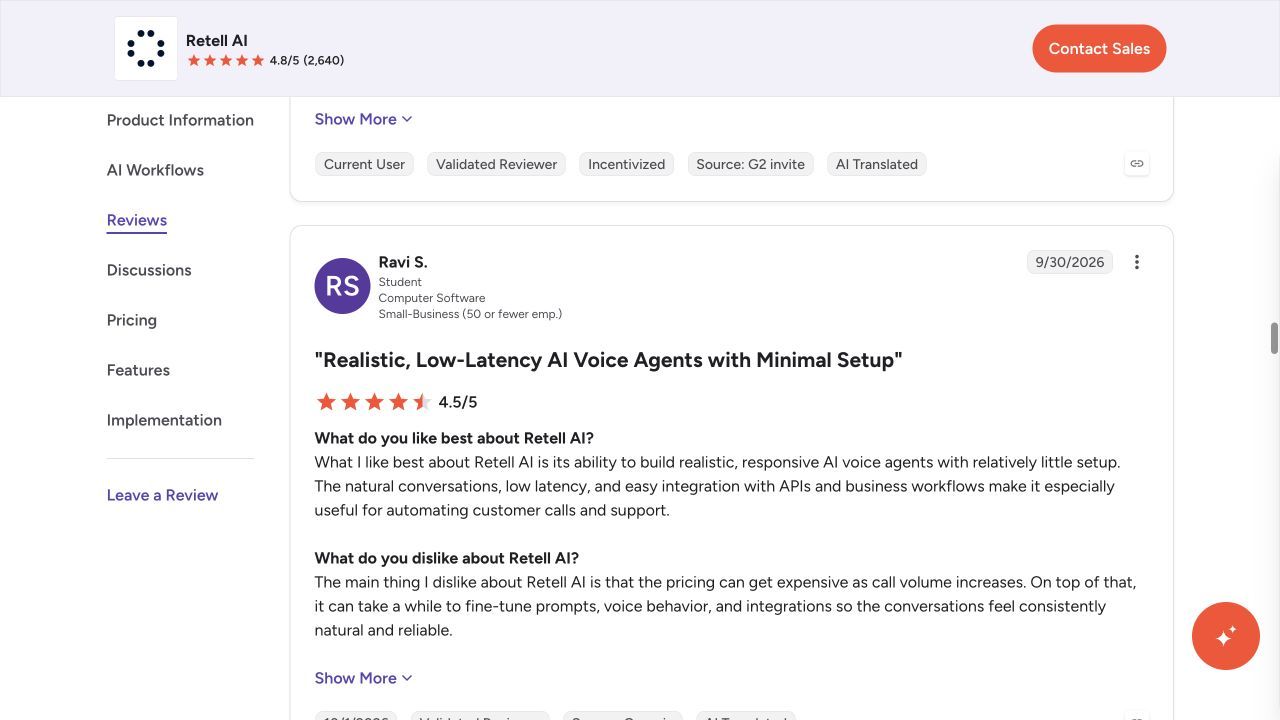
One G2 review of Retell AI describes responsive voices, API integration and configuration effort. A natural voice still needs well-configured actions and integrations to complete the business task. The review excerpt is shown below.
Unresolved-call review
Simulation testing, transcripts and analytics help the owner inspect branches that stop without the required information or next step.
Pros
- Custom logic can reflect a more specific intake process than a fixed receptionist script.
- Tools and call analysis support an owned workflow that can be adjusted over time.
- Usage-based voice pricing provides a different budget model from a fixed receptionist subscription.
Cons
- Implementation and ongoing maintenance need a named technical owner.
- Telephony, numbers, voice configuration and support contribute to the cost beyond the minute range.
- Model, telephony and integration choices affect the final operating cost.
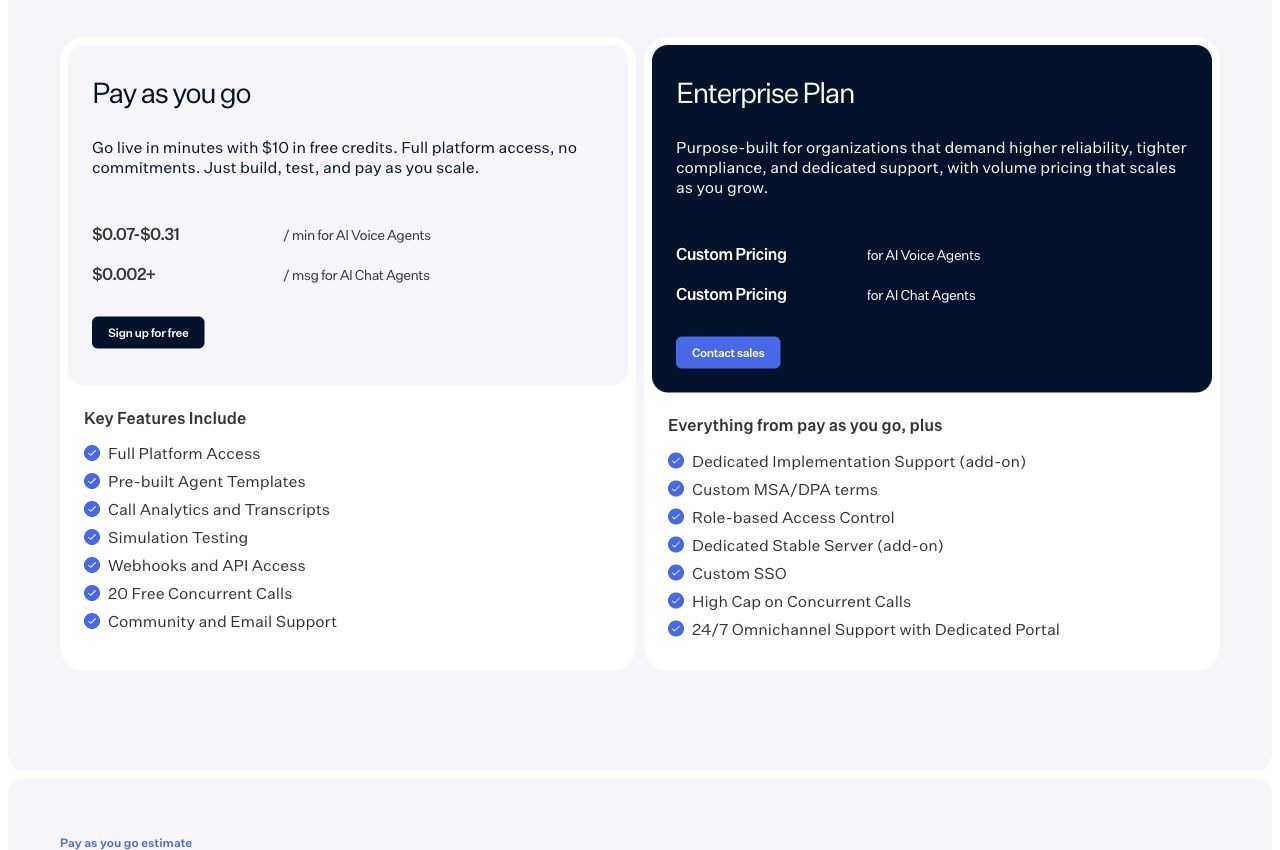
Pricing
Published pay-as-you-go voice-agent range
- US$0.07–US$0.31 per minute, depending on configuration.
Usage and terms
- The plan lists 20 concurrent calls and US$10 in initial credits.
Enterprise
- Custom pricing
- Account separately for telephony, numbers and implementation.
Requires workflow configuration and integration work. Compare the allowance and required tier in the pricing breakdown below.
Prices checked 28 October 2026 against Retell AI pricing.
Synthflow AI
Synthflow AI is a larger procurement decision for businesses standardising intake across several systems or teams. Its enterprise deployment model makes ownership a central part of the proposal: who maintains the workflow, who receives the job request and who responds when an integration fails? The published annual commitment is difficult to justify for a simple overnight message requirement.
Who is Synthflow AI best for?
Synthflow AI suits enterprise voice workflows. It combines visual flows, integrations, transfers, and booking actions.
Who should avoid Synthflow AI?
Annual enterprise commitment. The team needs an ongoing owner for failed actions and changing business rules.
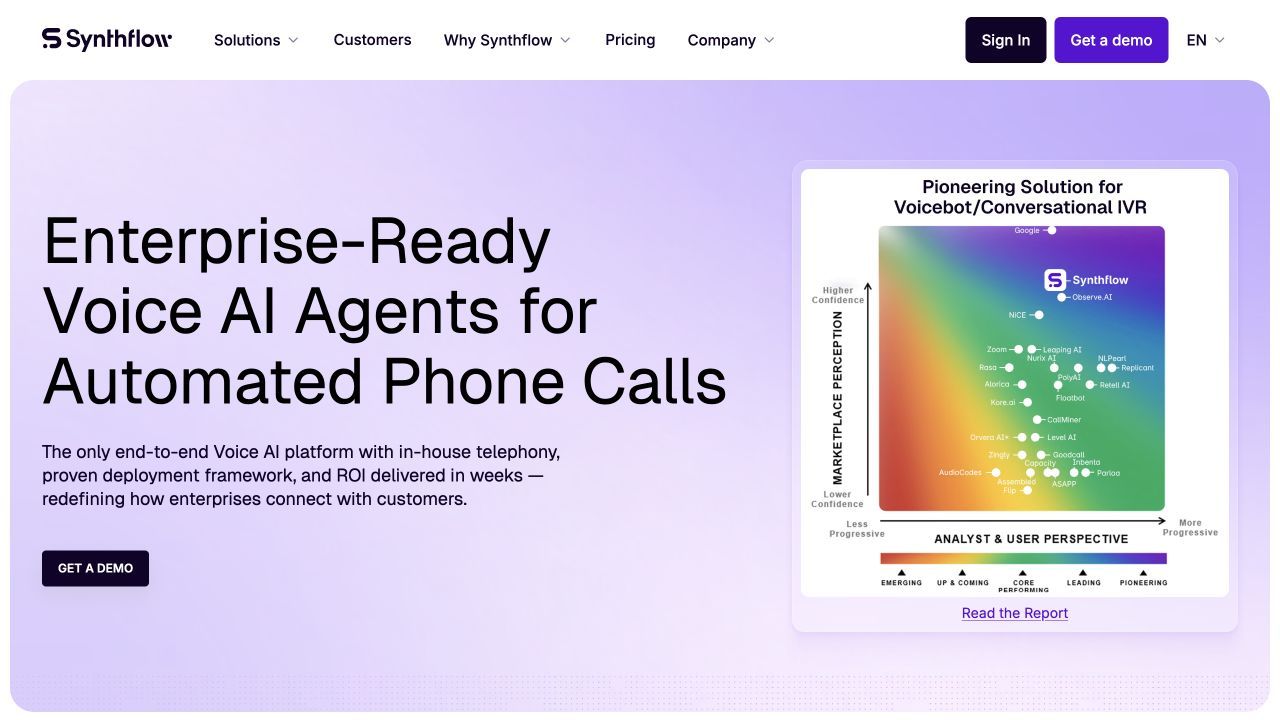
The homepage below introduces Synthflow AI’s visual flows, integrations, transfers, and booking actions.
Features
Visual intake workflows
Visual workflows can organise the questions and branches used to assess a service enquiry.
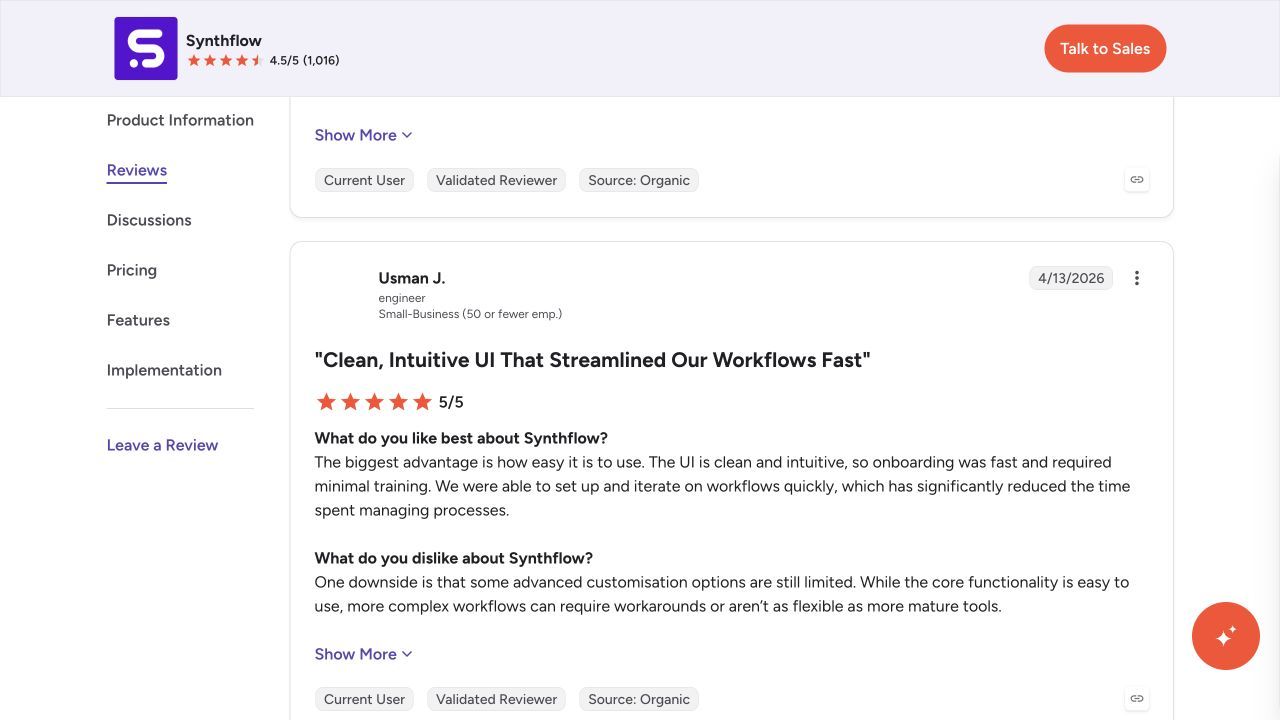
One G2 review of Synthflow AI describes easy onboarding and limits in advanced customisation. Onboarding quality matters when the business is translating its own call rules into the receptionist setup. The reviewer’s comments are shown below.
CRM and calendar actions
Supported CRM and booking actions can turn the conversation into a recorded next step. Define which result the implementation must produce.
Staff escalation
Transfers and fallback behaviour need to reflect the staff actually available to respond, including outside ordinary hours.
Deployment maintenance
Monitoring and language configuration support continued operation. Include responsibility for updating service information and reviewing unresolved calls in the deployment plan.
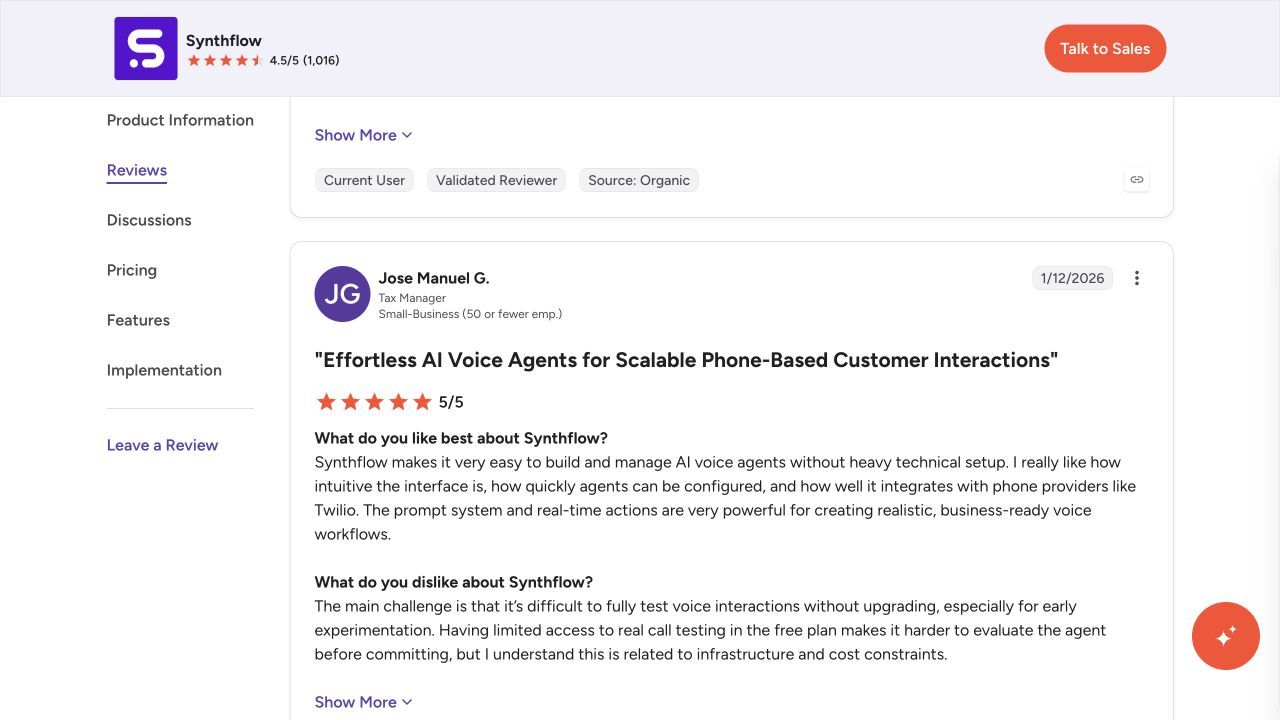
One G2 review of Synthflow AI discusses voice workflows, phone integration and earlier testing restrictions. Conversation quality matters most when it produces the right intake details, appointment or staff handoff. The reviewer’s comments are shown below.
Pros
- An enterprise engagement can specify the integration and operational ownership around intake.
- Multi-step workflows can link qualification, record creation and a staff handoff.
- An enterprise proposal can assign integration and deployment responsibilities before launch.
Cons
- US$30,000 annual starting contracts are a substantial commitment for basic after-hours capture.
- Included usage, support and launch responsibilities depend on the proposal.
- The team needs an ongoing owner for failed actions and changing business rules.
Pricing
Plan and billing
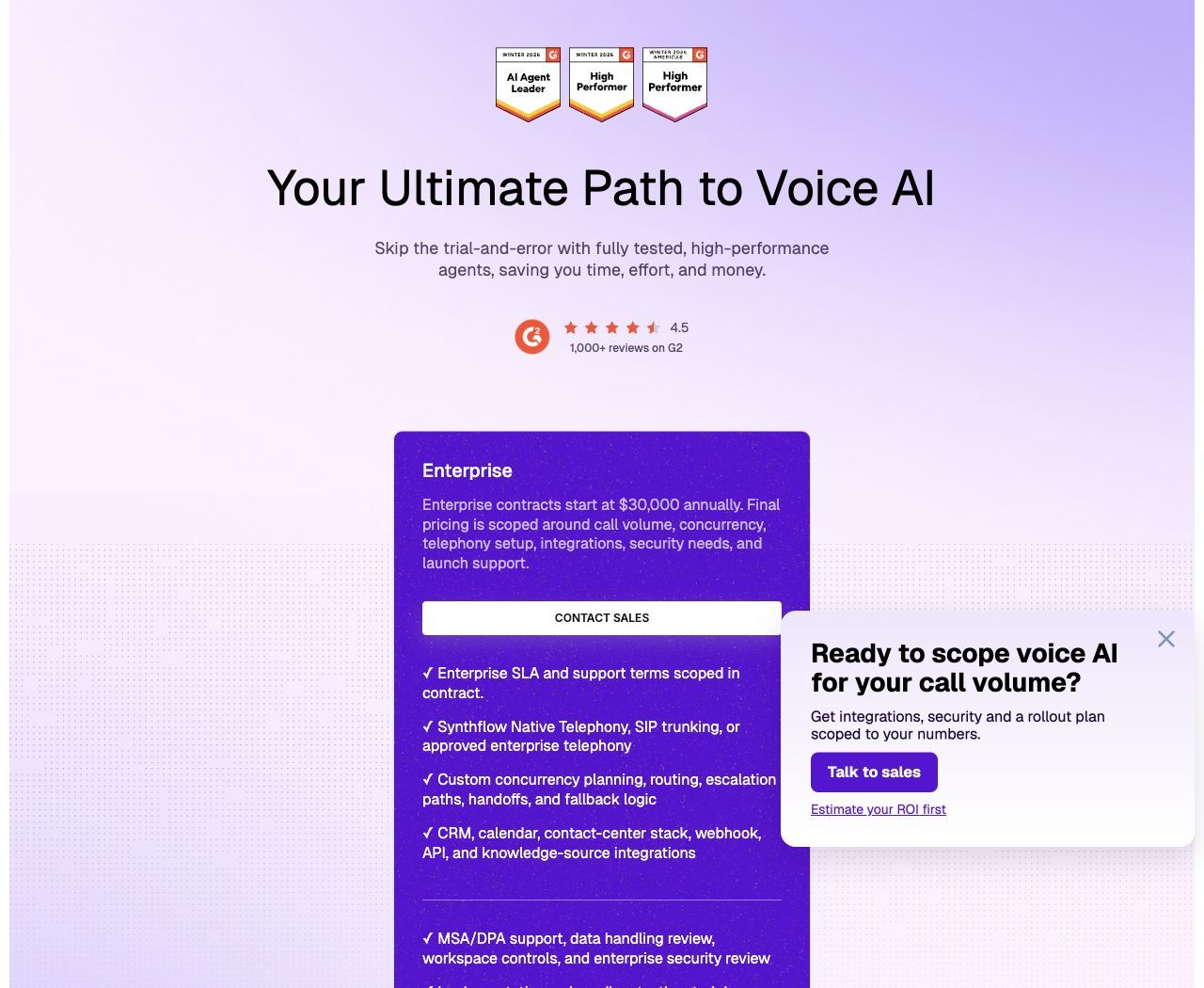
- Enterprise contracts start at US$30,000 annually.
Usage and terms
- Final pricing depends on volume, concurrency, telephony, integrations and launch support.
Usage and terms
- Confirm recurring usage, implementation and support terms in the proposal.
Annual enterprise commitment. Compare the allowance and required tier in the pricing breakdown below.
Prices checked 28 October 2026 against Synthflow AI pricing.
How we compared these options
We compared the reception outcome, the required plan and the work the business must maintain.
- Whether the call ends in a message, appointment or staff handoff.
- Local phone setup and the unavailable-person fallback.
- The actual calendar or CRM action, rather than a broad integration claim.
- Included usage, additional charges and implementation cost.
Choose an after-hours intake process your team can own
A Melbourne service business should buy the intake outcome it can actually follow through on. A complete request needs the caller’s contact details, requested work, location and an agreed next step. Receiving that request is separate from accepting the job or promising an attendance time.
- Message first: Ring Jenny Professional fits an enquiry-capture brief; use Scale if the call must include booking or live transfer.
- More action on a small call allowance: Upfirst includes scheduling and transfers on Starter, with call-count limits.
- Help from a provider’s people: Scope Smith.ai around the intake a human receptionist will perform and confirm Melbourne coverage.
- More structured qualification: Consider Goodcall when the job-assessment questions and connected destination are central.
- Custom intake logic: Retell AI needs an implementer; Synthflow needs an enterprise deployment scope and budget.
Write down who reviews overnight messages, which enquiries may interrupt an on-call person and what happens outside the service area. The small-business setup playbook helps turn those decisions into an answering workflow. For requests requiring a person immediately, use the AI receptionist with call routing to specify an unanswered-transfer fallback.
Melbourne AI answering service FAQs
What information should an after-hours job enquiry contain?
Collect the caller’s name and callback number, requested service, service location and the agreed next step. Add only the qualification questions staff need to decide how to respond. A long transcript is less useful if nobody knows who must review it.
Should the AI promise a technician visit?
Only allow commitments supported by the business’s actual booking process. A captured request or consultation booking does not itself confirm dispatch, coverage of the location or staff availability. Keep the wording clear about what has been accepted.
Who should receive overnight messages?
Assign a primary callback owner and a backup within the business. Define when they review the records and which business enquiries warrant an immediate handoff. Buying AI answering does not create that staffing responsibility.
What happens when the caller is outside the service area?
Provide an approved coverage explanation and define whether to capture the enquiry for review. Do not assume a product automatically recognises every local coverage rule. Service-area decisions belong in maintained business information or configured workflow logic.
How can I assess intake before forwarding all calls?
Run through an ordinary request, an out-of-area enquiry and an unanswered on-call destination. Inspect the saved fields and assigned next step. The testing and improvement guide explains how to review the resulting call workflow.
Summarize this content with AI