


Introduction
Ring Jenny, RingCentral AI Receptionist, Smith.ai, Ruby, Abby Connect, Goodcall and Lucy are AI Frontdesk alternatives for different reception needs. Start with the part of the front desk you want replaced: automated answering, outsourced human service, phone-system routing or callback capture. A narrower phone service may still need separate tools for SMS, chat and CRM.
My AI Frontdesk alternatives: comparison
Pricing, ease of use and ROI
| Product | Starting price | Ease of use /10 | ROI | Key differentiator |
|---|---|---|---|---|
| Ring Jenny | A$0/month | 9.4 | 113% | Website-trained setup and a free tier |
| RingCentral AI Receptionist | A$62/account/month + RingEX | 8.1 | 47% | Reception within RingEX |
| Smith.ai | US$0/month | 8.7 | 8% | AI and human reception options |
| Ruby | Custom quote | Not studied | Not studied | Human receptionist service |
| Abby Connect | US$164/month | Not studied | Not studied | Shared human/AI minute model |
| Goodcall | US$79/month | 8.4 | 175% | Unique-customer billing |
| Lucy | A$24/month | Not studied | Not studied | Callback messages; Business smart transfers |
Source: LunaCal Research 2026 on AI Answering Services. Ease of use is scored out of 10. ROI is modeled first-year administrative return for 100 calls per month using USD assumptions. Starting prices use the stated billing basis; advanced features can require higher tiers. “Not studied” means the product was outside the research; “Not calculated” means no comparable ROI was published.
Features, service models and plan limits
| Alternative | Service type | Useful replacement scope | What remains separate | Included usage | Core features | Call records and notifications | Additional charges |
|---|---|---|---|---|---|---|---|
| Ring Jenny | Ready-made AI answering | Forwarded calls, records; Scale booking and transfers | Not a combined chat-and-CRM package in this comparison | Free: 5 min; Professional: 150 min | Website-trained answers; call summaries; booking and transfers on Scale | Recordings, transcripts and summaries | Professional overage: A$0.25/min |
| RingCentral AI Receptionist | Phone-system AI add-on | Conversational reception and RingEX routing | Required RingEX subscription; Australian booking coming soon | 100 min/month | Conversational routing; caller details; transcripts | Caller details and transcripts; confirm audio | A$0.80/additional minute |
| Smith.ai | AI with human-service options | Screening, consultations and human escalation | Human-service selection and its price | Free: 25 calls; Pro: 75 calls | Lead screening; appointment booking; AI and live-agent options | Recordings, transcripts, summaries and CRM handoff | Free-plan overage: US$3/call |
| Ruby | Live receptionists | Human conversations, instructed intake and scheduling | Telephone reception quote; chat add-ons are separate | Defined in selected plan | Human answering; intake; scheduling; call forwarding | App/email messages and call details | Depends on minute allowance |
| Abby Connect | Human, AI or mixed | Choose the human/AI mix by call need | One allowance is consumed at different rates | 50 human or 100 AI minutes | Human or AI answering; intake; recordings | Caller records, portal reporting and recordings | Overage uses the plan’s Abby Minute rate |
| Goodcall | Configurable AI phone agent | Caller questions and connected workflow actions | Separate tool configuration and plan limits | Starter: 100 customers/month | Call answering; lead questions; connected workflow actions | Lead forms and connected records | Starter overage: US$0.79/customer |
| Lucy | Callback-led AI answering | Messages and summaries; Business smart transfers | Direct booking scope is not established here | Unlimited calls listed | Messages; summaries; Business smart transfers | Text/email summaries and webhook outputs | Business: A$99/month |
AI Frontdesk alternatives: AI answering, human service and plan limits
Ring Jenny
Ring Jenny fits a team that mainly needs the phone answered and the next reception action completed. It is a narrower comparison than replacing an entire front-office suite. Forward calls, collect the enquiry and choose whether staff should call back or Scale should book or transfer. Keep any separate website chat and CRM requirements in the buying brief.
Who is Ring Jenny best for?
Ring Jenny suits Australian service businesses. It combines website-trained answers, call summaries, and booking and transfers on Scale.
Who should avoid Ring Jenny?
Booking and live transfers require Scale. Website-derived answers still need an owner when business hours, services or policies change.
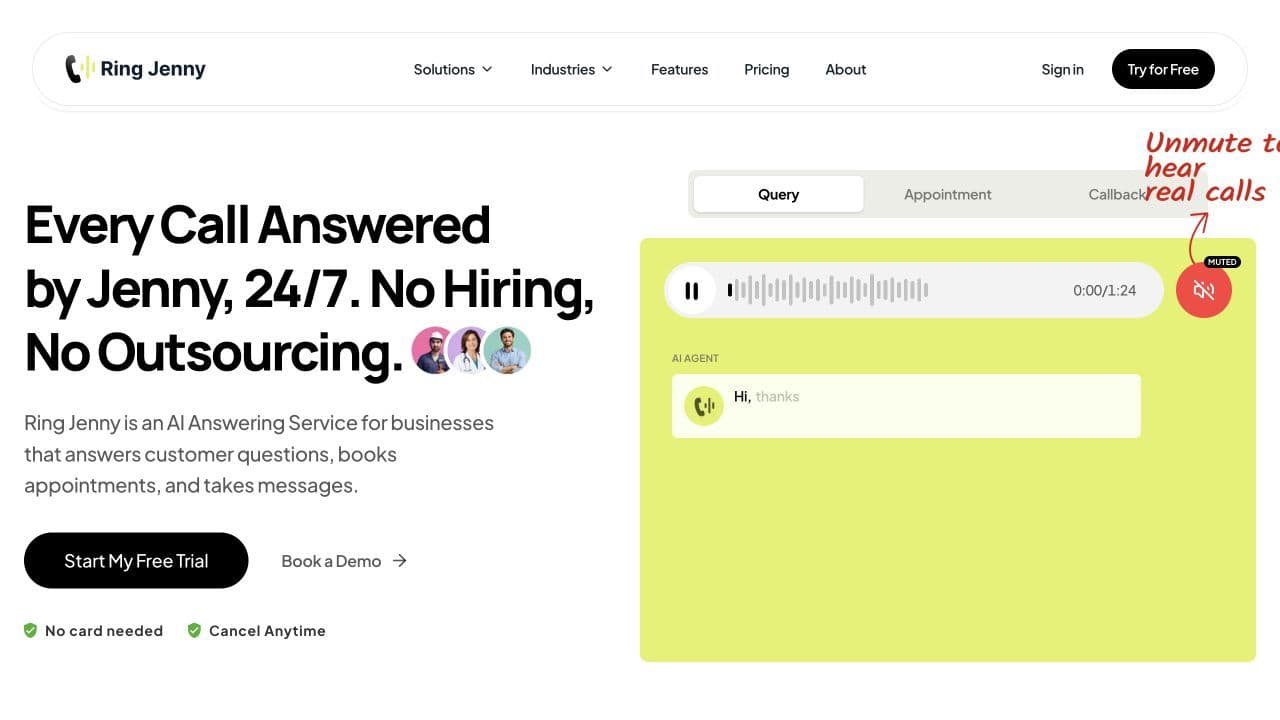
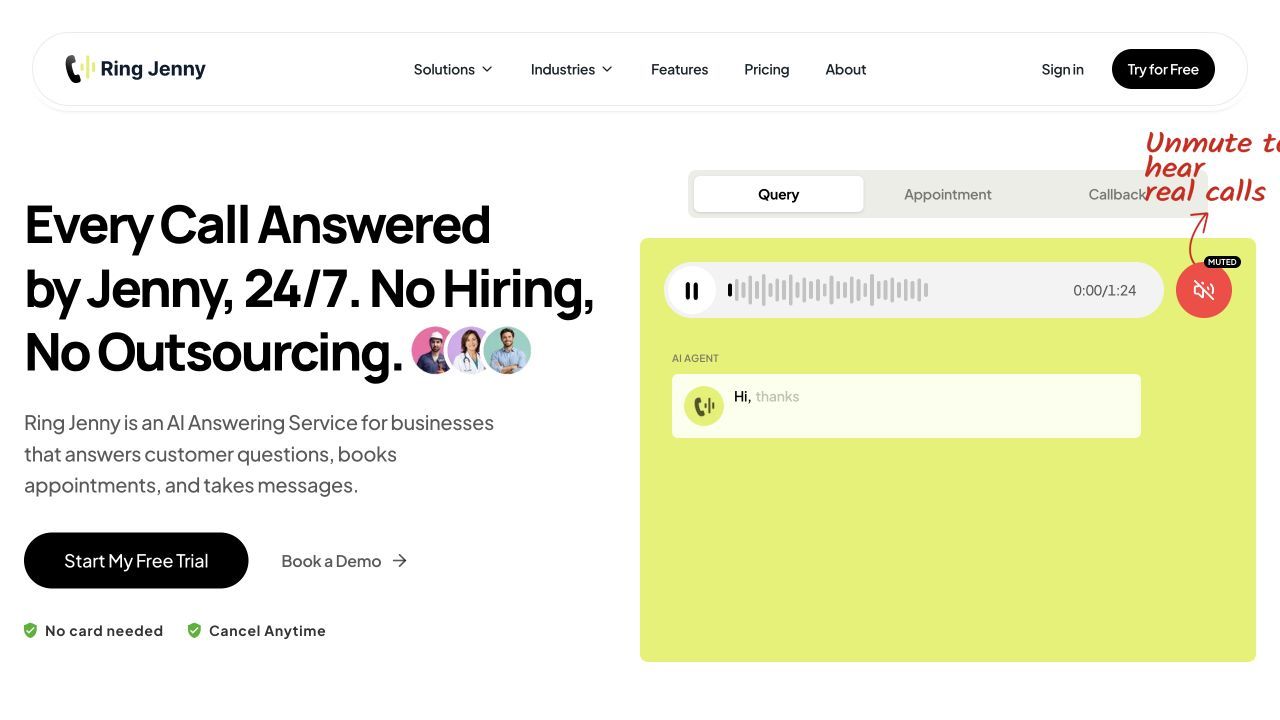
The homepage below introduces Ring Jenny’s website-trained answers, call summaries, and booking and transfers on Scale.
Features
Existing-number answering
Use forwarding to bring busy, unanswered or out-of-hours calls into the reception workflow.
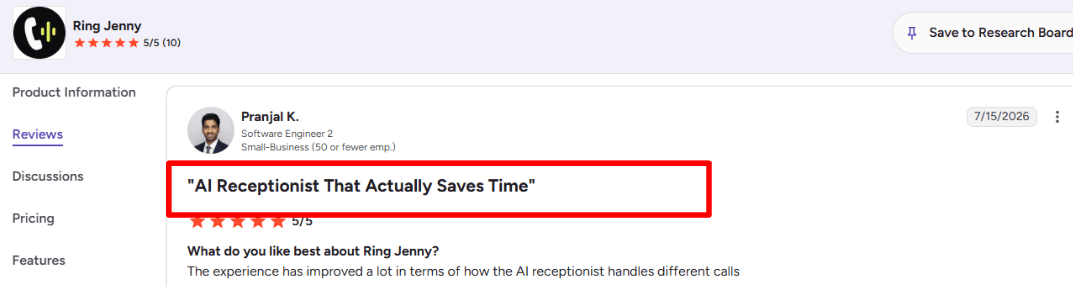
One G2 review of Ring Jenny describes improvements in handling different call types. The useful outcome is a complete enquiry that the team can act on across its normal call types. The reviewer’s comments are shown below.
Approved business answers
Train from business information and edit FAQs so the agent can address routine requests.
Call records and dashboard
Use summaries, recordings and transcripts instead of a bare missed-call notification.
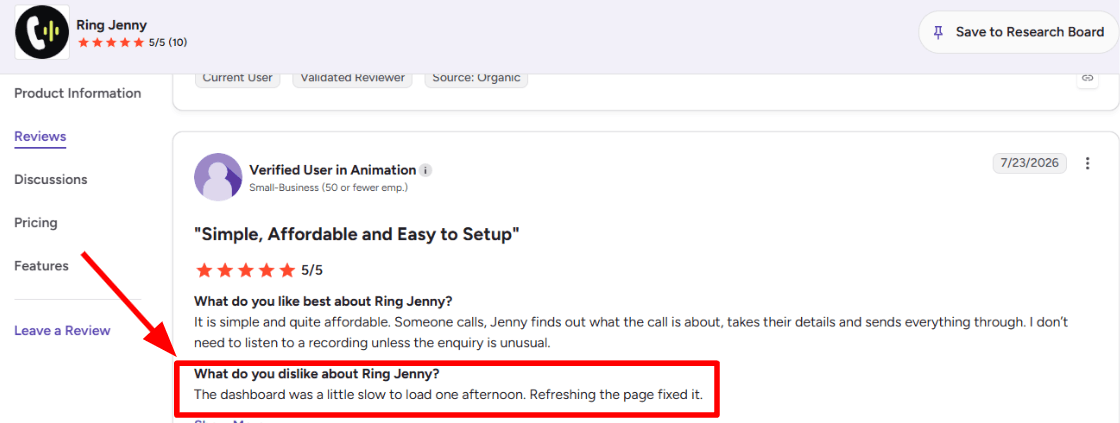
One G2 review of Ring Jenny describes a temporary dashboard slowdown resolved by refreshing. For a busy reception team, fast access to the dashboard matters when deciding who should return a call. The review excerpt is shown below.
Booking and live-transfer tier
Scale adds the actions needed when the call should end with an appointment or a staff conversation.
Pros
- A focused option when phone handling is the main requirement.
- Message and booking tiers are easy to distinguish.
- Summaries let the person returning an enquiry start with the caller’s request instead of repeating intake.
Cons
- Do not assume it replaces every chat or CRM function of a broader suite.
- Booking and live transfers require Scale.
- Website-derived answers still need an owner when business hours, services or policies change.
Pricing
Free
- A$0/month for 5 minutes
- AI answering, messages, summaries, recordings and transcripts.
Professional
- Advertised offer A$59/month for 150 minutes
- A$0.25 per extra minute.
Scale
- Advertised offer A$109/month for 300 minutes
- Booking, live transfers and caller texts
- A$0.20 per extra minute.
Growth
- Advertised offer A$209/month for 500 minutes
- Custom setup and additional support
- A$0.15 per extra minute.
Booking and live transfers require Scale. Compare the allowance and required tier in the pricing breakdown below.
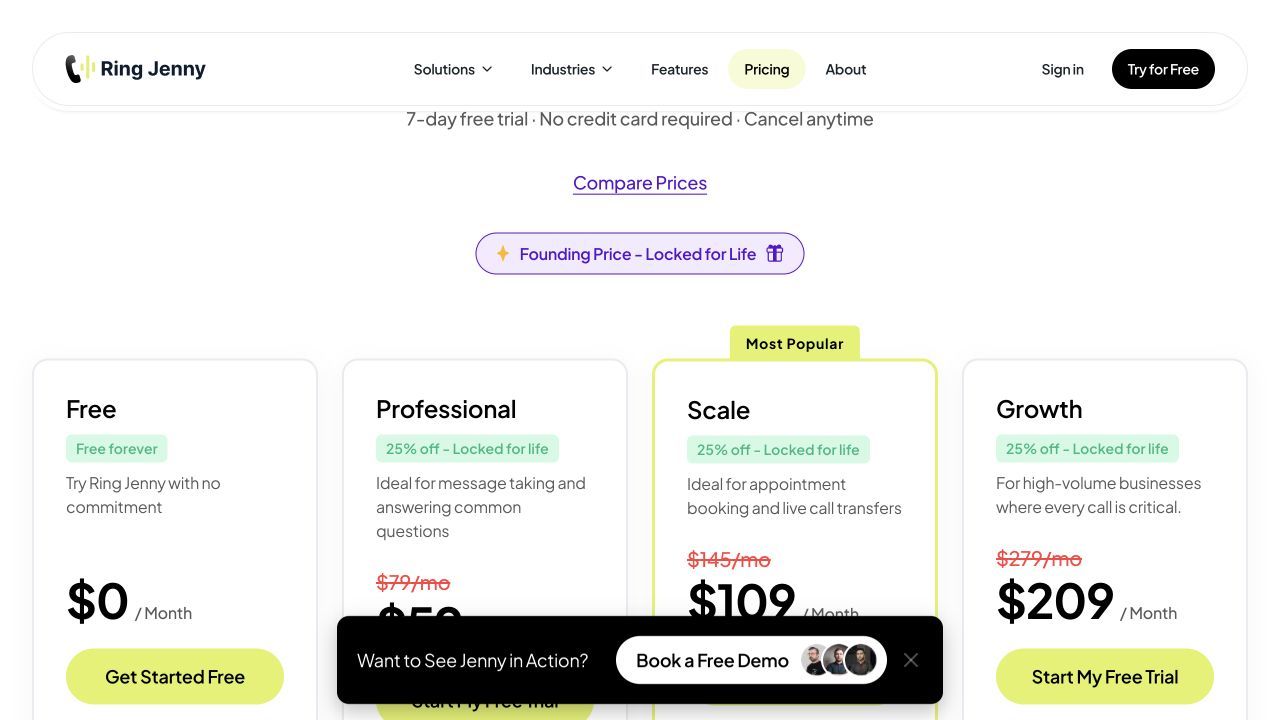
Prices checked 29 October 2026 against Ring Jenny pricing.
RingCentral AI Receptionist
RingCentral AIR fits an organisation that wants reception to belong to its business phone system. For Australia, AIR is an add-on requiring RingEX. It provides conversational routing and caller context, while Australian booking is marked coming soon. Evaluate this as a phone-stack decision with the subscription and routing administration included in the cost.
When should you choose RingCentral AI Receptionist?
RingCentral AI Receptionist suits teams using RingEX. It combines conversational routing, caller details, and transcripts.
When is RingCentral AI Receptionist a poor fit?
Australian booking is marked coming soon. Include the required RingEX subscription when comparing the full monthly cost.
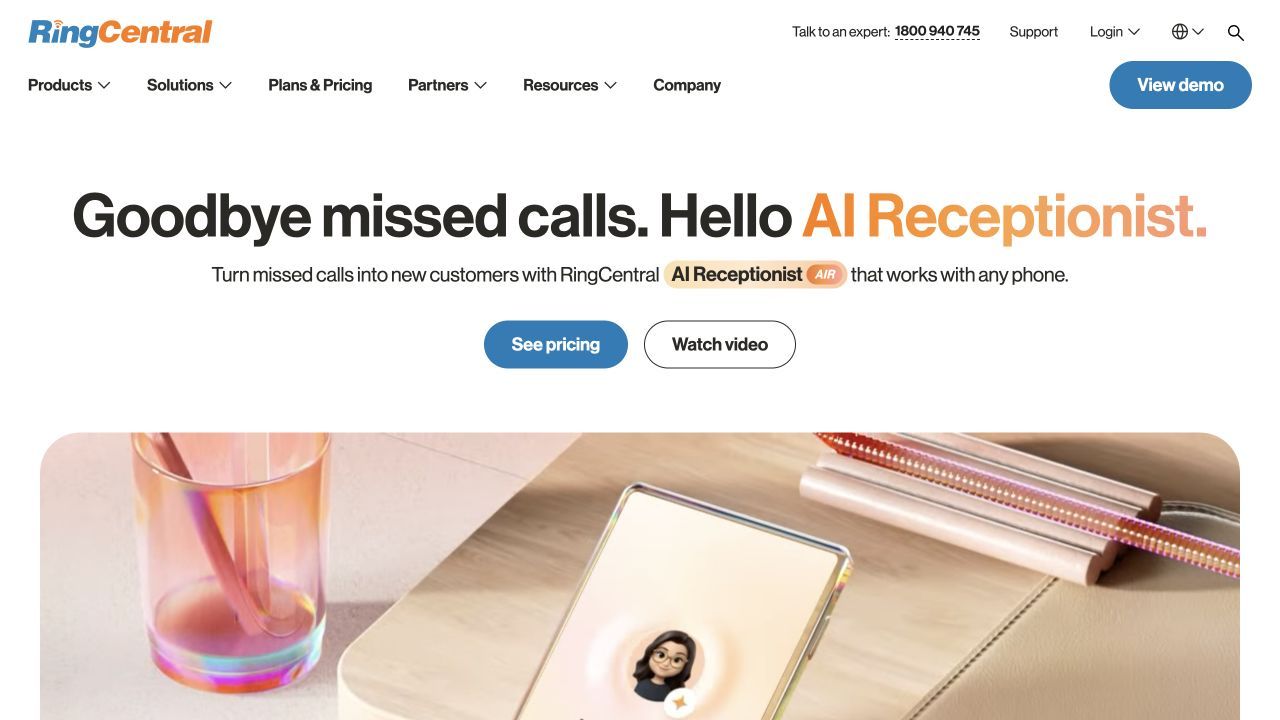
The homepage below introduces RingCentral AI Receptionist’s conversational routing, caller details, and transcripts.
Features
Intent-based call routing
Identify caller intent and direct enquiries without relying only on a keypad menu.
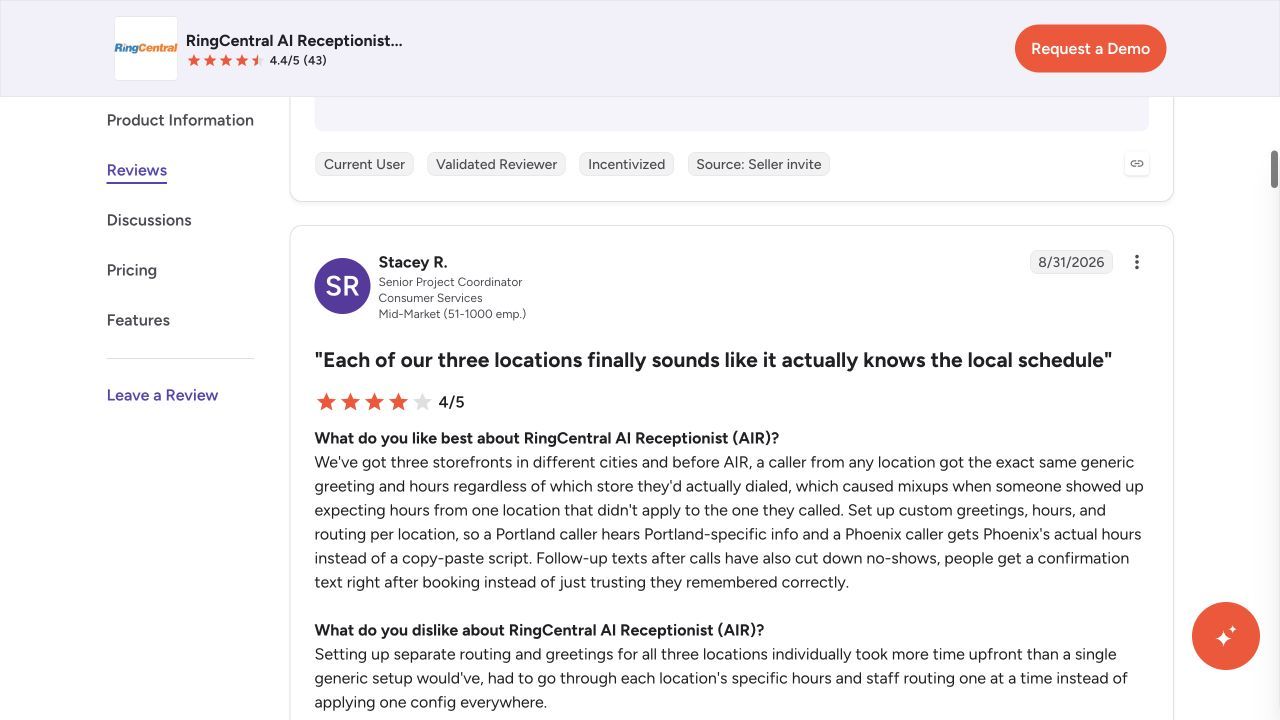
One G2 review of RingCentral AI Receptionist describes different greetings, hours and routing for three locations. Routing is most useful when the greeting, destination and unavailable-person fallback match the actual branch or team. The screenshot below illustrates that experience.
Approved business information
Use approved FAQs and business knowledge for routine answers.
Caller details and transcripts
Capture contact information and transcripts for the receiving staff.
RingEX handoff and fallback
Connect the reception flow to contacts or departments and define an unanswered-transfer outcome.
Australian booking limits
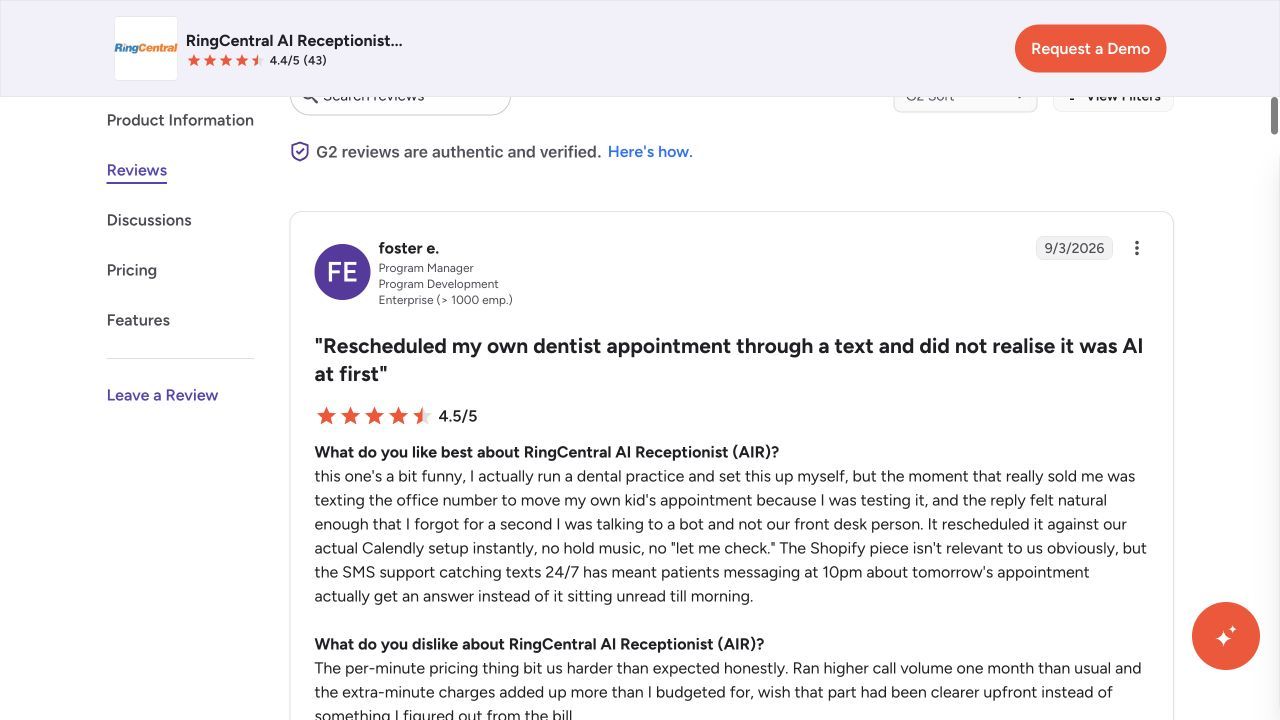
Australian appointment scheduling is marked coming soon. The Calendly experience below may concern another regional offer and does not establish booking availability on the Australian plan.
One G2 review of RingCentral AI Receptionist discusses Calendly rescheduling, after-hours texts and usage costs. A completed calendar action and an after-hours text are separate outcomes, so both need to fit the selected plan. The reviewer’s comments are shown below.
Pros
- Keeps reception within the phone routing environment.
- Australian AIR pricing specifies an included minute allowance.
- Reception can use the same staff and department structure as the existing phone deployment.
Cons
- The RingEX subscription adds to the AIR price.
- Australian appointment scheduling is marked coming soon.
- Include the required RingEX subscription when comparing the full monthly cost.
Pricing
Australian AIR add-on
- A$62 per account per month for 100 minutes, plus the required RingEX subscription.
Additional minutes
- A$0.80 each
- The pricing page describes 30-second rounding.
Usage and terms
- Additional minute bundles are available. Include the phone subscription and applicable tax in the total.
Australian booking is marked coming soon. Compare the allowance and required tier in the pricing breakdown below.
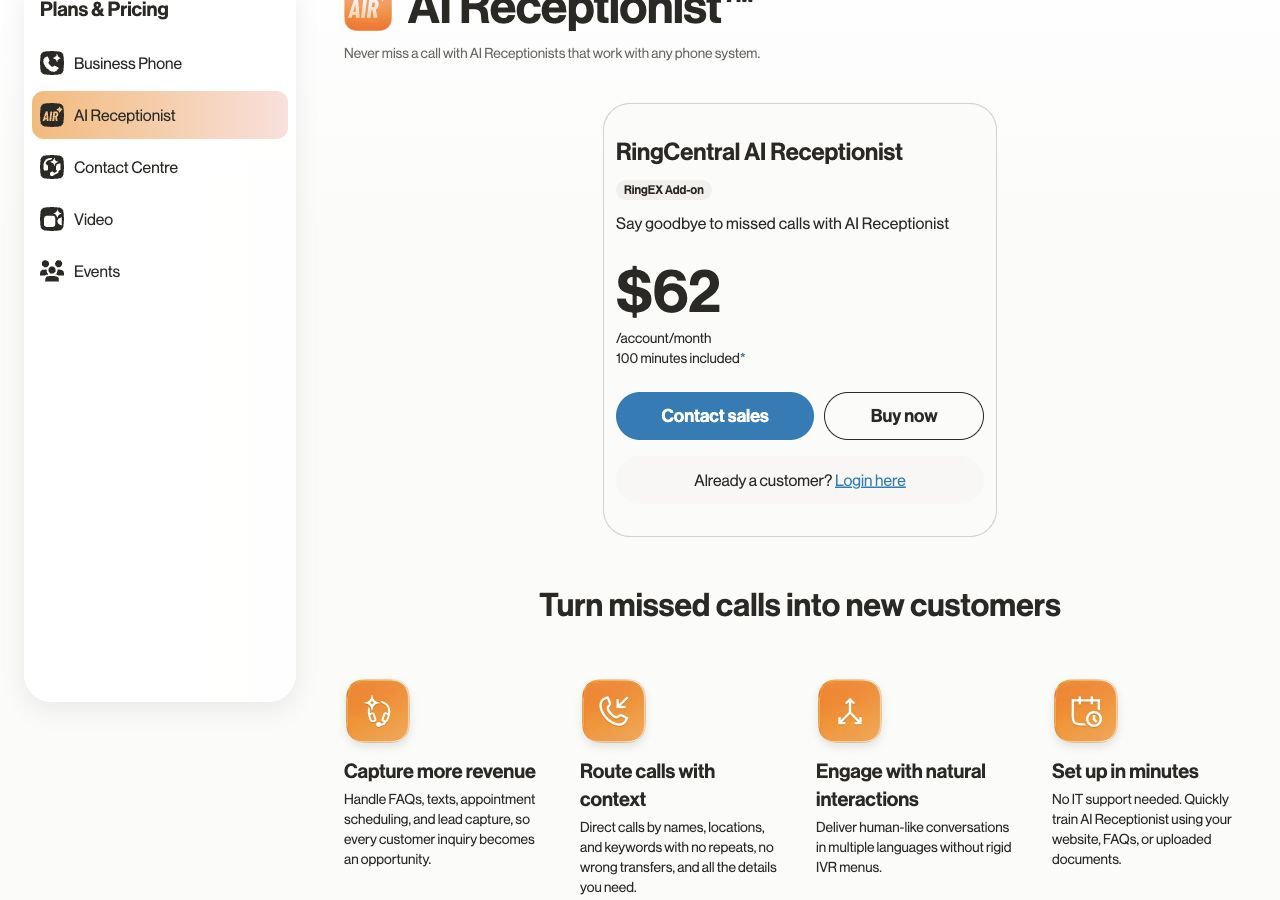
Prices checked 28 October 2026 against RingCentral AI Receptionist pricing.
Smith.ai
Smith.ai is an alternative when a frontdesk suite’s AI-only handling leaves a gap for human judgement. Its intake, scheduling and human-service options can cover sensitive or complex enquiries. Define which calls should reach the provider’s people and which remain automated, then compare the relevant service rather than treating all Smith.ai offers as one plan.
Which teams benefit most from Smith.ai?
Smith.ai suits intake with human escalation. It combines lead screening, appointment booking, and AI and live-agent options.
Who needs an alternative to Smith.ai?
North American human reception; test local fit. Australian teams must account for local-number arrangements and time-zone coverage alongside the service fee.
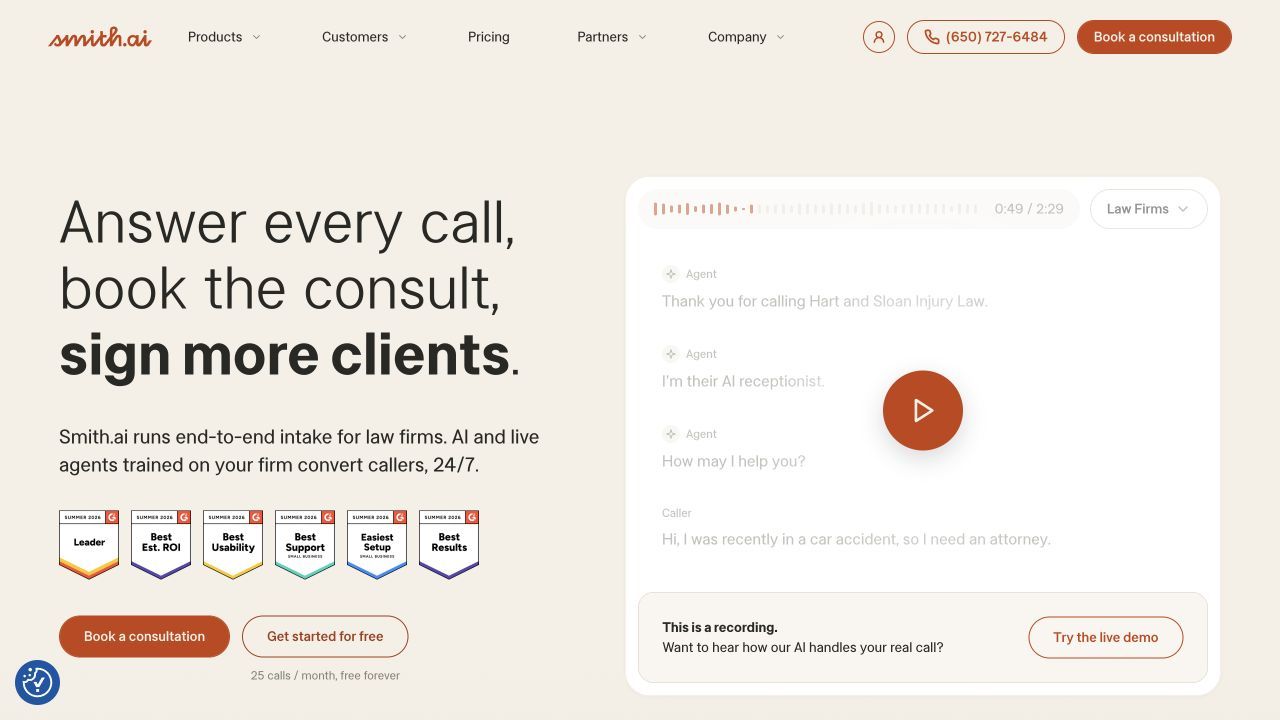
The homepage below introduces Smith.ai’s lead screening, appointment booking, and AI and live-agent options.
Features
Lead screening
Collect the information required before an enquiry reaches a consultation or staff callback.
AI and human reception
Choose the quoted answering service and escalation scope around the expected call types.
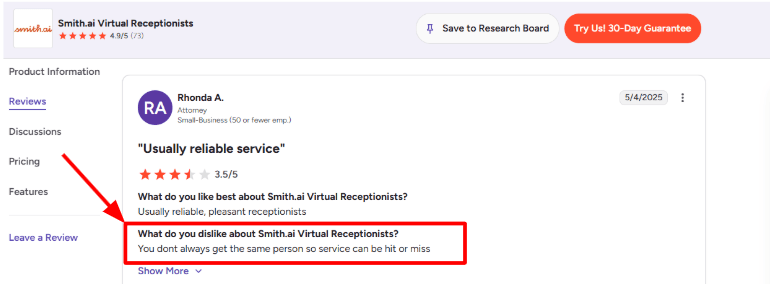
One G2 review of Smith.ai describes inconsistent service when different live receptionists answer. Clear intake instructions and a defined escalation path matter when different receptionists may answer. The review excerpt is shown below.
Consultation booking
Use scheduling integrations for consultation requests that meet the business’s intake rules.
Call records and CRM
Keep call records and pass supported details into the follow-up system.
Onboarding support
Agree intake rules, service responsibilities and the human handoff before moving the reception workflow.
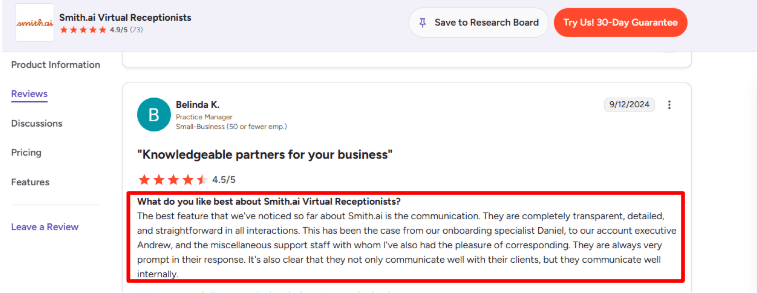
One G2 review of Smith.ai praises transparent onboarding and responsive support. Onboarding quality matters when the business is translating its own call rules into the receptionist setup. The reviewer’s comments are shown below.
Pros
- Provides a human-service option alongside automation.
- Intake and scheduling suit consultation-oriented reception.
- The business can scope AI, hybrid and human-first reception separately as its staffing needs change.
Cons
- Human coverage is not described by the AI-only headline price.
- Confirm Australian numbers and time-zone coverage if required.
- Australian teams must account for local-number arrangements and time-zone coverage alongside the service fee.
Pricing
AI-first Free
- US$0/month for 25 calls
- Additional calls US$3 each.
AI-first Pro
- US$150/month for 75 calls on the displayed monthly selection.
AI-first Enterprise
- Displayed from US$500/month for 300 calls.
Usage and terms
- Hybrid and human-first services have separate pricing
- Use the relevant service when comparing quotes.
North American human reception; test local fit. Compare the allowance and required tier in the pricing breakdown below.
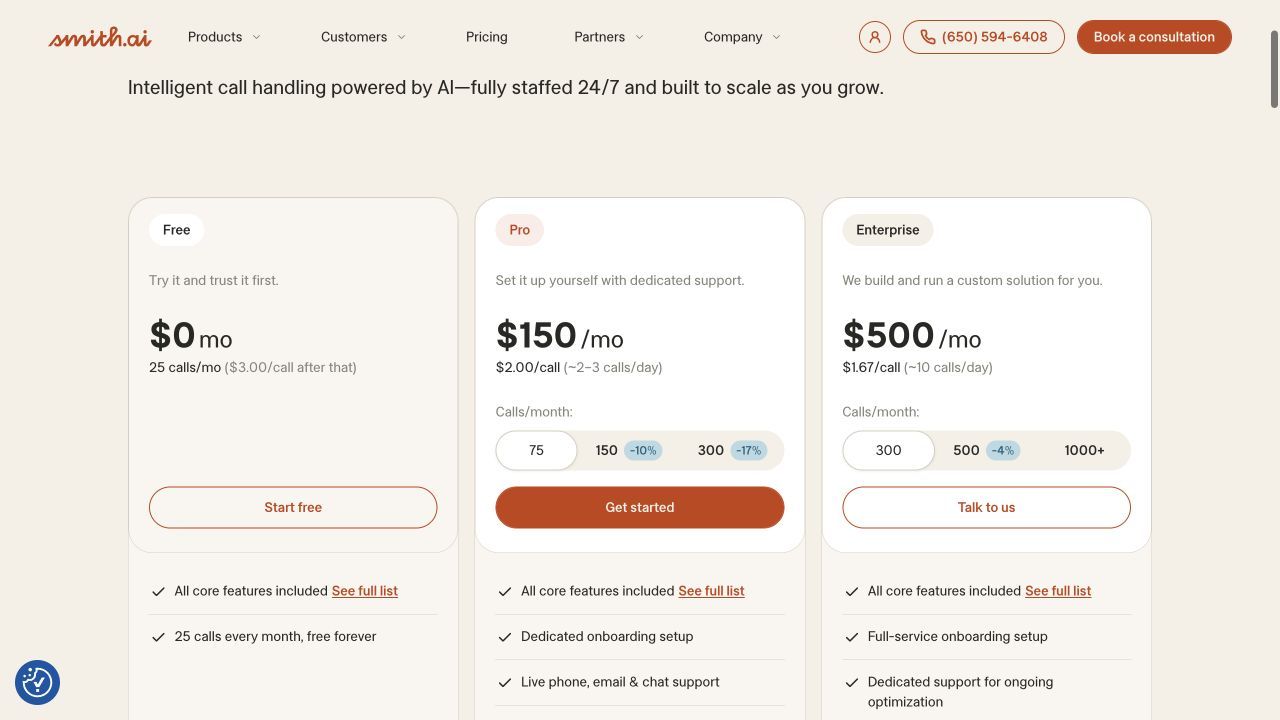
Prices checked 29 October 2026 against Smith.ai pricing.
Ruby
Ruby is a change in service model: a person handles the call rather than an AI agent. It is relevant when the business values flexible human conversation more than bundling every digital frontdesk tool. Specify the greeting, intake and scheduling access, and obtain a telephone reception quote based on receptionist minutes.
What does Ruby suit best?
Ruby suits businesses wanting live receptionists. It combines human answering, intake, scheduling, and call forwarding.
Where does Ruby fall short?
A human service, rather than an AI-only receptionist. Caller intake depends on maintaining clear instructions for the reception team.
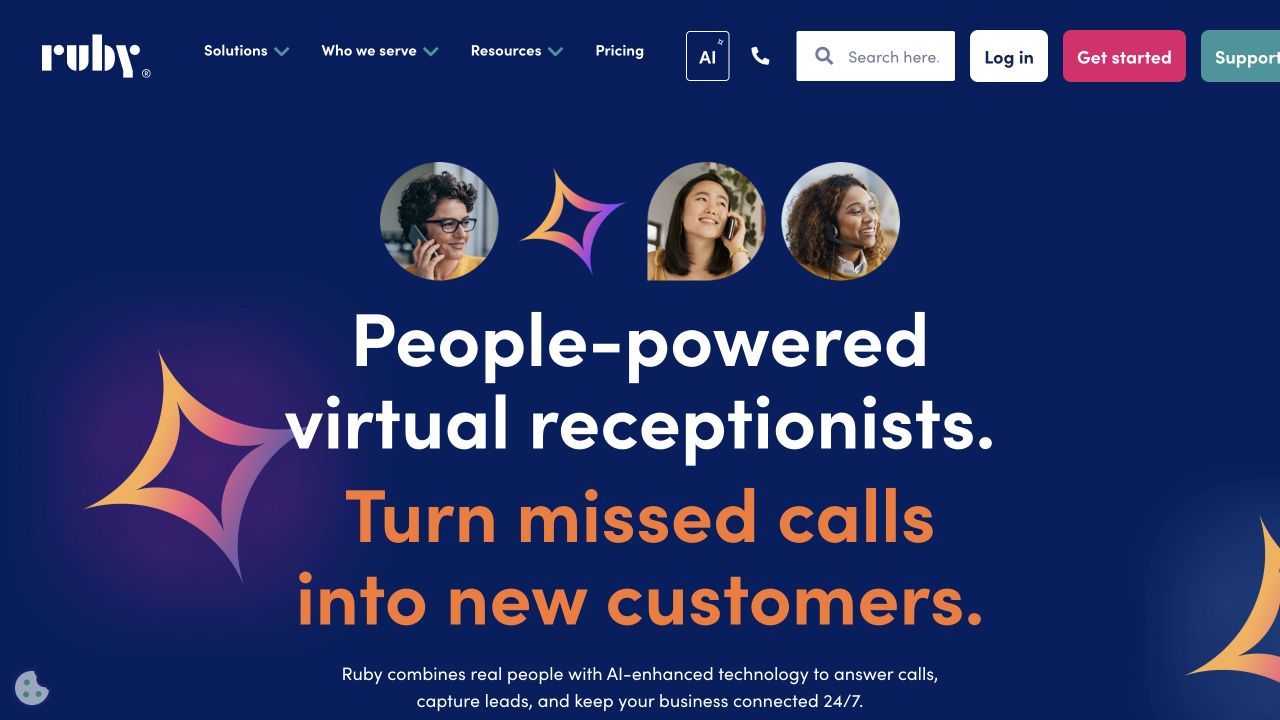
The homepage below introduces Ruby’s human answering, intake, scheduling, and call forwarding.
Features
Human reception
Receptionists answer customers and handle the call using the supplied business instructions.
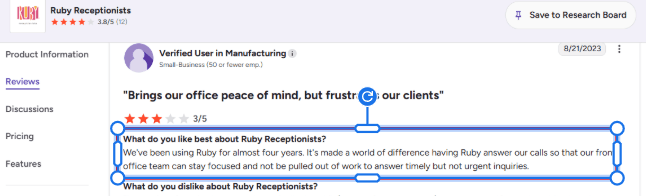
A G2 reviewer described reception helping the front office stay focused. That is useful when routine intake should continue without interrupting staff. The review excerpt is below.
Custom intake instructions
Define what the person should ask and the details staff need after the conversation.
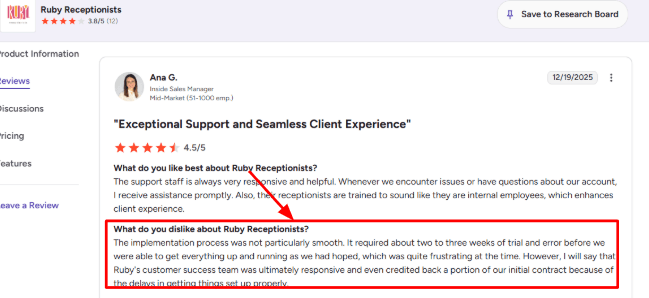
One G2 reviewer described two to three weeks of iteration during setup. Define the questions, callback details and escalation instructions the reception team needs. The setup experience is shown below.
Scheduling and forwarding
Agree the supported booking access and conditions for forwarding callers.
App and email messages
Use the app and email workflow to receive call information and follow-up details.
Pros
- A direct alternative when callers should speak to a human.
- Instructions can reflect the business’s reception process.
- App-based instructions let staff update how callers should be handled as availability changes.
Cons
- Receptionist minutes carry a different cost structure from AI usage.
- Telephone answering must be quoted separately from website chat.
- Caller intake depends on maintaining clear instructions for the reception team.
Pricing
Custom quote
- Request a current receptionist plan quote through Ruby’s official pricing page.
Usage and terms
- Receptionist usage is measured in minutes
- The allowance depends on the selected plan.
Usage and terms
- Website chat and bundled chat prices are separate from telephone reception.
A human service, rather than an AI-only receptionist. Compare the allowance and required tier in the pricing breakdown below.
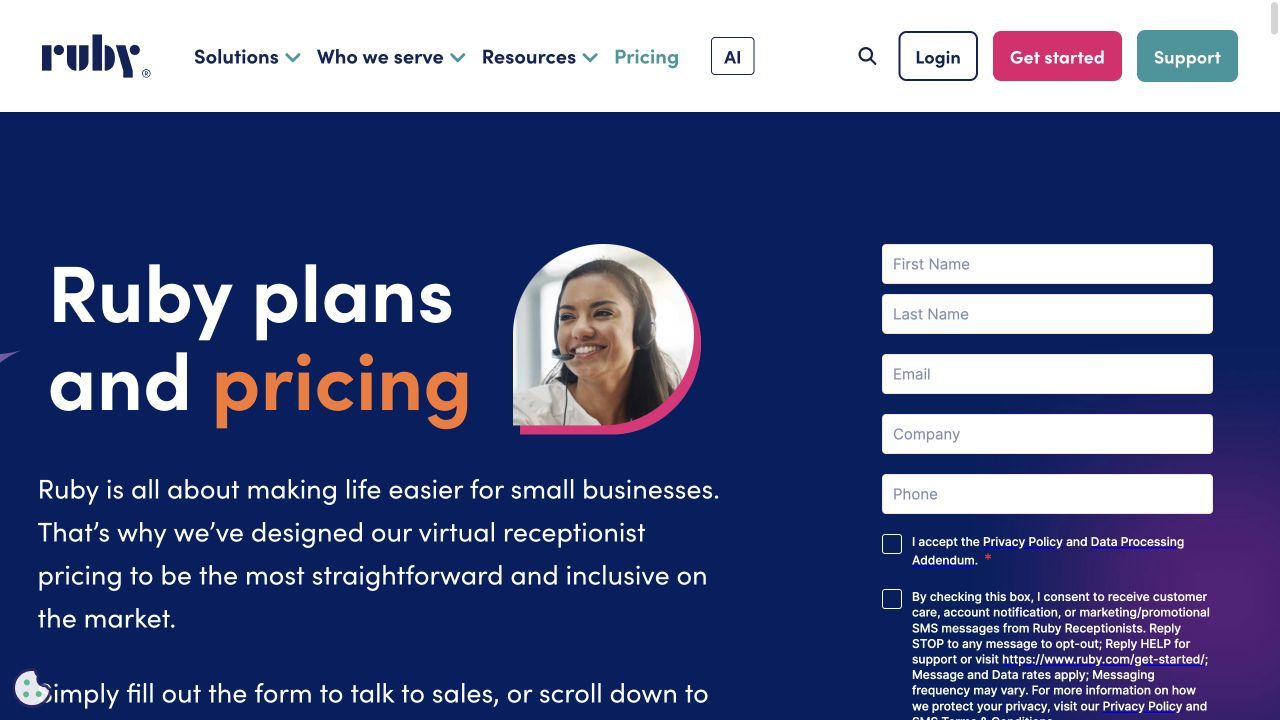
Prices checked 29 October 2026 against Ruby pricing.
Abby Connect
Abby Connect suits a business that wants to keep some calls human while automating others. Its shared Abby Minute allowance makes the mix a purchasing decision: one allowance minute covers one human minute or two AI minutes. Plan which calls use each service before comparing the package with an AI frontdesk subscription.
Is Abby Connect right for your business?
Abby Connect suits businesses mixing human and AI reception. It combines human or AI answering, intake, and recordings.
When should you skip Abby Connect?
AI and human minutes consume allowances differently. Mixed human and AI calls make the headline minute allowance harder to compare with an AI-only tariff.
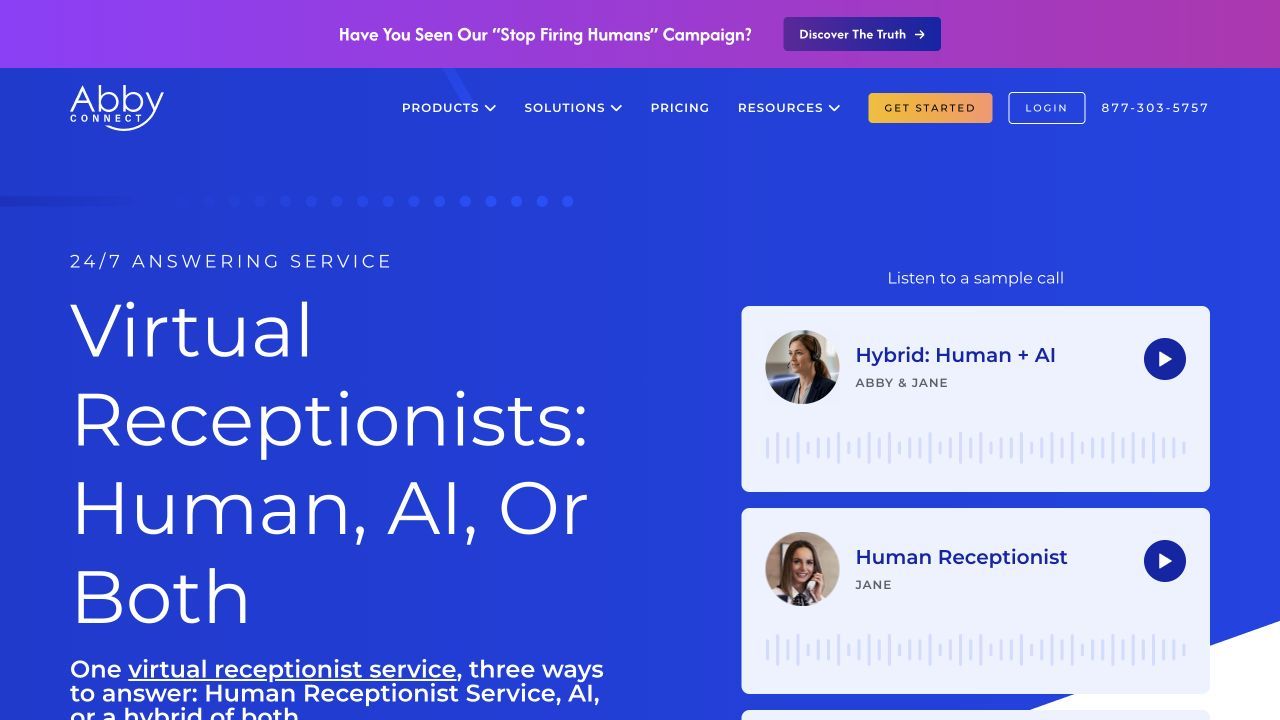
The homepage below introduces Abby Connect’s human or AI answering, intake, and recordings.
Features
Human and AI reception
Select human, AI or combined reception according to the call type.
Answering and transfer instructions
Configure hours, contacts, greeting and transfer requirements for the receiving team.
Caller records and reporting
Use caller information, portal reporting and encrypted recordings for follow-up.
Integrations and onboarding
Agree supported integrations and onboarding for booking and staff handoff.
Pros
- The service can combine a human layer with AI coverage.
- Published usage conversion helps estimate the chosen mix.
- The published Abby Minute model makes the AI-versus-human usage distinction explicit.
Cons
- Human-heavy reception exhausts the allowance sooner.
- Specific booking integrations and restrictions need agreement.
- Mixed human and AI calls make the headline minute allowance harder to compare with an AI-only tariff.
Pricing
Starter
- US$164/month for 50 Abby Minutes.
Essential
- US$329/month for 100 Abby Minutes
- Professional: US$599 for 200.
Growth
- US$1,380/month for 500 Abby Minutes
- Enterprise is custom.
Usage and terms
- One Abby Minute covers one human minute or two AI minutes
- Overage uses the plan’s rate.
AI and human minutes consume allowances differently. Compare the allowance and required tier in the pricing breakdown below.
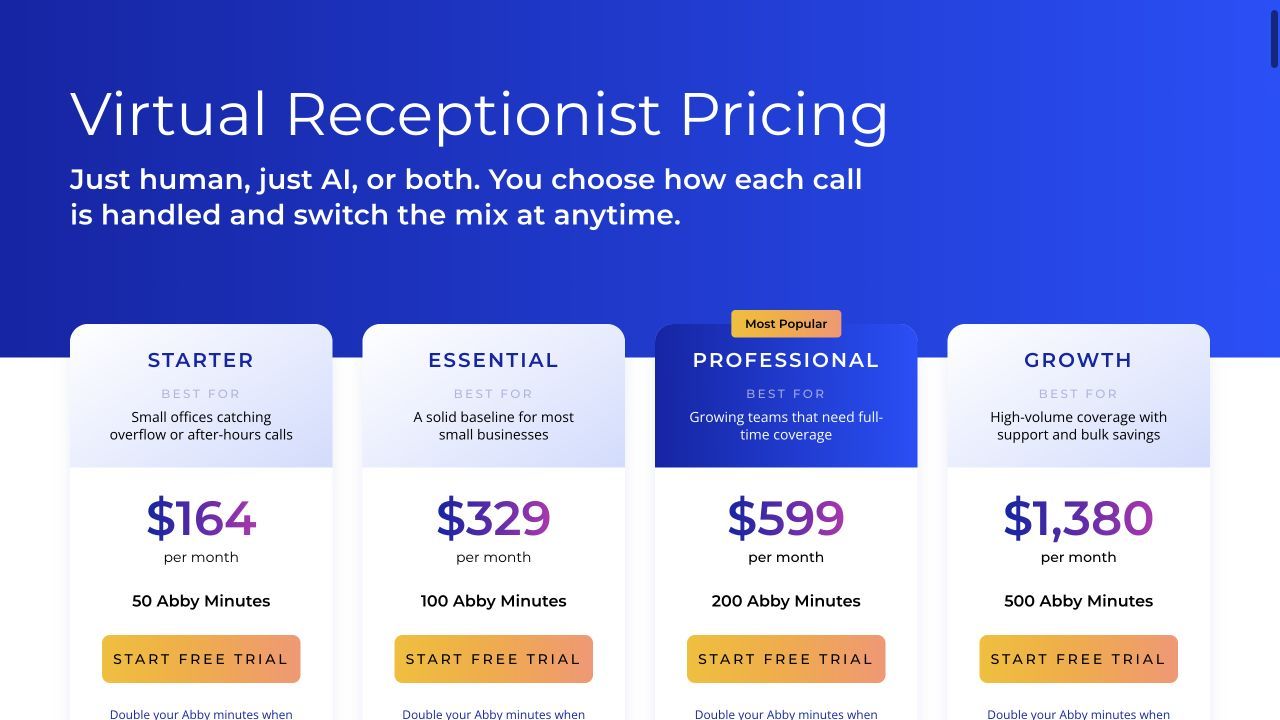
Prices checked 29 October 2026 against Abby Connect pricing.
Goodcall
Goodcall fits when the team wants a configurable phone agent and already has tools for the rest of the front desk. It can ask lead questions and perform supported connected actions. Budget unique customers, then check the limits on workers, tools and team access rather than assuming every automated workflow fits the entry plan.
Who is Goodcall best for?
Goodcall suits repeat callers and longer conversations. It combines call answering, lead questions, and connected workflow actions.
Who should avoid Goodcall?
Usage charges follow unique customers. Workers, connected tools and team access can constrain the selected plan as well as caller volume.
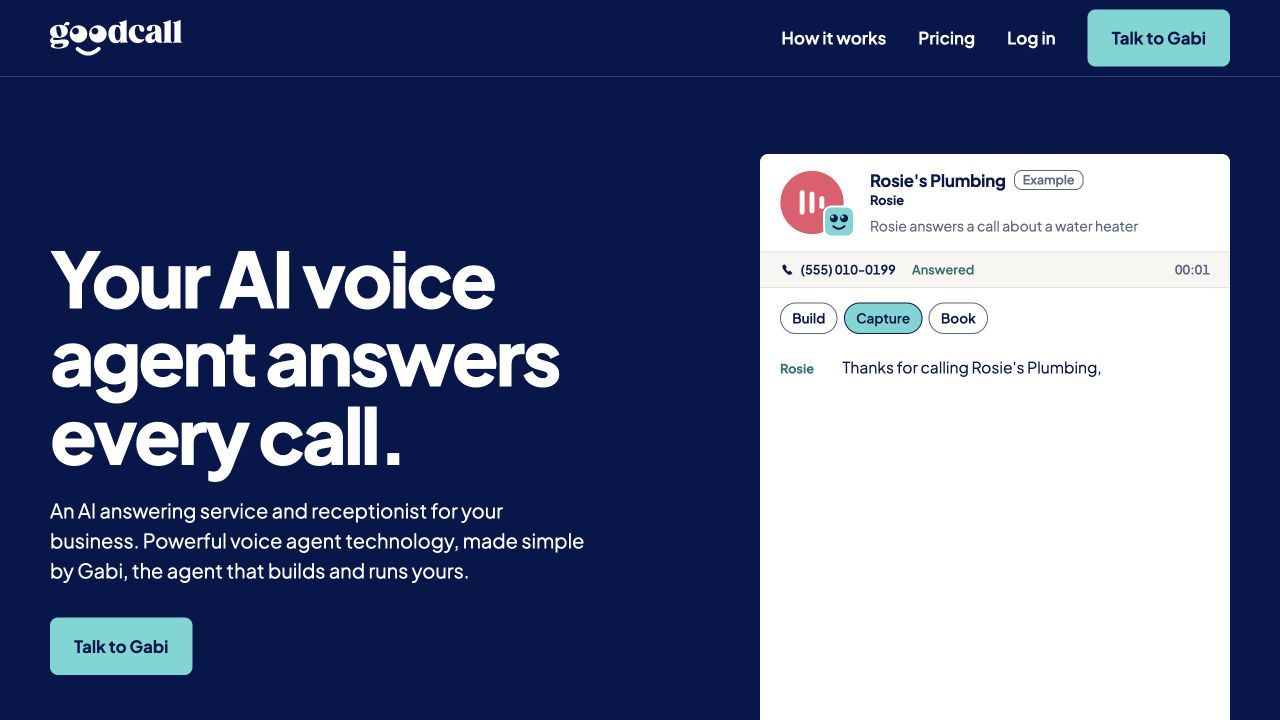
The homepage below introduces Goodcall’s call answering, lead questions, and connected workflow actions.
Features
Business-trained answers
Configure business details and common answers for routine incoming requests.
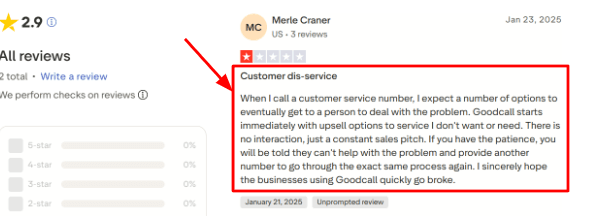
One Trustpilot review of Goodcall raises concerns about upsell-style prompts during calls. Keep reception focused on the caller’s enquiry so extra prompts do not interrupt the intended next step. The reviewer’s comments are shown below.
Qualification questions
Define the caller information that should be collected before the enquiry moves onward.
Connected business tools
Link supported scheduling or follow-up actions to the phone conversation.
Unique-customer billing
Estimate distinct customers rather than minutes when matching call volume to a plan.
Agent administration
Maintain business answers, caller questions and connected actions as the reception process changes.
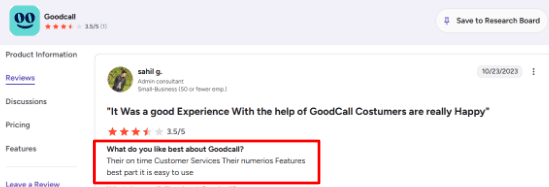
One G2 review of Goodcall praises features and ease of use. A simple setup helps a small team maintain answers without turning every change into a separate project. The review excerpt is shown below.
Pros
- Useful when existing tools can handle CRM and follow-up.
- Long conversations and repeat calls avoid minute charges.
- Published customer allowances let the team budget from distinct caller numbers rather than guessing average call length.
Cons
- Connected capabilities have plan-specific limits.
- High numbers of new customers can increase overages.
- Workers, connected tools and team access can constrain the selected plan as well as caller volume.
Pricing
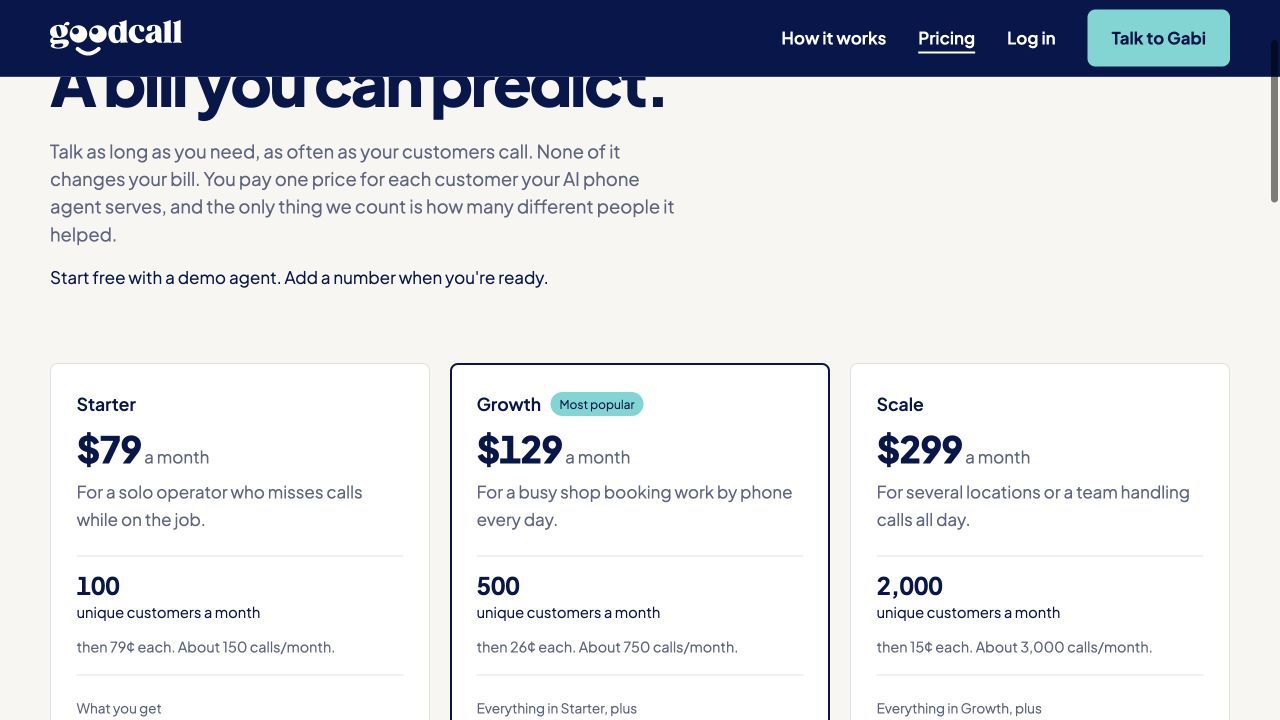
Starter
- US$79/month for 100 unique customers
- US$0.79 per additional customer.
Growth
- US$129/month for 500 unique customers
- US$0.26 per additional customer.
Scale
- US$299/month for 2,000 unique customers
- US$0.15 per additional customer.
Enterprise
- Custom pricing. A free demo agent is available before connecting a business number.
Usage charges follow unique customers. Compare the allowance and required tier in the pricing breakdown below.
Prices checked 29 October 2026 against Goodcall pricing.
Lucy
Lucy is the focused callback alternative in this list. Professional takes messages and delivers summaries; Business adds multiple reception skills and smart transfers. That can suit a team that already handles bookings after the callback. Do not treat message-taking coverage as a replacement for a direct appointment workflow without confirming that scope.
When should you choose Lucy?
Lucy suits Australian callback-led reception. It combines messages, summaries, and Business smart transfers.
When is Lucy a poor fit?
Professional focuses on message taking. The listed unlimited-call offer still has applicable service and usage terms.
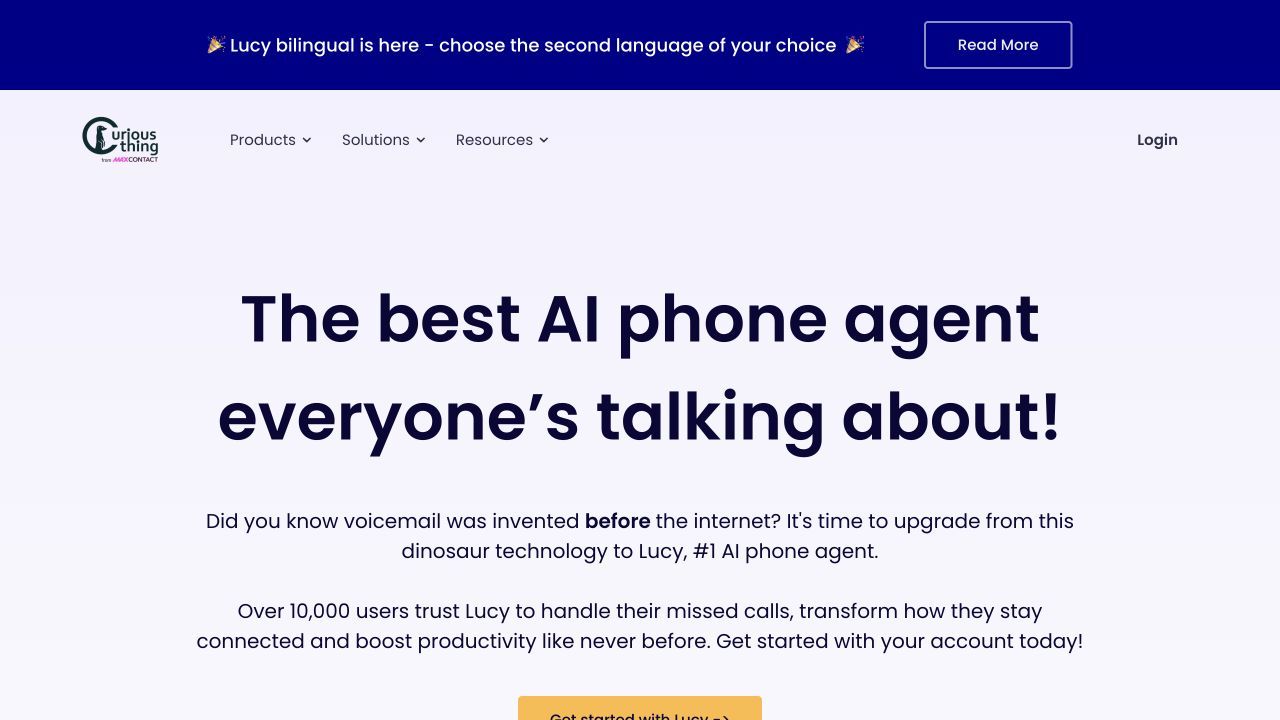
The homepage below introduces Lucy’s messages, summaries, and Business smart transfers.
Features
Caller intake questions
Collect caller details and the questions staff need before returning the call.
Text and email summaries
Send text and email summaries to the people responsible for responding.
Webhook connections
Pass the listed reception information into other systems through supported connections.
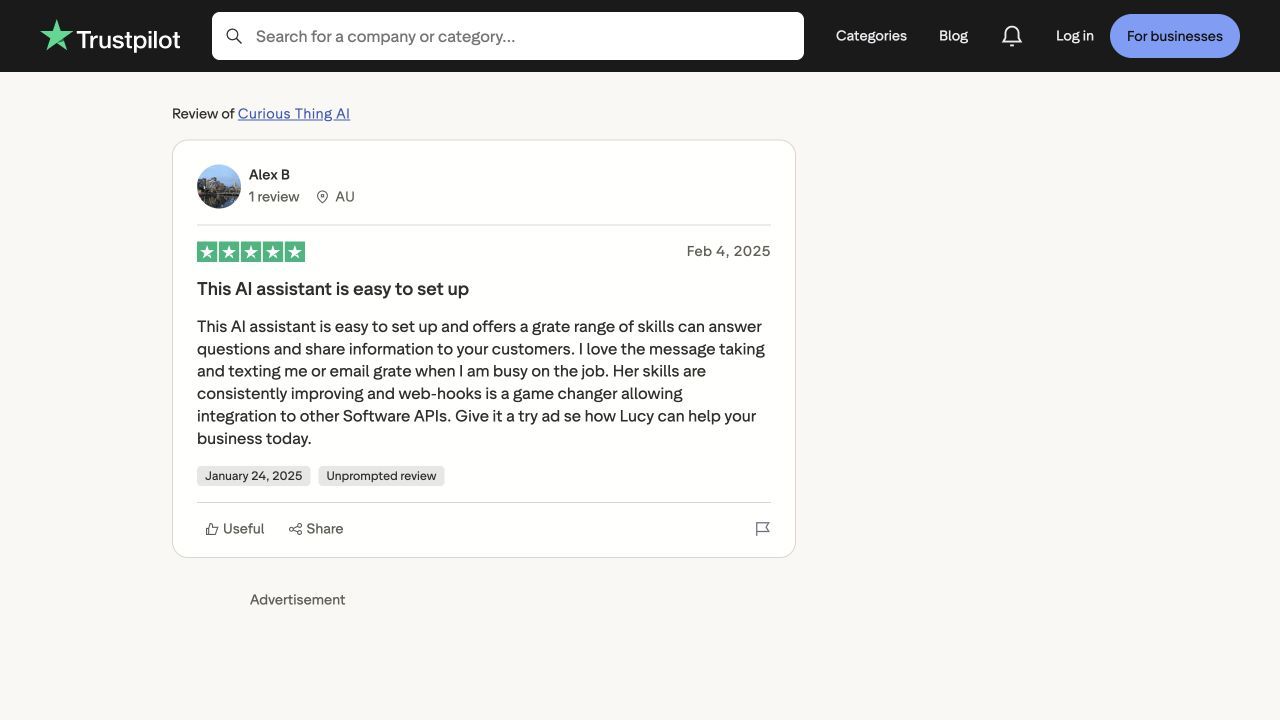
One Trustpilot review of Lucy describes message notifications and webhook integrations. Notifications need to reach the person responsible for the next action, rather than only creating another call log. The reviewer’s comments are shown below.
Business-plan transfers
Use Business when multiple reception skills and smart routing to different numbers are required.
Phone-system compatibility
Confirm forwarding support and the subscription level required by the existing phone service before switching reception.
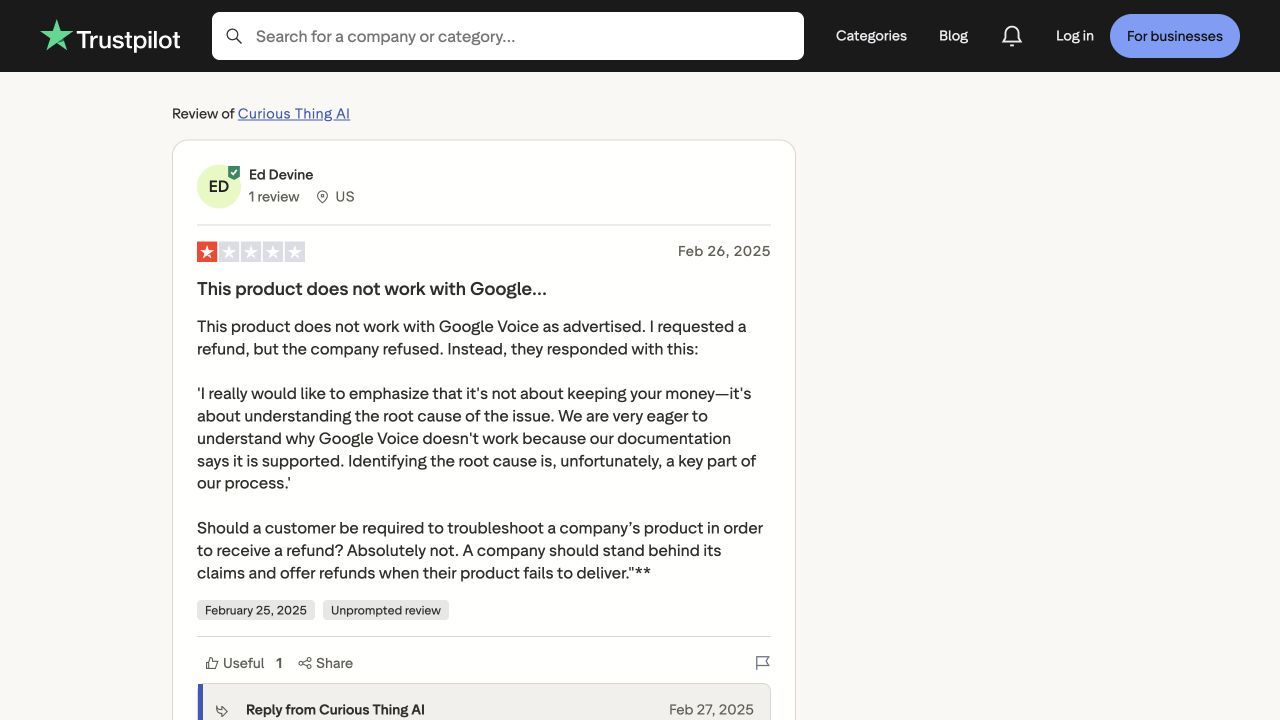
One Trustpilot review of Lucy and the company response discuss Lucy’s compatibility with Google Voice tiers. The phone service and subscription tier affect how a receptionist can be connected to the existing number. The review excerpt is shown below.
Pros
- Australian-number plan prices are listed explicitly.
- A clear fit for a team that works from callbacks.
- Text and email summaries give a callback owner a clear message without replaying the whole conversation.
Cons
- Professional is focused on message taking.
- Confirm booking requirements and applicable usage terms separately.
- The listed unlimited-call offer still has applicable service and usage terms.
Pricing
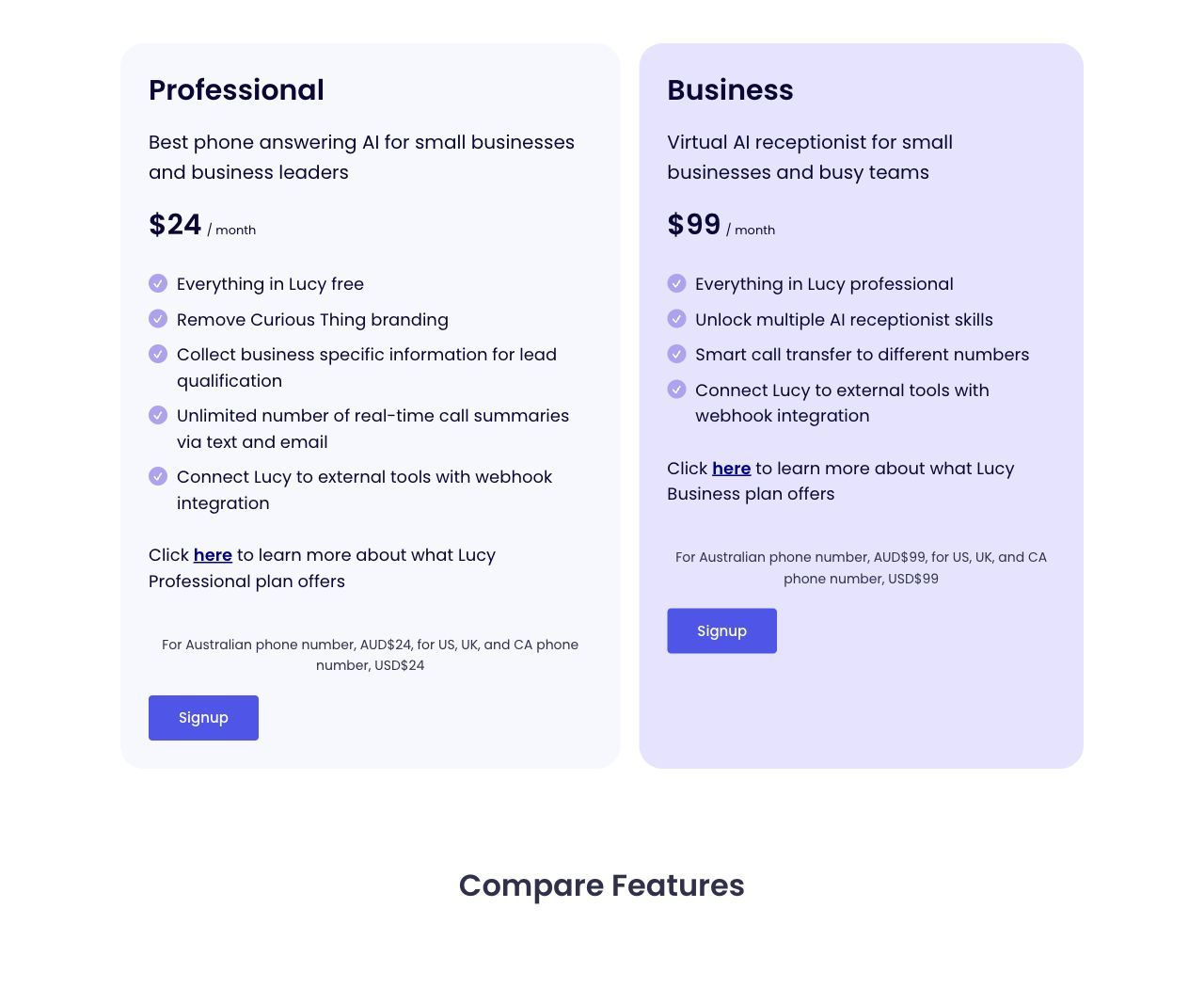
Professional with an Australian number
- A$24/month.
Business with an Australian number
- A$99/month
- Adds multiple reception skills and smart transfers.
Usage and terms
- The comparison lists unlimited calls
- Confirm applicable usage terms and GST.
Professional focuses on message taking. Compare the allowance and required tier in the pricing breakdown below.
Prices checked 28 October 2026 against Lucy pricing.
How we compared these options
We compared the reception outcome, the required plan and the work the business must maintain.
- Whether the call ends in a message, appointment or staff handoff.
- Local phone setup and the unavailable-person fallback.
- The actual calendar or CRM action, rather than a broad integration claim.
- Included usage, additional charges and implementation cost.
Decide how much of the front desk to replace
List the channels and tasks currently used: phone, two-way SMS, chat, CRM records and calendars. Choose a focused receptionist only if the remaining tools can continue those jobs. Ruby changes the caller experience to human reception, Abby Connect lets you select a service mix, and RingCentral changes the phone-stack decision.
For a voice-and-text requirement, use the AI receptionist with SMS follow-up in Australia to separate one-way caller texts from two-way conversations. For a phone-system review, compare AI phone receptionist in Australia.
AI Frontdesk alternative FAQs
Which alternatives supply a human receptionist?
Ruby provides live reception. Smith.ai has human-service options and escalation, while Abby Connect offers human, AI or mixed handling. Ring Jenny and Lucy live-transfer features instead connect to the business’s own receiving staff.
Will switching replace the CRM and text inbox too?
That depends on the quoted product. A phone-answering service may provide notes or integrations without replacing the CRM or an ongoing two-way SMS inbox. Decide where existing contacts, replies and open enquiries will live before switching.
Which option fits a team that only needs callback messages?
Lucy Professional is explicitly callback-led. Ring Jenny Professional message workflows can also be assessed, but compare the required summary recipients and forwarding setup. Direct booking is a separate requirement.
Summarize this content with AI