


Introduction
Ring Jenny, Smith.ai, Goodcall, My AI Frontdesk and Dialzara are the five AutoReception alternatives on this shortlist. Choose Ring Jenny for Australian small-business call handling, Smith.ai for human escalation, Goodcall for caller-based billing, My AI Frontdesk for a combined phone and CRM workflow, or Dialzara for a low-cost minute plan. The comparison focuses on call answering, bookings, transfers, setup and pricing.
AutoReception alternatives: comparison
Pricing, ease of use and ROI
| Product | Starting price | Ease of use /10 | ROI | Key differentiator |
|---|---|---|---|---|
| Ring Jenny | A$0/month | 9.4 | 113% | Website-trained setup and a free tier |
| Smith.ai | US$0/month | 8.7 | 8% | AI and human reception options |
| Goodcall | US$79/month | 8.4 | 175% | Unique-customer billing |
| My AI Frontdesk | US$99/month | 8.0 | About 80% | Voice, SMS, chat and CRM |
| Dialzara | US$29/month | 8.3 | Not calculated | Warm transfers and calendar sync on Pro |
Source: LunaCal Research 2026 on AI Answering Services. Ease of use is scored out of 10. ROI is modeled first-year administrative return for 100 calls per month using USD assumptions. Starting prices use the stated billing basis; advanced features can require higher tiers. “Not studied” means the product was outside the research; “Not calculated” means no comparable ROI was published.
Features, setup and plan limits
| Product | Best for | Core capabilities | Main limitation | Included usage | Service type | Call records and notifications | Additional charges |
|---|---|---|---|---|---|---|---|
| Ring Jenny | Australian small businesses | Website-trained answers; call summaries; booking and transfers on Scale | Free plan includes only 5 minutes/month | Free: 5 min; Professional: 150 min | AI receptionist | Recordings, transcripts and summaries | Professional overage: A$0.25/min |
| Smith.ai | Intake with human escalation | Lead screening; appointment booking; AI and live-agent options | AI-first and human-first services have different prices | Free: 25 calls; Pro: 75 calls | AI receptionist | Recordings, transcripts, summaries and CRM handoff | Free-plan overage: US$3/call |
| Goodcall | Businesses with repeat callers | Call answering; lead questions; connected workflow actions | Different callers, rather than minutes, drive usage charges | Starter: 100 customers/month | AI receptionist | Lead forms and connected records | Starter overage: US$0.79/customer |
| My AI Frontdesk | Phone, SMS, chat and CRM in one setup | AI receptionist; calendar actions; two-way SMS; CRM | Voice and messaging allowances are separate | 200 voice min; 400 SMS; 100 chats/month | AI receptionist | Call logs, recordings, transcripts and CRM | Additional usage uses credits |
| Dialzara | Low-volume AI call answering | Recordings; summaries; custom prompts; transfers | Warm transfer and calendar sync start on Pro | Business Lite: 60 min/month | AI receptionist | Recordings, summaries and notifications | Lite overage: US$0.48/min |
AutoReception alternatives: features, pros, cons and pricing
Ring Jenny
Ring Jenny fits an AutoReception replacement shortlist when you need routine calls answered while your team is busy, with a clear message or booking as the outcome. Its website and Google Business Profile setup reduces the amount of business information you need to enter manually. Booking and live transfer requirements should be compared against Scale, rather than the free or Professional plan.
Who is Ring Jenny best for?
Ring Jenny suits Australian service businesses. It combines website-trained answers, call summaries, and booking and transfers on Scale.
Who should avoid Ring Jenny?
Booking and live transfers require Scale. Website-derived answers still need an owner when business hours, services or policies change.
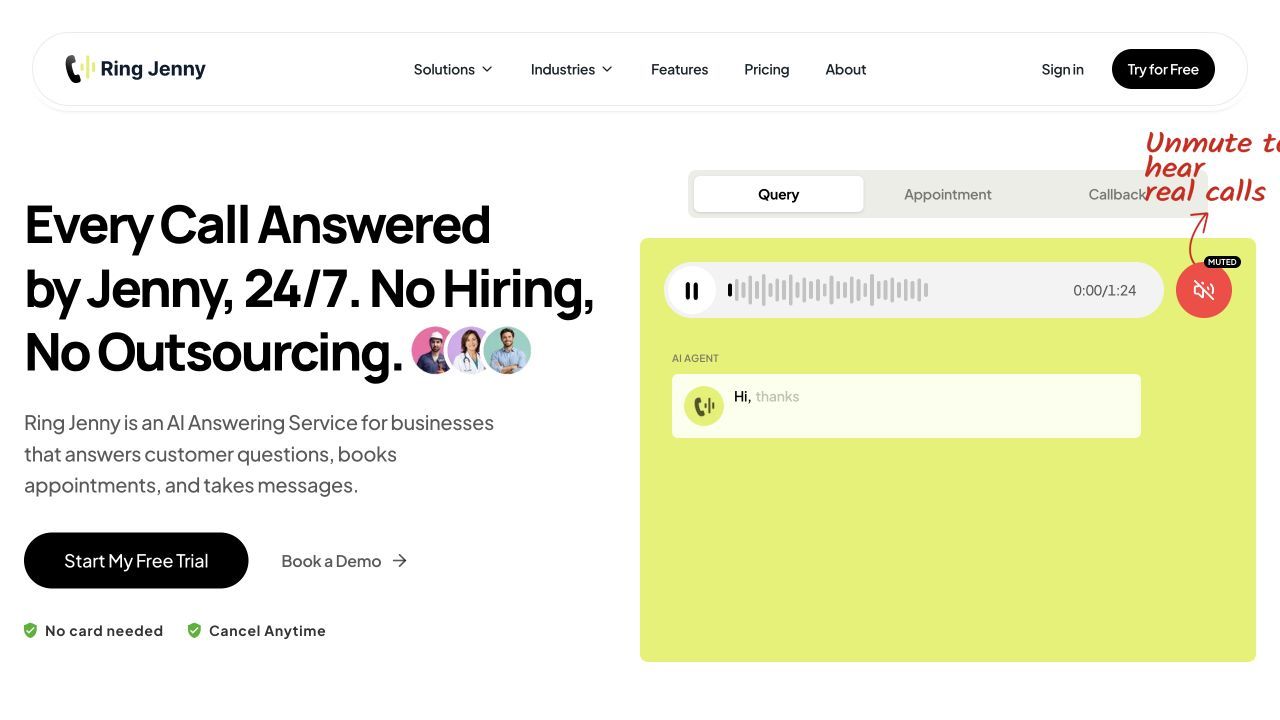
The homepage below introduces Ring Jenny’s website-trained answers, call summaries, and booking and transfers on Scale.
Features
Business knowledge
Train answers from your website or Google Business Profile, then edit FAQs, hours, services and approved responses.
Existing-number coverage
Forward calls from your existing business number for AI answering and message capture.
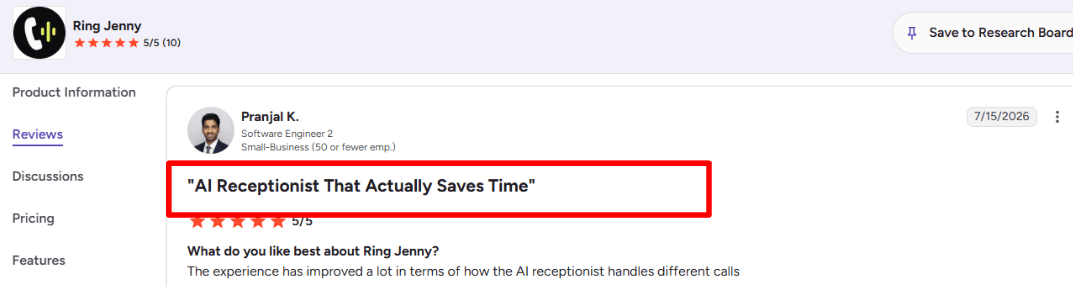
One G2 review of Ring Jenny describes improvements in handling different call types. The useful outcome is a complete enquiry that the team can act on across its normal call types. The screenshot below illustrates that experience.
Call records and dashboard
Receive caller details, recordings, transcripts, and text or email summaries for follow-up.
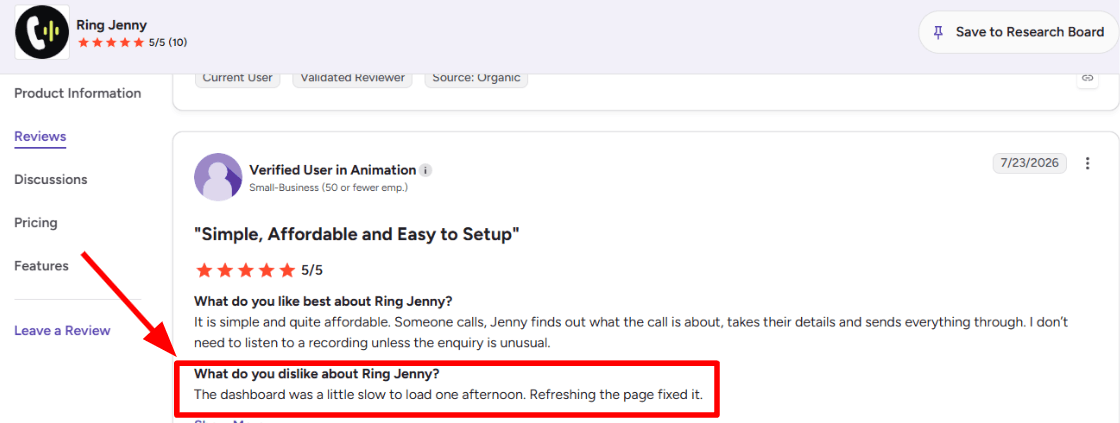
One G2 review of Ring Jenny describes a temporary dashboard slowdown resolved by refreshing. For a busy reception team, fast access to the dashboard matters when deciding who should return a call. The review excerpt is shown below.
Booking and transfer tier
Scale adds appointment booking, live call transfer and text messages during calls.
Pros
- Free forever plan for a small initial test; no credit card required.
- Existing-number forwarding and assisted setup suit owner-operated businesses.
- Summaries let the person returning an enquiry start with the caller’s request instead of repeating intake.
Cons
- Five free minutes cover a short test, not ongoing business call volume.
- Booking and live transfers require Scale or a higher package.
- Website-derived answers still need an owner when business hours, services or policies change.
Pricing
Free
- A$0/month for 5 minutes
- AI answering, messages, summaries, recordings and transcripts.
Professional
- Advertised offer A$59/month for 150 minutes
- A$0.25 per extra minute.
Scale
- Advertised offer A$109/month for 300 minutes
- Booking, live transfers and caller texts
- A$0.20 per extra minute.
Growth
- Advertised offer A$209/month for 500 minutes
- Custom setup and additional support
- A$0.15 per extra minute.
Booking and live transfers require Scale. Compare the allowance and required tier in the pricing breakdown below.
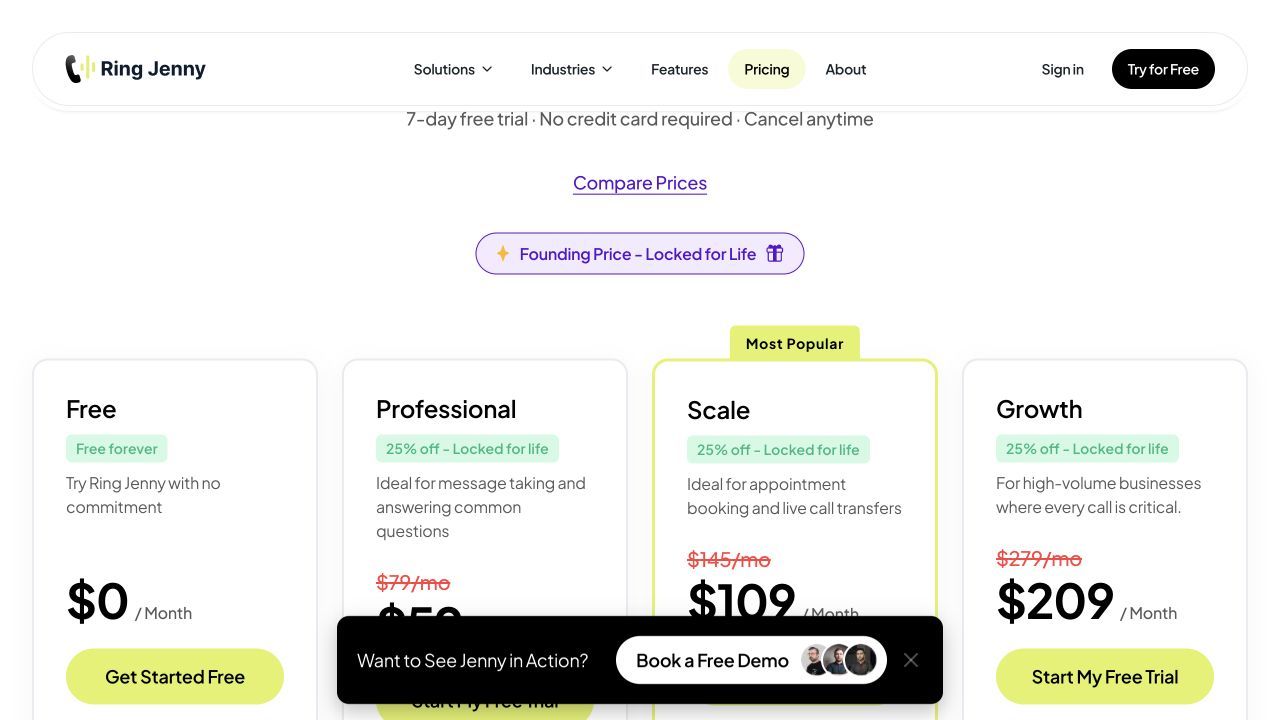
Prices checked 29 October 2026 against Ring Jenny pricing.
Smith.ai
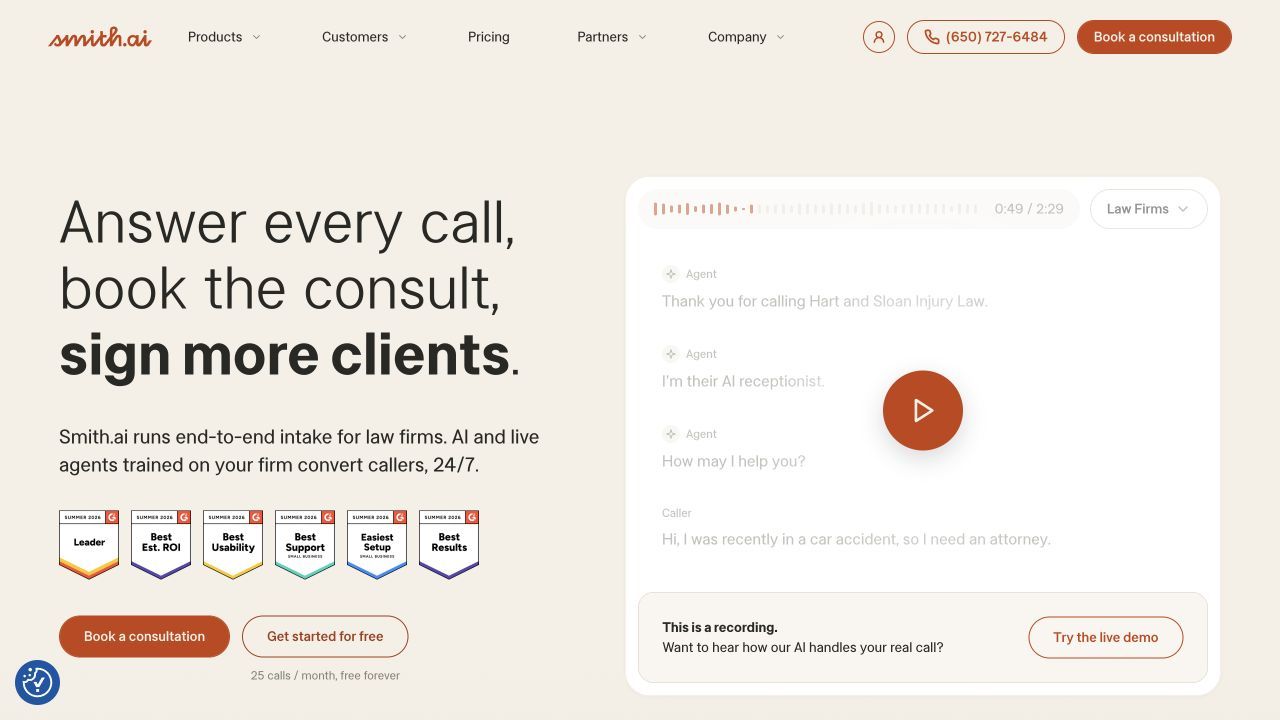
Smith.ai is the alternative to consider when a call sometimes needs a live receptionist. Its intake, screening and booking workflows suit teams that need more than a recorded message. Keep the AI-first plan separate from hybrid or human-first reception when comparing cost and the amount of human involvement.
When should you choose Smith.ai?
Smith.ai suits intake with human escalation. It combines lead screening, appointment booking, and AI and live-agent options.
When is Smith.ai a poor fit?
North American human reception; test local fit. Australian teams must account for local-number arrangements and time-zone coverage alongside the service fee.
The homepage below introduces Smith.ai’s lead screening, appointment booking, and AI and live-agent options.
Features
Lead intake
Collect caller information and qualify enquiries against your business rules.
Human escalation
Use AI answering with human escalation; hybrid and human-first services are separate options.
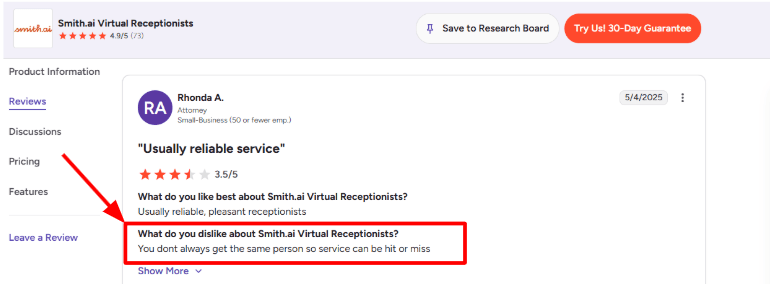
One G2 review of Smith.ai describes inconsistent service when different live receptionists answer. Clear intake instructions and a defined escalation path matter when different receptionists may answer. The screenshot below illustrates that experience.
Appointment booking
Book consultations through supported scheduling integrations and route the next step to your team.
CRM handoff
Use call recordings, transcripts and summaries, with supported CRM integrations for follow-up.
Onboarding support
Agree the intake questions, answering instructions and escalation responsibilities before switching the reception workflow.
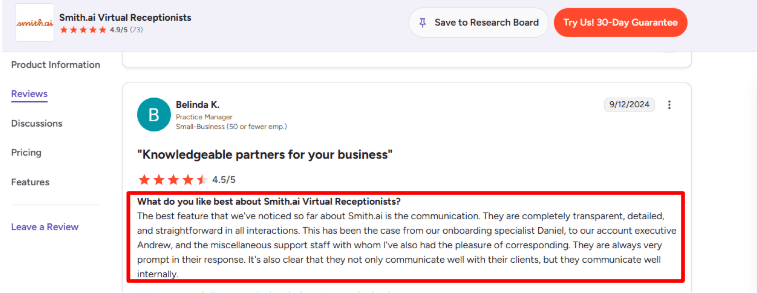
One G2 review of Smith.ai praises transparent onboarding and responsive support. Onboarding quality matters when the business is translating its own call rules into the receptionist setup. The reviewer’s comments are shown below.
Pros
- Human escalation offers a useful route for complex intake.
- A free AI-first allowance makes an initial workflow test possible.
- The business can scope AI, hybrid and human-first reception separately as its staffing needs change.
Cons
- A low AI-first headline price does not describe a fully human answering service.
- Per-call billing can cost more when many separate calls need handling.
- Australian teams must account for local-number arrangements and time-zone coverage alongside the service fee.
Pricing
AI-first Free
- US$0/month for 25 calls
- Additional calls US$3 each.
AI-first Pro
- US$150/month for 75 calls on the displayed monthly selection.
AI-first Enterprise
- Displayed from US$500/month for 300 calls.
Usage and terms
- Hybrid and human-first services have separate pricing
- Use the relevant service when comparing quotes.
North American human reception; test local fit. Compare the allowance and required tier in the pricing breakdown below.
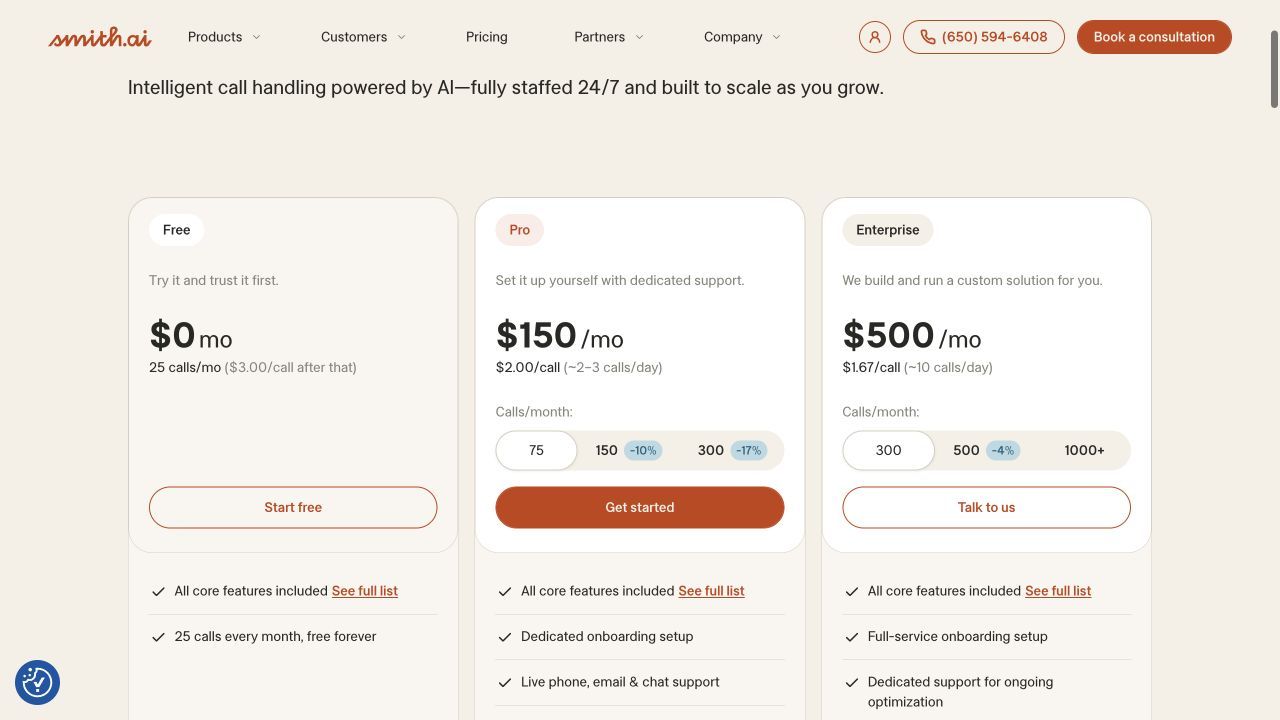
Prices checked 29 October 2026 against Smith.ai pricing.
Goodcall
Goodcall is useful when the same customers call repeatedly and minute billing is a poor fit. It counts a phone number once per month as a unique customer, so repeated conversations with that caller do not each use another customer allowance. The tradeoff is that a business acquiring many different leads can still exceed its plan.
Which teams benefit most from Goodcall?
Goodcall suits repeat callers and longer conversations. It combines call answering, lead questions, and connected workflow actions.
Who needs an alternative to Goodcall?
Usage charges follow unique customers. Workers, connected tools and team access can constrain the selected plan as well as caller volume.
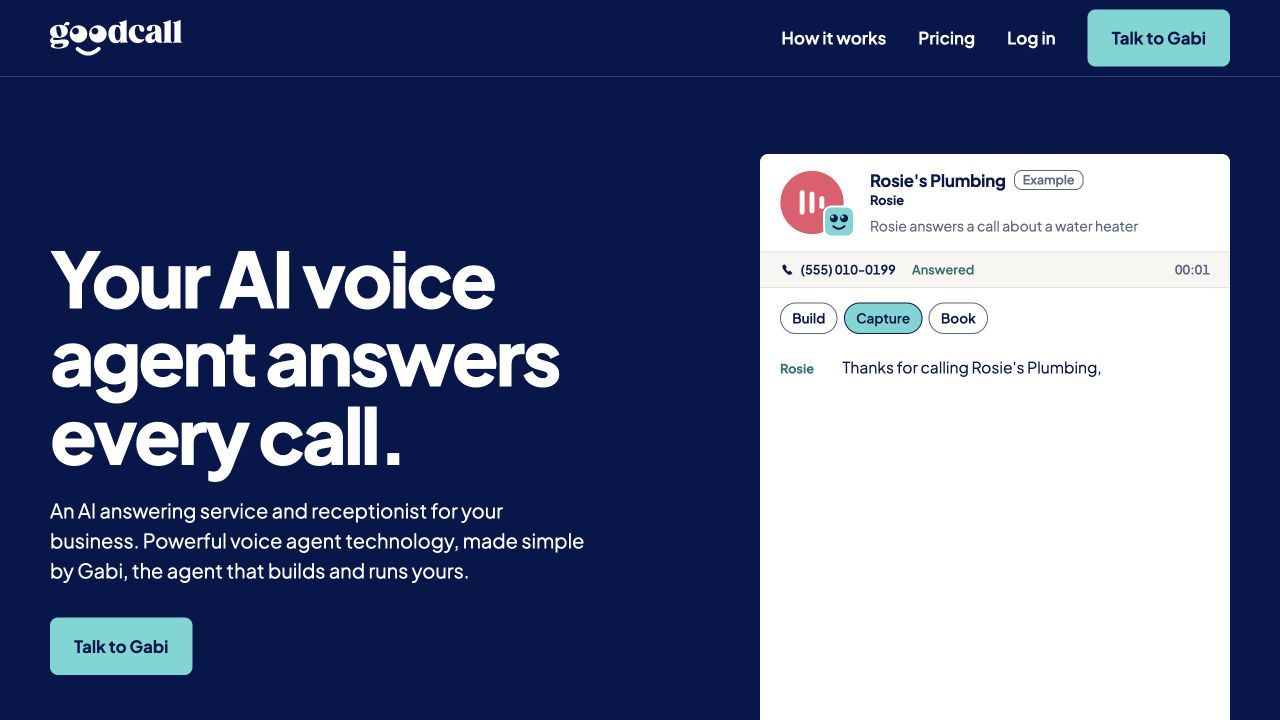
The homepage below introduces Goodcall’s call answering, lead questions, and connected workflow actions.
Features
Business answers
Configure business information and common responses for inbound enquiries.
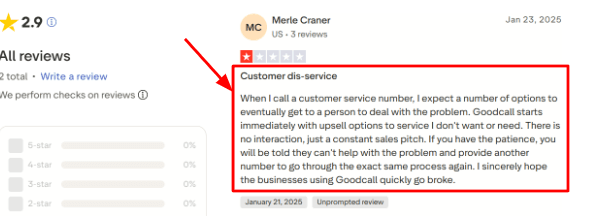
One Trustpilot review of Goodcall raises concerns about upsell-style prompts during calls. Keep reception focused on the caller’s enquiry so extra prompts do not interrupt the intended next step. The reviewer’s comments are shown below.
Lead qualification
Set questions that collect the information needed before a lead reaches your team.
Connected workflow actions
Connect scheduling and other external tools to move a call towards a booking or follow-up.
Customer-based usage
Handle repeat calls without per-minute metering; the plan allowance counts unique customers.
Agent administration
Maintain answering instructions and connected tools as the reception process changes.
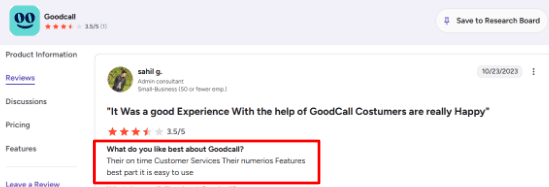
One G2 review of Goodcall praises features and ease of use. A simple setup helps a small team maintain answers without turning every change into a separate project. The reviewer’s comments are shown below.
Pros
- Longer conversations and repeat calls do not create minute charges.
- Qualification and connected actions suit structured lead-capture workflows.
- Published customer allowances let the team budget from distinct caller numbers rather than guessing average call length.
Cons
- New unique customers above the allowance incur an additional charge.
- Connected tools, workers and team access have plan-specific limits.
- Workers, connected tools and team access can constrain the selected plan as well as caller volume.
Pricing
Starter
- US$79/month for 100 unique customers
- US$0.79 per additional customer.
Growth
- US$129/month for 500 unique customers
- US$0.26 per additional customer.
Scale
- US$299/month for 2,000 unique customers
- US$0.15 per additional customer.
Enterprise
- Custom pricing. A free demo agent is available before connecting a business number.
Usage charges follow unique customers. Compare the allowance and required tier in the pricing breakdown below.
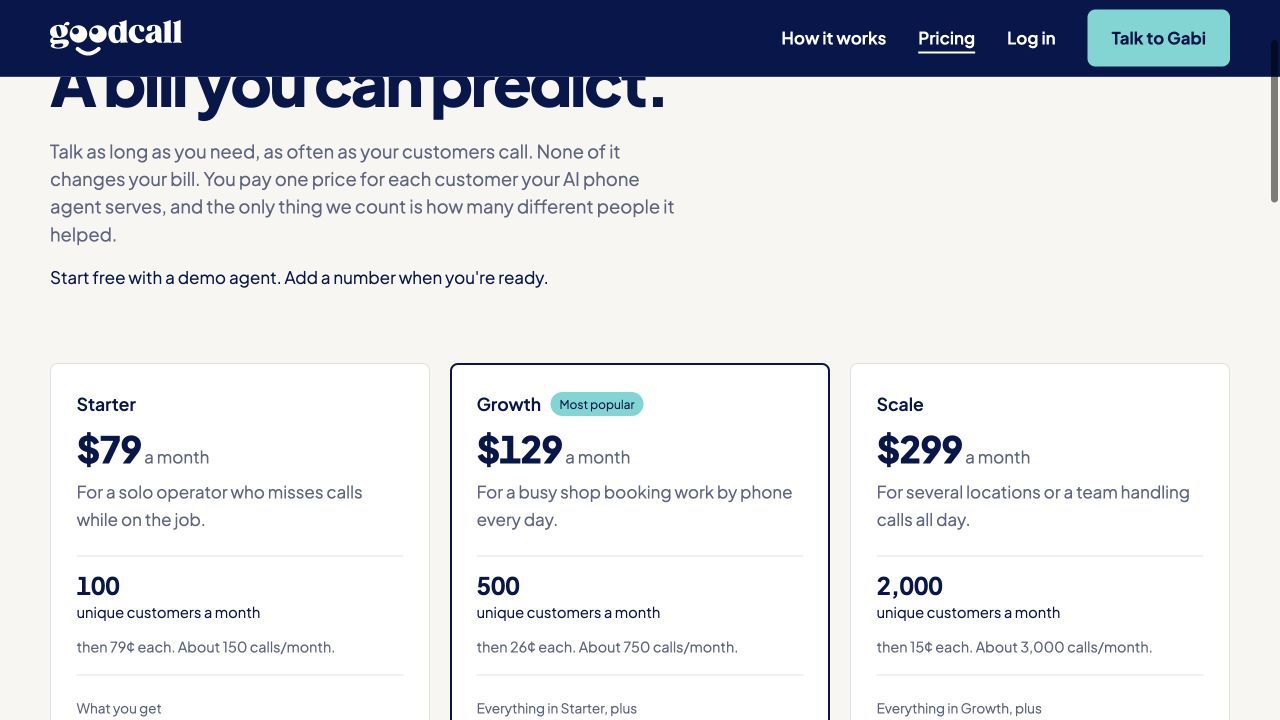
Prices checked 29 October 2026 against Goodcall pricing.
My AI Frontdesk
My AI Frontdesk is a broader alternative for a business that wants calls, text messages, website chat and lead records in one front-office setup. That extra scope can reduce separate tools, but it also adds configuration and several usage allowances. Its current phone-answering plan should be compared with AI reception plans, rather than an older low-price or non-voice tier.
What does My AI Frontdesk suit best?
My AI Frontdesk suits phone, SMS, chat and CRM workflows. It combines aI receptionist, calendar actions, two-way SMS, and CRM.
Where does My AI Frontdesk fall short?
Voice, SMS and chat have separate allowances. The team must maintain the connected calendar and automation rules as well as the agent’s answers.
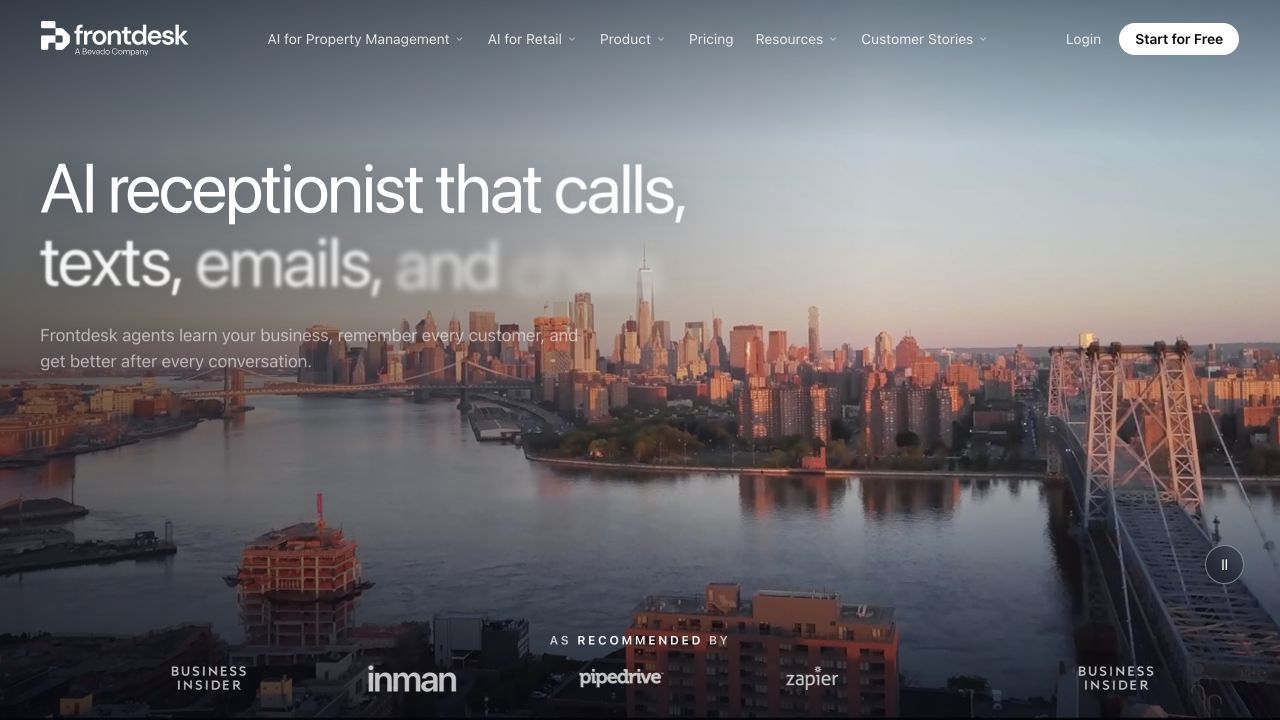
The homepage below introduces My AI Frontdesk’s aI receptionist, calendar actions, two-way SMS, and CRM.
Features
AI answering and call-flow controls
Answer inbound calls, capture enquiries and use business information for responses.
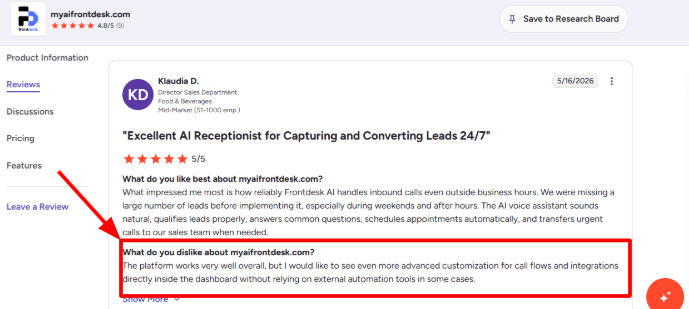
One G2 review of My AI Frontdesk asks for deeper call-flow and integration customisation. A standard call flow can become restrictive when several services need different questions or destinations. The review excerpt is shown below.
Calendar actions
Connect supported calendar actions so an enquiry can progress to an appointment.
SMS and chat follow-up
Continue conversations through text or website chat alongside the phone workflow.
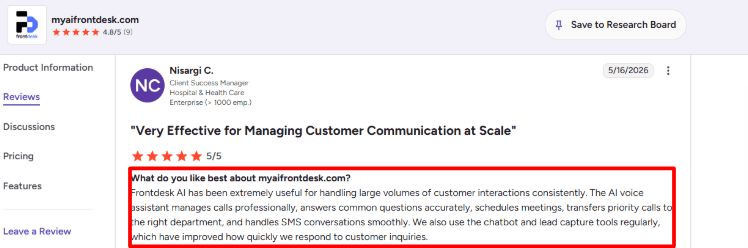
One G2 review of My AI Frontdesk describes voice, SMS, chat, bookings and lead capture. Conversation quality matters most when it produces the right intake details, appointment or staff handoff. The reviewer’s comments are shown below.
CRM and automations
Keep lead information in the CRM and connect follow-up workflows through supported integrations.
Pros
- Phone, SMS, chat and CRM are included in the same paid package.
- Useful when call handling needs to trigger a wider follow-up workflow.
- Annual billing offers a lower monthly rate for teams willing to make the yearly commitment.
Cons
- Voice, SMS and chat usage need to be budgeted separately.
- A broader front-office workflow takes more configuration than simple message capture.
- The team must maintain the connected calendar and automation rules as well as the agent’s answers.
Pricing
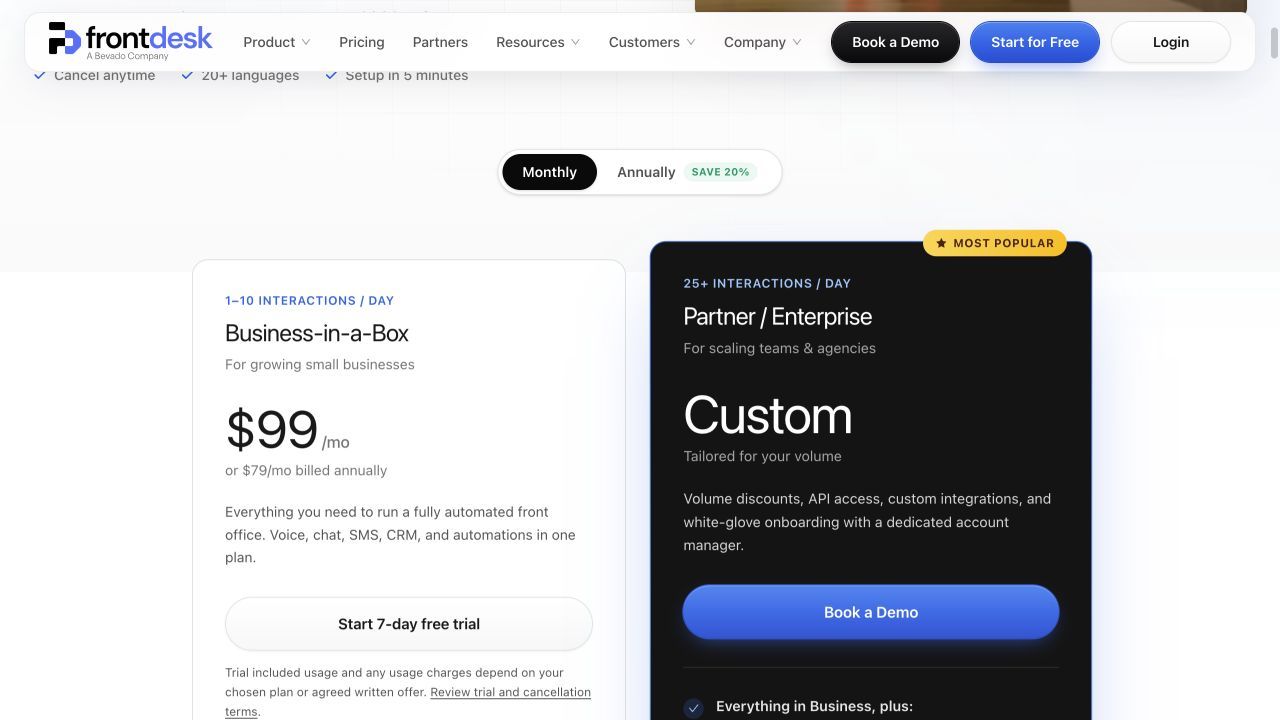
Business-in-a-Box
- US$99/month, or US$79/month billed annually.
Included each month
- 200 voice minutes, 400 SMS and 100 chatbot conversations.
Usage and terms
- Additional usage uses the platform’s credit system
- Review auto-reload settings before launch.
Partner / Enterprise
- Custom pricing for higher volume and additional requirements.
Voice, SMS and chat have separate allowances. Compare the allowance and required tier in the pricing breakdown below.
Prices checked 29 October 2026 against My AI Frontdesk pricing.
Dialzara
Dialzara is the low-cost entry option in this AutoReception comparison. Business Lite suits a small volume of routine calls; Pro is the more relevant comparison if you need warm handoffs or calendar synchronisation. Included minutes and overage rates matter more than the entry price once calls become longer or more frequent.
Is Dialzara right for your business?
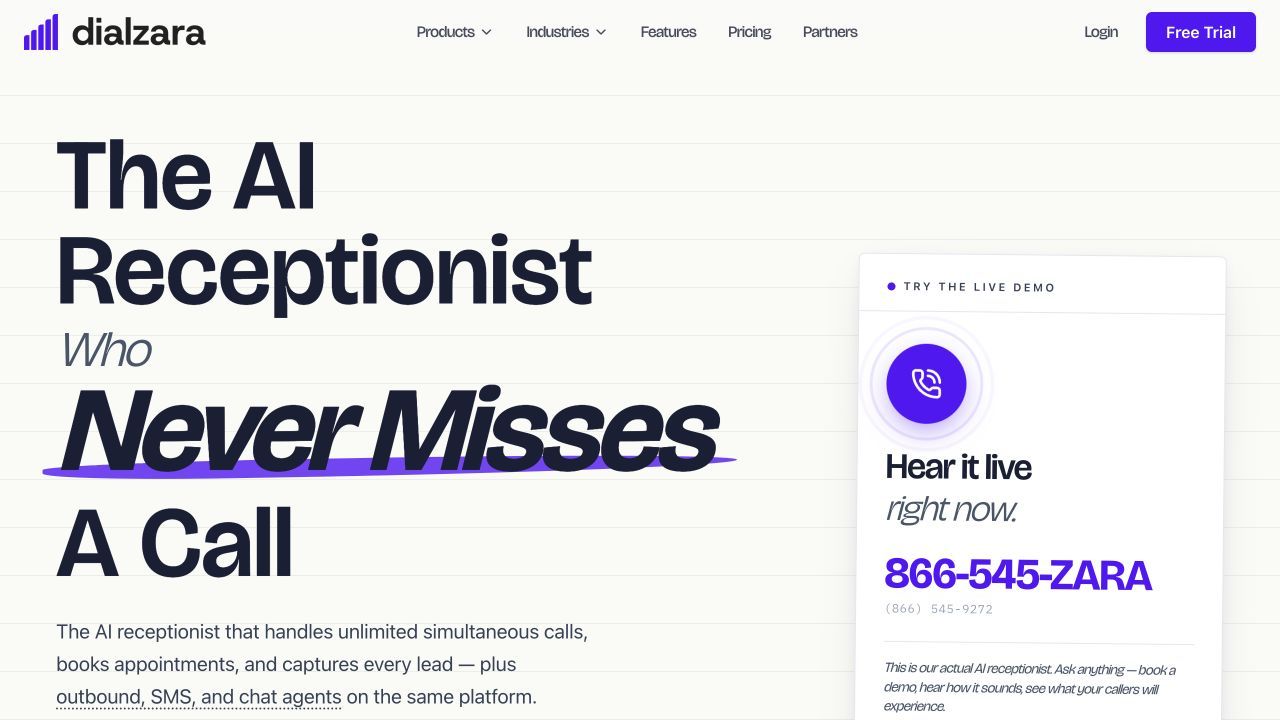
Dialzara suits low-volume call coverage. It combines recordings, summaries, custom prompts, and transfers.
When should you skip Dialzara?
Warm transfer and calendar sync require Pro. The business still needs a receiving staff member and a fallback for transfers that are not accepted.
The homepage below introduces Dialzara’s recordings, summaries, custom prompts, and transfers.
Features
Round-the-clock call coverage
Answer calls and take messages using a business-specific AI receptionist.
Business instructions
Control the prompt, FAQs and caller questions rather than using a fixed message.
Transfers and notifications
Lite includes blind transfer; Pro adds warm transfer. Recordings, summaries and notifications support follow-up.
Google and Outlook calendar sync
Pro adds Google and Outlook calendar sync; supported automation connections extend the call workflow.
Setup support
Configure business instructions, forwarding and transfer destinations together when replacing the existing receptionist.
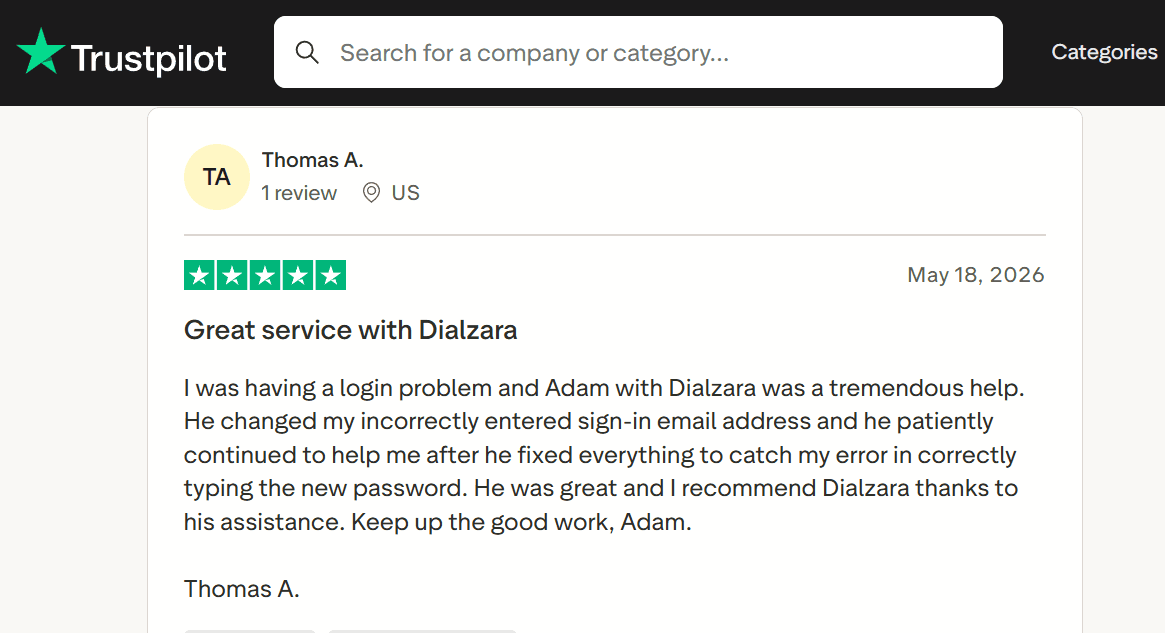
One Trustpilot review of Dialzara praises product functionality and customer support. Use that experience to judge how the product would fit the team’s day-to-day reception work. The review excerpt is shown below.
Pros
- US$29 monthly entry plan for a low-volume trial of live answering.
- Published minute allowances and overage rates make a usage estimate straightforward.
- Blind transfer on Lite provides a basic staff route before upgrading for warm handoff.
Cons
- The 60-minute Lite allowance can be exhausted quickly.
- Warm transfer and calendar sync require Pro or above.
- The business still needs a receiving staff member and a fallback for transfers that are not accepted.
Pricing
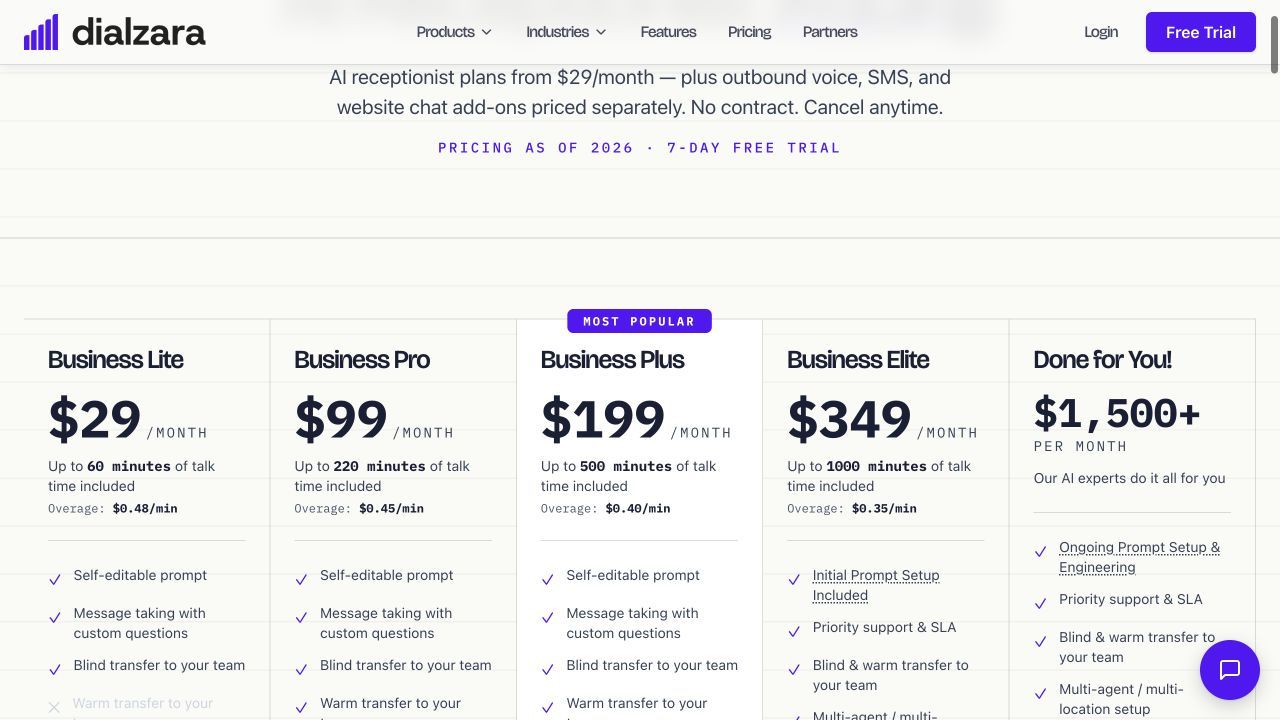
Business Lite
- US$29/month for 60 minutes
- US$0.48 per extra minute.
Business Pro
- US$99/month for 220 minutes
- US$0.45 per extra minute.
Business Plus
- US$199/month for 500 minutes
- US$0.40 per extra minute.
Business Elite
- US$349/month for 1,000 minutes
- US$0.35 per extra minute.
Warm transfer and calendar sync require Pro. Compare the allowance and required tier in the pricing breakdown below.
Prices checked 29 October 2026 against Dialzara pricing.
How we compared an AutoReception alternative
Choose the required outcome first: a complete message, a confirmed booking, or a live transfer. Then compare the plan that actually includes that outcome. A cheap message-taking plan and a human-backed intake service solve different problems.
For Australian small businesses, start with Ring Jenny if you want local call handling and straightforward setup. Shortlist Smith.ai for human escalation, Goodcall for repeat-caller economics, My AI Frontdesk for a combined phone and CRM workflow, and Dialzara for low-volume minute billing.
Before moving all calls, test your common questions, an unavailable booking slot, an urgent transfer and a failed handoff. The AI receptionist setup playbook for small businesses covers the configuration, and AI receptionist testing and improvement explains what to review after launch.
If live handoff is the deciding feature, compare AI receptionist with call routing by transfer rules and fallback handling.
AutoReception alternatives: FAQs
Which AutoReception alternative has a free plan?
Ring Jenny offers 5 minutes per month free forever. Smith.ai’s AI-first free plan includes 25 calls per month, with additional calls charged. These allowances use different units and are intended for different usage levels.
Which alternative should I choose for appointment booking?
Compare the booking-enabled plan and the calendar connection. Ring Jenny adds booking on Scale; My AI Frontdesk combines calendar workflows with its receptionist; Dialzara lists Google and Outlook calendar sync on Pro and above. Test a booking, a reschedule and a full calendar before launch.
Which alternative is better when callers need a person?
Smith.ai offers AI answering with human escalation, as well as separate hybrid and human-first services. A live transfer to your own staff is different from a provider supplying a receptionist, so compare who takes over and what happens when nobody is available.
Can I keep my business number when switching?
Call forwarding can let you test another answering service while retaining the number customers use. Confirm forwarding support and carrier charges, then test missed calls and after-hours routing before changing the full call flow.
Summarize this content with AI