


Introduction
Ring Jenny, Smith.ai, RingCentral AI Receptionist, My AI Frontdesk, Abby Connect, Ruby, AnswerConnect and Dialpad AI are Goodcall alternatives for different service models. Choose by what must change: booking, provider human backup, two-way follow-up or phone-stack integration. Replacing the phone agent also means reassigning its questions, connected actions and unresolved calls.
Goodcall alternatives for call workflows: comparison
Pricing, ease of use and ROI
| Product | Starting price | Ease of use /10 | ROI | Key differentiator |
|---|---|---|---|---|
| Ring Jenny | A$0/month | 9.4 | 113% | Website-trained setup and a free tier |
| Smith.ai | US$0/month | 8.7 | 8% | AI and human reception options |
| RingCentral AI Receptionist | A$62/account/month + RingEX | 8.1 | 47% | Reception within RingEX |
| My AI Frontdesk | US$99/month | 8.0 | About 80% | Voice, SMS, chat and CRM |
| Abby Connect | US$164/month | Not studied | Not studied | Shared human/AI minute model |
| Ruby | Custom quote | Not studied | Not studied | Human receptionist service |
| AnswerConnect | Custom quote | Not studied | Not studied | Round-the-clock live human answering |
| Dialpad AI | Custom quote | Not studied | Not studied | Custom Agentic AI workflows |
Source: LunaCal Research 2026 on AI Answering Services. Ease of use is scored out of 10. ROI is modeled first-year administrative return for 100 calls per month using USD assumptions. Starting prices use the stated billing basis; advanced features can require higher tiers. “Not studied” means the product was outside the research; “Not calculated” means no comparable ROI was published.
Features, human support and plan limits
| Alternative | Switch when you need | How the next step works | Dependency or limit | Included usage | Service type | Core features | Call records and notifications | Additional charges |
|---|---|---|---|---|---|---|---|---|
| Ring Jenny | Focused AI answering and service bookings | Scale books and transfers; summaries support callbacks | Existing-number forwarding; Scale required for actions | Free: 5 min; Professional: 150 min | AI receptionist | Website-trained answers; call summaries; booking and transfers on Scale | Recordings, transcripts and summaries | Professional overage: A$0.25/min |
| Smith.ai | AI intake with provider human escalation | Screening, supported scheduling and human-service options | Specify the quoted human coverage | Free: 25 calls; Pro: 75 calls | AI receptionist | Lead screening; appointment booking; AI and live-agent options | Recordings, transcripts, summaries and CRM handoff | Free-plan overage: US$3/call |
| RingCentral AI Receptionist | Reception inside the phone system | Intent routing to contacts and departments | Australian AIR requires RingEX; booking coming soon | 100 min/month | AI receptionist | Conversational routing; caller details; transcripts | Caller details and transcripts; confirm audio | A$0.80/additional minute |
| My AI Frontdesk | An ongoing text conversation after a call | Two-way SMS, CRM and automations | Separate channel allowances and configuration | 200 voice min; 400 SMS; 100 chats/month | AI receptionist | AI receptionist; calendar actions; two-way SMS; CRM | Call logs, recordings, transcripts and CRM | Additional usage uses credits |
| Abby Connect | A chosen mix of human and AI calls | Shared allowance used by both services | Human minutes consume twice the AI allowance | 50 human or 100 AI minutes | AI receptionist | Human or AI answering; intake; recordings | Caller records, portal reporting and recordings | Overage uses the plan’s Abby Minute rate |
| Ruby | A person answering first | Live intake, scheduling and forwarding | Human-minute quote; separate chat services | Defined in selected plan | Live receptionists | Human answering; intake; scheduling; call forwarding | App/email messages and call details | Depends on minute allowance |
| AnswerConnect | 24/7 human answering coverage | Scripted intake and agreed handoff | Minute allowance, booking and integrations need a quote | Defined in the quote | Live receptionists | Live answering; scripted intake; handoff | App/portal messages and intake details | Volume and coverage affect total |
| Dialpad AI | Custom agent actions and supervised handoff | Agentic voice workflows with approved tools | AI-agent quote is separate from a phone-only plan | Defined in quote | AI receptionist | Voice agents; workflow actions; human escalation | Call context and configured workflow outputs | Action-based conversation charging |
Goodcall alternatives: workflow coverage, support and pricing
Ring Jenny
Ring Jenny is a focused replacement when the team wants service enquiries answered, recorded and routed towards a callback or booking. It supports existing-number forwarding. The important workflow boundary is Scale: the lower message-handling tier does not provide the same booking and transfer actions. Recreate the required questions and fallback path when moving from Goodcall.
Who is Ring Jenny best for?
Ring Jenny suits Australian service businesses. It combines website-trained answers, call summaries, and booking and transfers on Scale.
Who should avoid Ring Jenny?
Booking and live transfers require Scale. Website-derived answers still need an owner when business hours, services or policies change.
The homepage below introduces Ring Jenny’s website-trained answers, call summaries, and booking and transfers on Scale.
Features
Existing-number answering
Define which existing-number calls should reach the AI and what staff should do when returning calls.
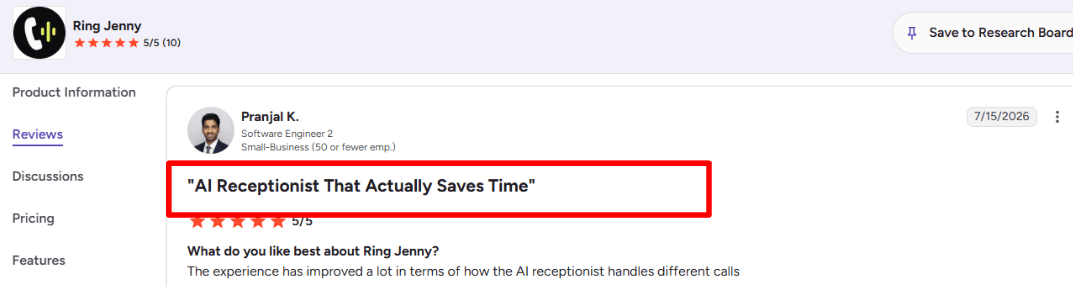
One G2 review of Ring Jenny describes improvements in handling different call types. The useful outcome is a complete enquiry that the team can act on across its normal call types. The screenshot below illustrates that experience.
Approved business information
Prepare the business hours, services and answers needed for routine enquiries.
Call records and dashboard
Receive caller details with recordings, transcripts and summaries for staff action.
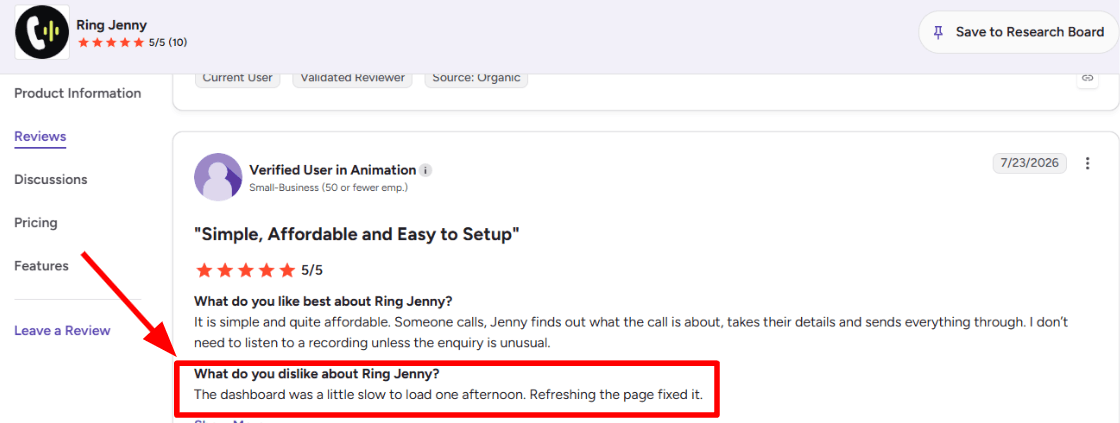
One G2 review of Ring Jenny describes a temporary dashboard slowdown resolved by refreshing. For a busy reception team, fast access to the dashboard matters when deciding who should return a call. The review excerpt is shown below.
Booking and live-transfer tier
Use Scale for direct booking, live transfers and caller texts when a message alone is insufficient.
Pros
- Focuses the replacement on core reception actions.
- Supports keeping the existing business number through forwarding.
- Summaries let the person returning an enquiry start with the caller’s request instead of repeating intake.
Cons
- Booking and live transfers are above the Professional tier.
- The receiving staff and fallback instructions remain the business’s responsibility.
- Website-derived answers still need an owner when business hours, services or policies change.
Pricing
Free
- A$0/month for 5 minutes
- AI answering, messages, summaries, recordings and transcripts.
Professional
- Advertised offer A$59/month for 150 minutes
- A$0.25 per extra minute.
Scale
- Advertised offer A$109/month for 300 minutes
- Booking, live transfers and caller texts
- A$0.20 per extra minute.
Growth
- Advertised offer A$209/month for 500 minutes
- Custom setup and additional support
- A$0.15 per extra minute.
Booking and live transfers require Scale. Compare the allowance and required tier in the pricing breakdown below.
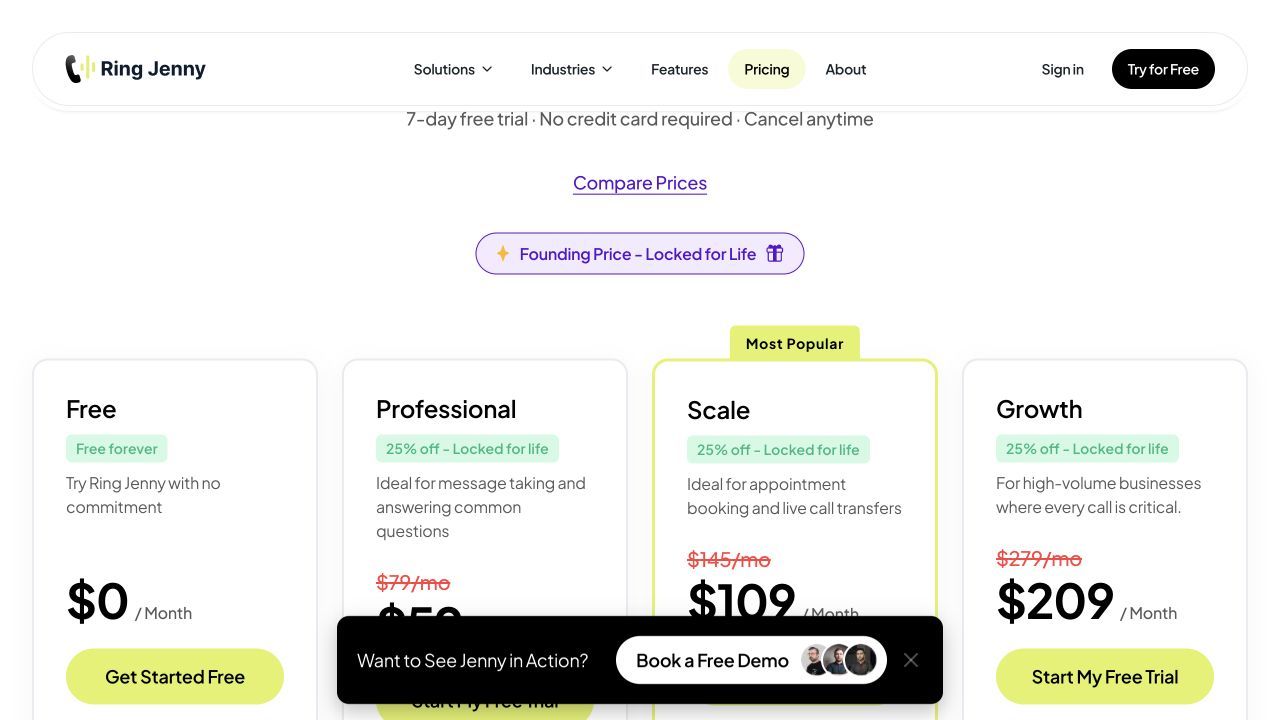
Prices checked 29 October 2026 against Ring Jenny pricing.
Smith.ai
Smith.ai addresses the support gap when a caller needs the provider’s human receptionist, not merely another attempt to reach your team. It combines screening with consultation and human-service options. Confirm the scope of escalation in the purchased service, because AI-first, hybrid and human-first quotes represent different levels of human involvement.
When should you choose Smith.ai?
Smith.ai suits intake with human escalation. It combines lead screening, appointment booking, and AI and live-agent options.
When is Smith.ai a poor fit?
North American human reception; test local fit. Australian teams must account for local-number arrangements and time-zone coverage alongside the service fee.
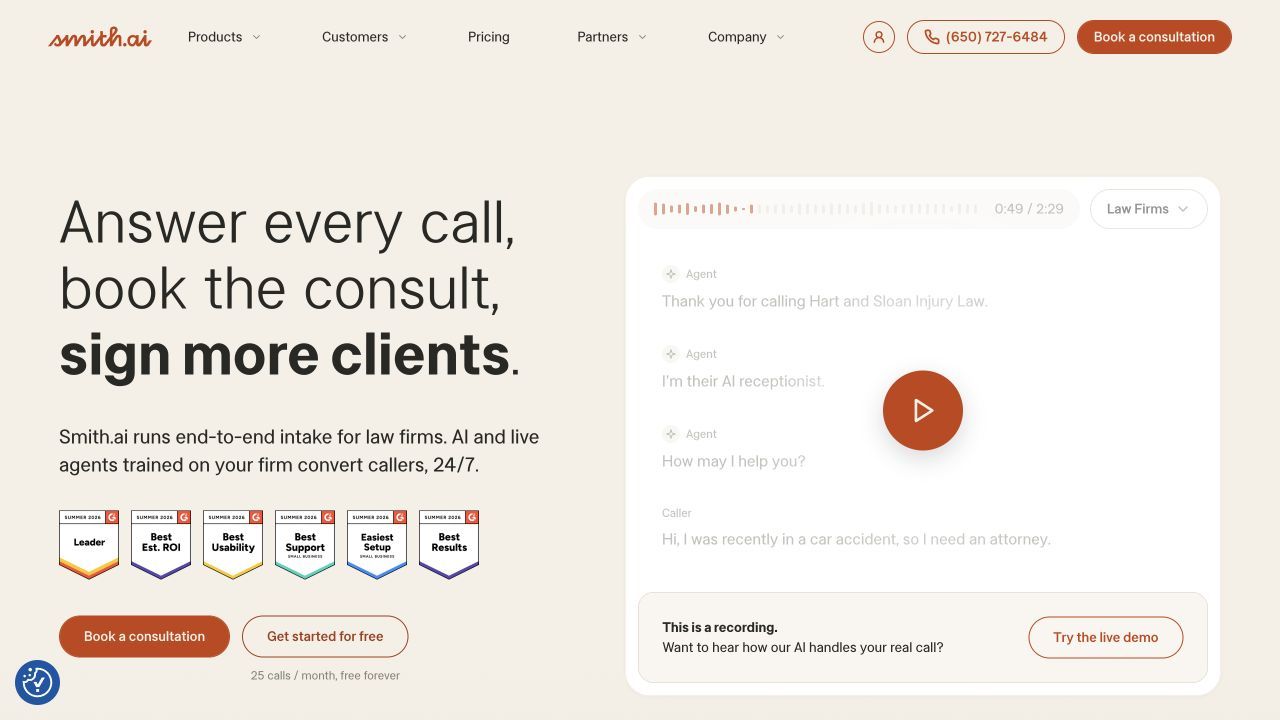
The homepage below introduces Smith.ai’s lead screening, appointment booking, and AI and live-agent options.
Features
Business-rule intake
Screen the enquiry against criteria before sending it to a consultation or staff follow-up.
Provider-supplied human escalation
Use the quoted provider human option when the automated path should stop.
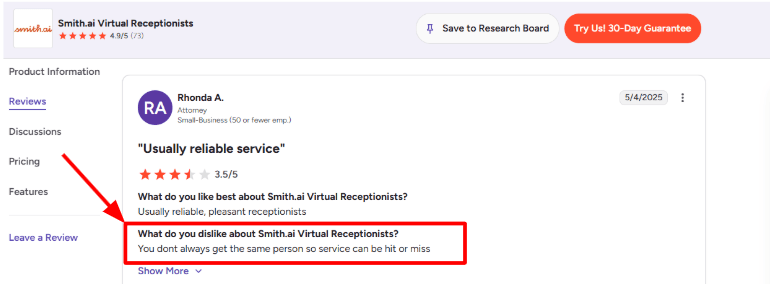
One G2 review of Smith.ai describes inconsistent service when different live receptionists answer. Clear intake instructions and a defined escalation path matter when different receptionists may answer. The reviewer’s comments are shown below.
Consultation scheduling
Connect supported appointment workflows for callers who meet the intake requirements.
CRM and call records
Use call records and supported CRM connections so the next person has the enquiry details.
Onboarding support
Agree screening rules, the receiving systems and the human handoff before changing reception services.
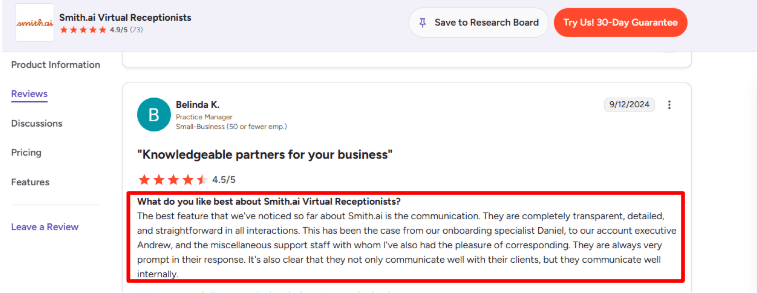
One G2 review of Smith.ai praises transparent onboarding and responsive support. Onboarding quality matters when the business is translating its own call rules into the receptionist setup. The screenshot below illustrates that experience.
Pros
- Provides a route to provider-supplied human assistance.
- Structured screening can reduce incomplete intake.
- The business can scope AI, hybrid and human-first reception separately as its staffing needs change.
Cons
- Human service is not fully described by the AI-first price.
- Coverage, transfer costs and regional phone support need agreement.
- Australian teams must account for local-number arrangements and time-zone coverage alongside the service fee.
Pricing
AI-first Free
- US$0/month for 25 calls
- Additional calls US$3 each.
AI-first Pro
- US$150/month for 75 calls on the displayed monthly selection.
AI-first Enterprise
- Displayed from US$500/month for 300 calls.
Usage and terms
- Hybrid and human-first services have separate pricing
- Use the relevant service when comparing quotes.
North American human reception; test local fit. Compare the allowance and required tier in the pricing breakdown below.
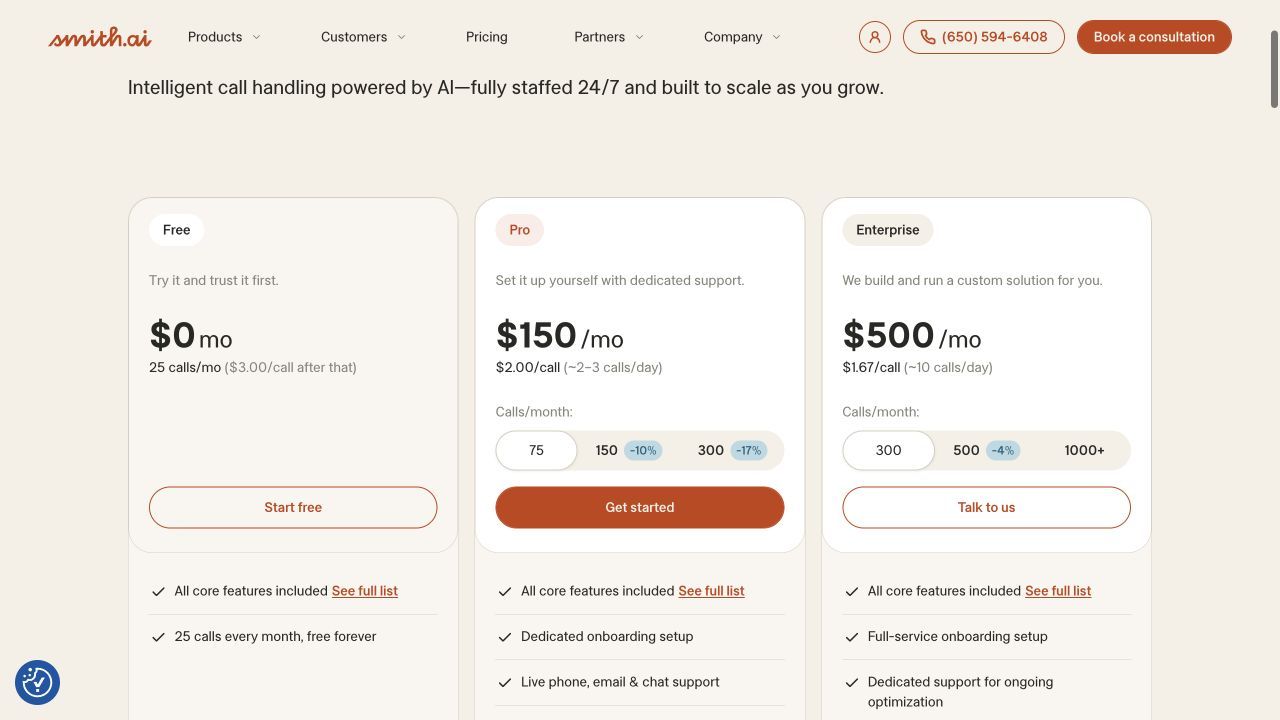
Prices checked 29 October 2026 against Smith.ai pricing.
RingCentral AI Receptionist
RingCentral AIR fits a switch driven by phone-stack administration. Reception identifies the caller’s intent and passes the call into the RingEX environment, rather than remaining a separate configurable phone agent. Australian AIR requires RingEX, so include that dependency in the comparison. Its local booking feature is marked coming soon.
Which teams benefit most from RingCentral AI Receptionist?
RingCentral AI Receptionist suits teams using RingEX. It combines conversational routing, caller details, and transcripts.
Who needs an alternative to RingCentral AI Receptionist?
Australian booking is marked coming soon. Include the required RingEX subscription when comparing the full monthly cost.
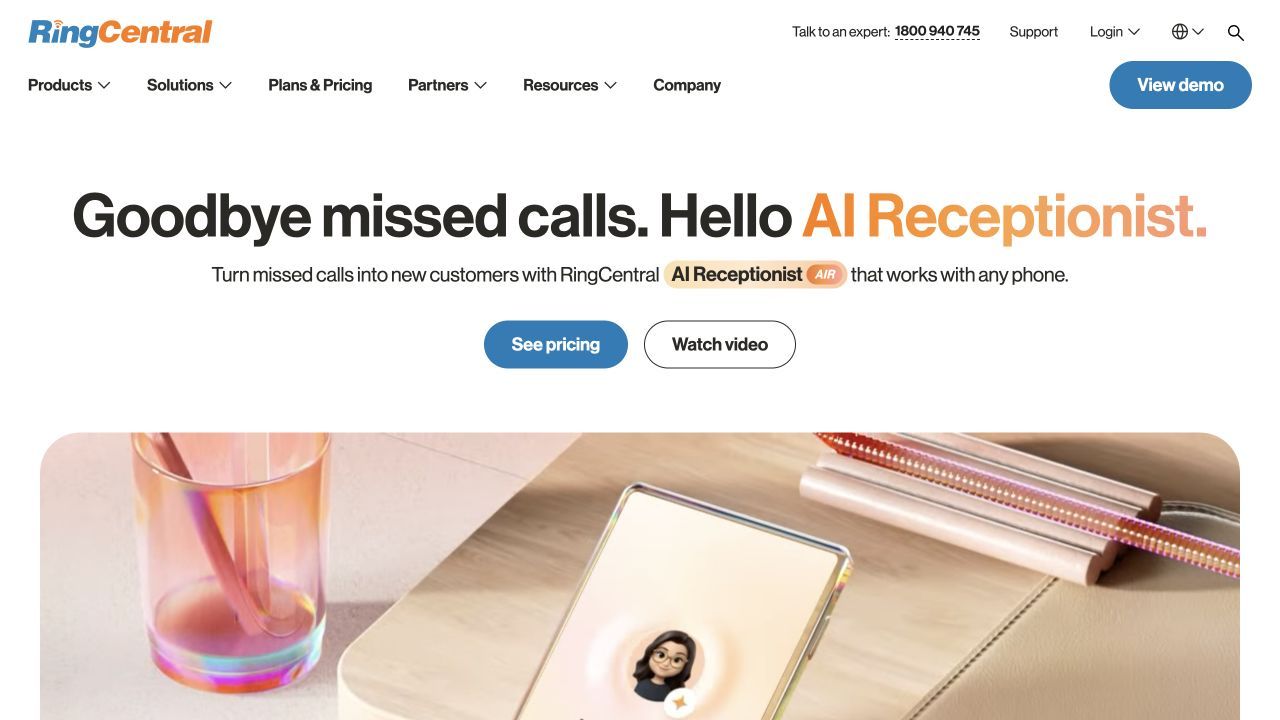
The homepage below introduces RingCentral AI Receptionist’s conversational routing, caller details, and transcripts.
Features
Intent-based call routing
Identify which contact or department should receive the incoming request.
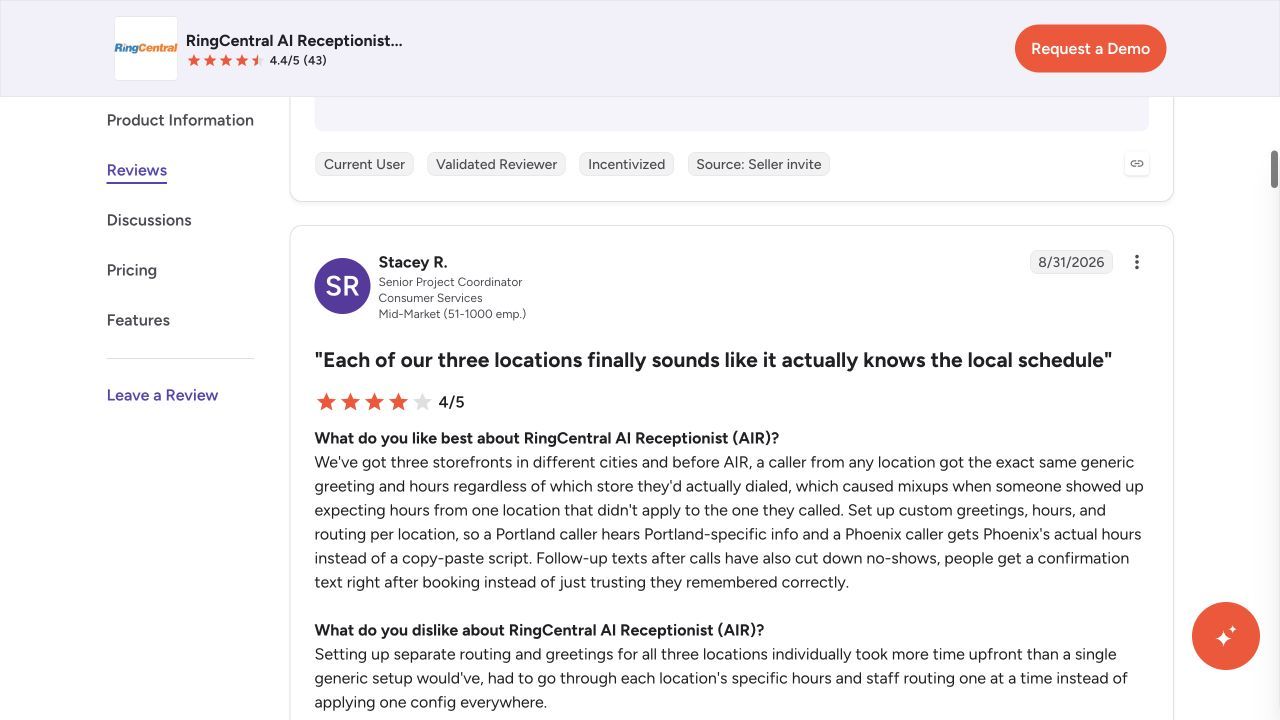
One G2 review of RingCentral AI Receptionist describes different greetings, hours and routing for three locations. Routing is most useful when the greeting, destination and unavailable-person fallback match the actual branch or team. The review excerpt is shown below.
Approved business answers
Use the approved knowledge and FAQs to address common questions before routing.
Caller details and transcripts
Keep caller details and transcripts for the people handling the next step.
RingEX handoff and fallback
Configure the RingEX destination and unavailable-person outcome rather than assuming every transfer connects.
Australian booking limits
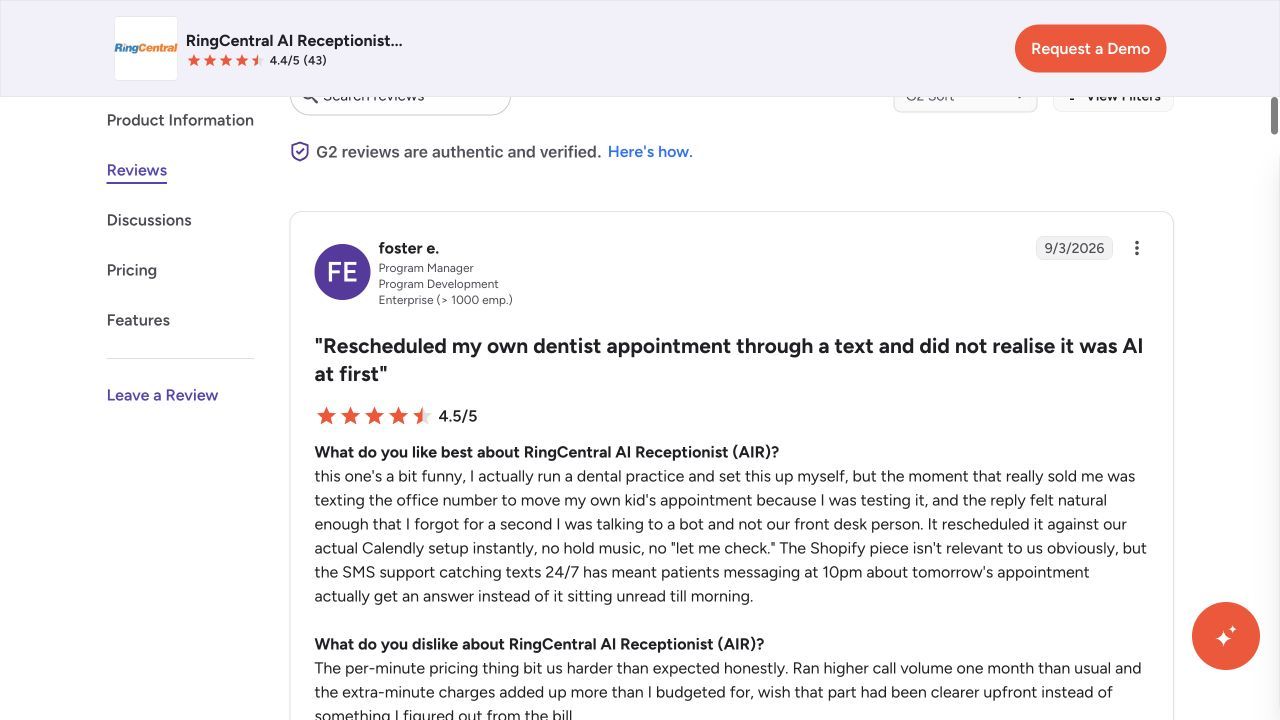
Australian appointment scheduling is marked coming soon. The Calendly experience below may concern another regional offer and does not establish booking availability on the Australian plan.
One G2 review of RingCentral AI Receptionist discusses Calendly rescheduling, after-hours texts and usage costs. A completed calendar action and an after-hours text are separate outcomes, so both need to fit the selected plan. The reviewer’s comments are shown below.
Pros
- Makes sense when reception should use the existing RingEX routing structure.
- Published Australian minute pricing supports planning.
- Reception can use the same staff and department structure as the existing phone deployment.
Cons
- AIR and the required phone subscription both affect cost.
- Australian booking is not established as available in this offer.
- Include the required RingEX subscription when comparing the full monthly cost.
Pricing
Australian AIR add-on
- A$62 per account per month for 100 minutes, plus the required RingEX subscription.
Additional minutes
- A$0.80 each
- The pricing page describes 30-second rounding.
Usage and terms
- Additional minute bundles are available. Include the phone subscription and applicable tax in the total.
Australian booking is marked coming soon. Compare the allowance and required tier in the pricing breakdown below.
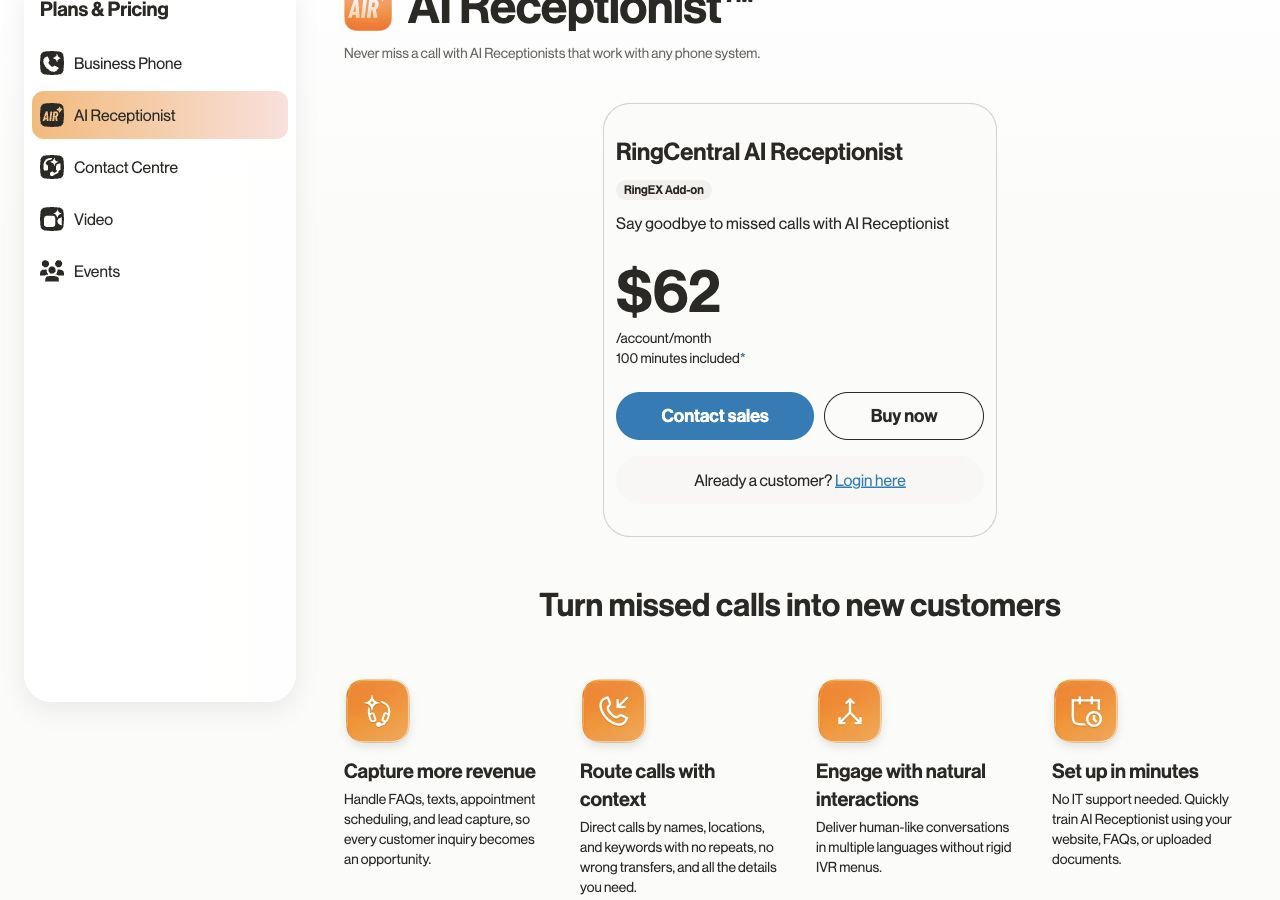
Prices checked 28 October 2026 against RingCentral AI Receptionist pricing.
My AI Frontdesk
My AI Frontdesk addresses a different gap: the customer needs to keep talking after the call ends. It combines two-way SMS, phone, chat and CRM in one package. Map where a Goodcall action currently sends the lead, then decide whether that action should move into the new CRM or remain in an external system.
What does My AI Frontdesk suit best?
My AI Frontdesk suits phone, SMS, chat and CRM workflows. It combines aI receptionist, calendar actions, two-way SMS, and CRM.
Where does My AI Frontdesk fall short?
Voice, SMS and chat have separate allowances. The team must maintain the connected calendar and automation rules as well as the agent’s answers.
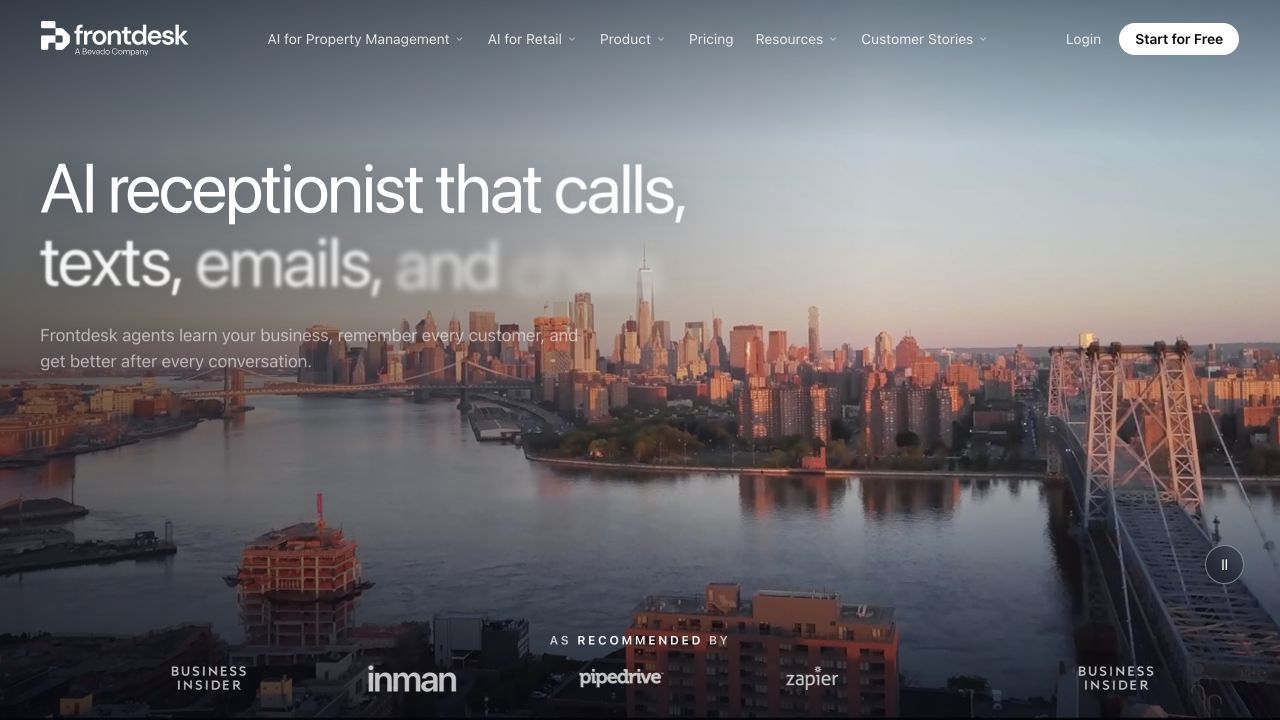
The homepage below introduces My AI Frontdesk’s aI receptionist, calendar actions, two-way SMS, and CRM.
Features
Voice intake and call-flow controls
Collect the context required to continue an enquiry after the initial phone conversation.
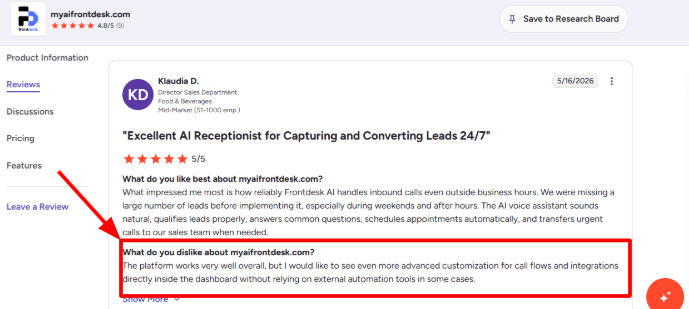
One G2 review of My AI Frontdesk asks for deeper call-flow and integration customisation. A standard call flow can become restrictive when several services need different questions or destinations. The review excerpt is shown below.
Two-way SMS
Use SMS for replies and continued discussion rather than treating follow-up as a one-way alert.
CRM lead records
Keep the customer information attached to the CRM workflow.
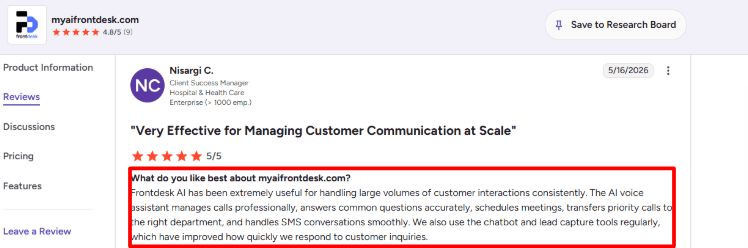
One G2 review of My AI Frontdesk describes voice, SMS, chat, bookings and lead capture. Conversation quality matters most when it produces the right intake details, appointment or staff handoff. The reviewer’s comments are shown below.
Calendar actions and automations
Configure supported calendar actions and automations for the desired next step.
Pros
- Can unite phone intake with continued messaging.
- A shared lead record can make follow-up easier to assign.
- Annual billing offers a lower monthly rate for teams willing to make the yearly commitment.
Cons
- Phone, SMS and chat allowances must be budgeted separately.
- Migration requires deciding which CRM and automation owns each task.
- The team must maintain the connected calendar and automation rules as well as the agent’s answers.
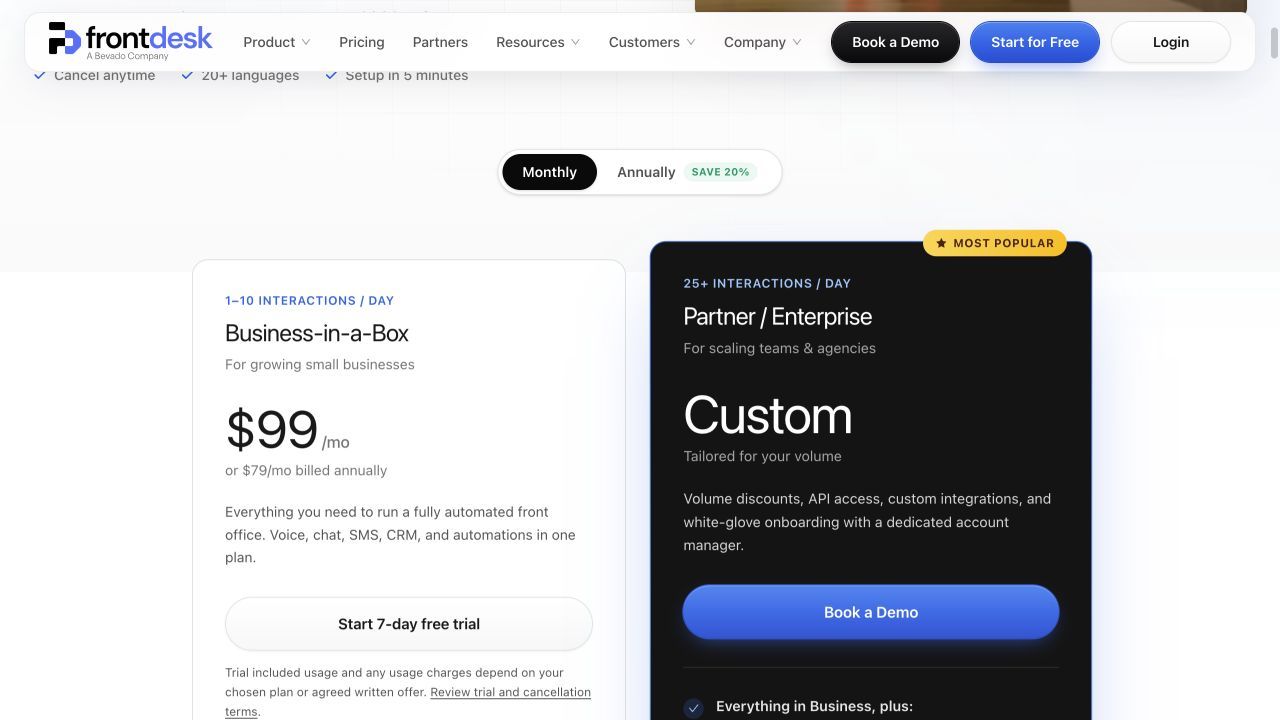
Pricing
Business-in-a-Box
- US$99/month, or US$79/month billed annually.
Included each month
- 200 voice minutes, 400 SMS and 100 chatbot conversations.
Usage and terms
- Additional usage uses the platform’s credit system
- Review auto-reload settings before launch.
Partner / Enterprise
- Custom pricing for higher volume and additional requirements.
Voice, SMS and chat have separate allowances. Compare the allowance and required tier in the pricing breakdown below.
Prices checked 29 October 2026 against My AI Frontdesk pricing.
Abby Connect
Abby Connect is relevant when some calls should stay with AI and others need human reception. Decide which caller types belong to each path before switching. The Abby Minute allowance covers both, but human handling consumes it twice as quickly as AI handling, so the service mix affects both workflow design and cost.
Is Abby Connect right for your business?
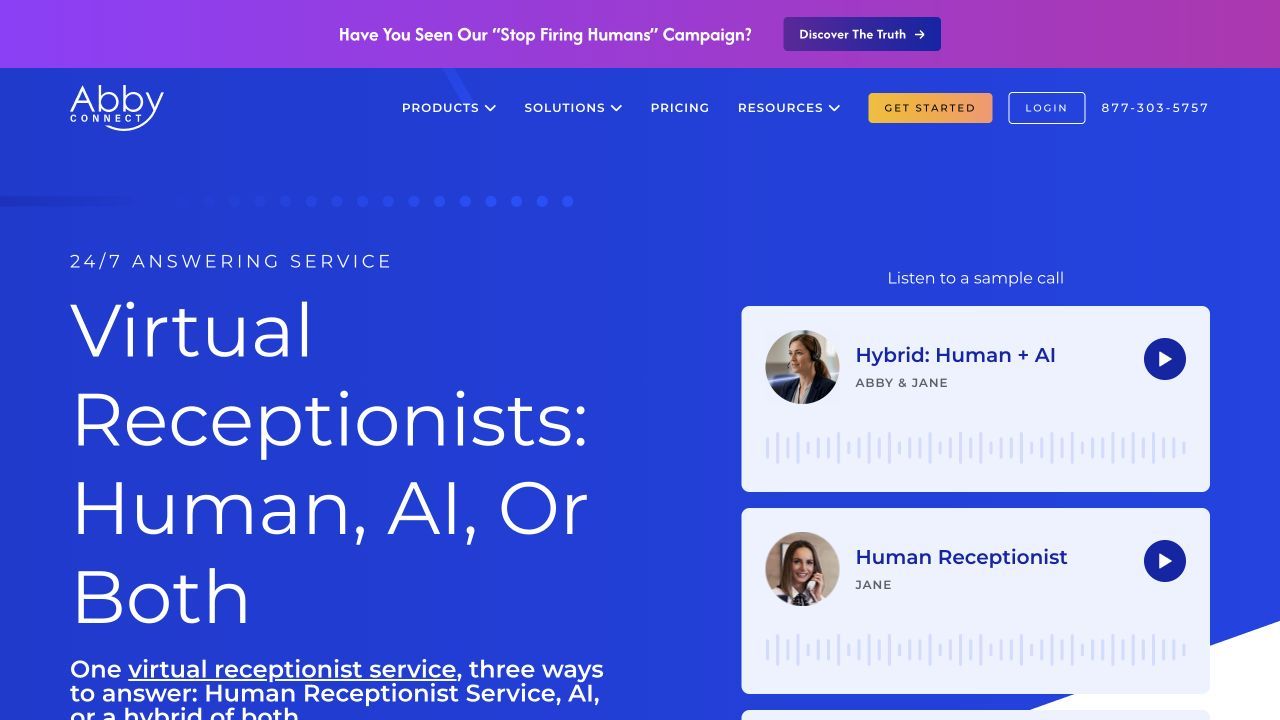
Abby Connect suits businesses mixing human and AI reception. It combines human or AI answering, intake, and recordings.
When should you skip Abby Connect?
AI and human minutes consume allowances differently. Mixed human and AI calls make the headline minute allowance harder to compare with an AI-only tariff.
The homepage below introduces Abby Connect’s human or AI answering, intake, and recordings.
Features
AI and human service mix
Assign the call types that need human handling and those suitable for AI answering.
Business-specific answering instructions
Provide the business greeting, contacts and transfer conditions for both paths.
Caller records and reporting
Use portal information and encrypted recordings to inspect the handoff.
Onboarding and integrations
Agree booking access and supported connections around the selected mix.
Pros
- Lets the business retain a human layer without making every call human.
- Usage conversion is explicitly described.
- The published Abby Minute model makes the AI-versus-human usage distinction explicit.
Cons
- Human-heavy traffic reduces the effective allowance.
- Booking and integration scope must match the specific quoted service.
- Mixed human and AI calls make the headline minute allowance harder to compare with an AI-only tariff.
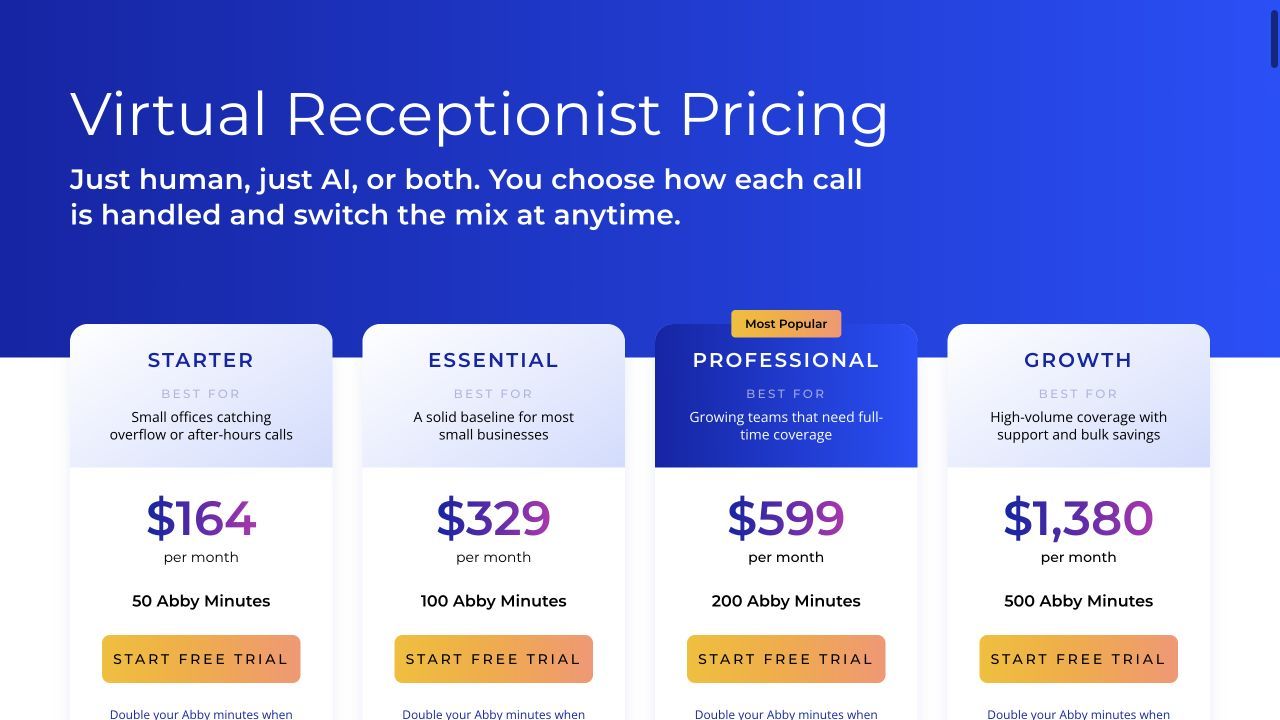
Pricing
Starter
- US$164/month for 50 Abby Minutes.
Essential
- US$329/month for 100 Abby Minutes
- Professional: US$599 for 200.
Growth
- US$1,380/month for 500 Abby Minutes
- Enterprise is custom.
Usage and terms
- One Abby Minute covers one human minute or two AI minutes
- Overage uses the plan’s rate.
AI and human minutes consume allowances differently. Compare the allowance and required tier in the pricing breakdown below.
Prices checked 29 October 2026 against Abby Connect pricing.
Ruby
Ruby fits a deliberate move away from an AI-led first conversation. Its live receptionists follow business instructions and can handle supported scheduling and forwarding. This is a service-model choice, so compare what a human should decide during the call and the context they must pass on. A telephone quote is needed; chat pricing cannot substitute for it.
Who is Ruby best for?
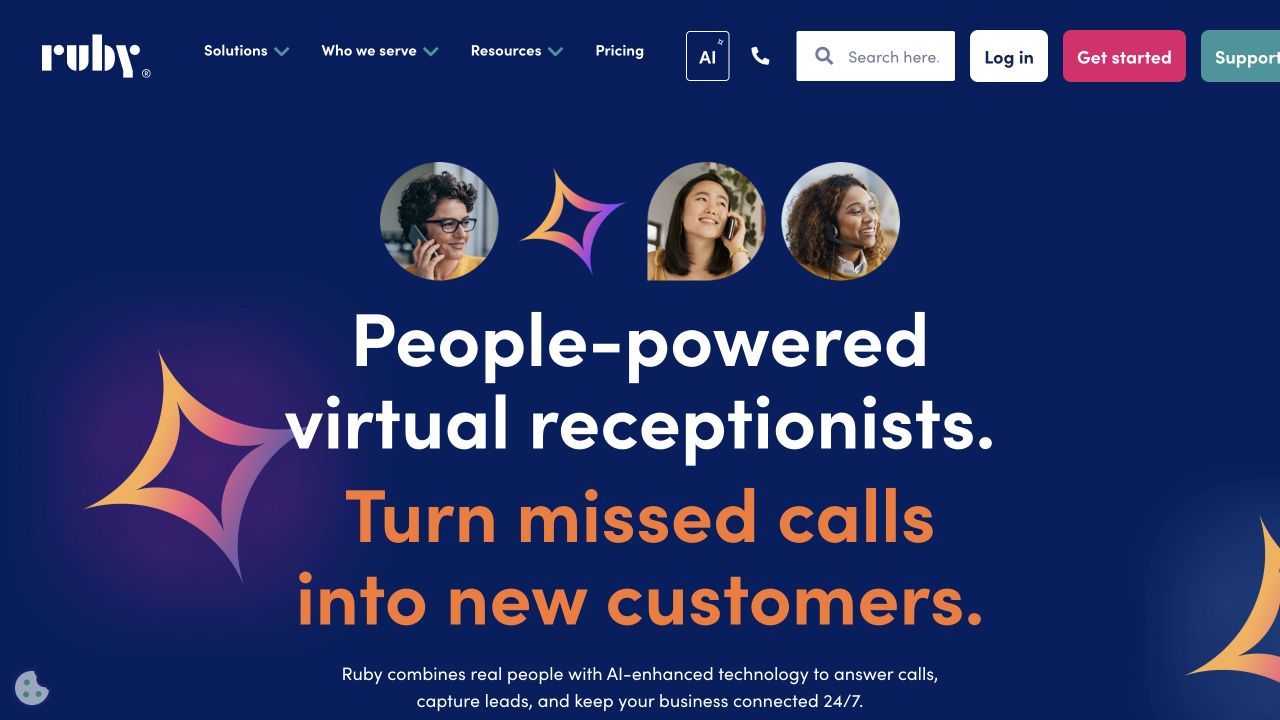
Ruby suits businesses wanting live receptionists. It combines human answering, intake, scheduling, and call forwarding.
Who should avoid Ruby?
A human service, rather than an AI-only receptionist. Caller intake depends on maintaining clear instructions for the reception team.
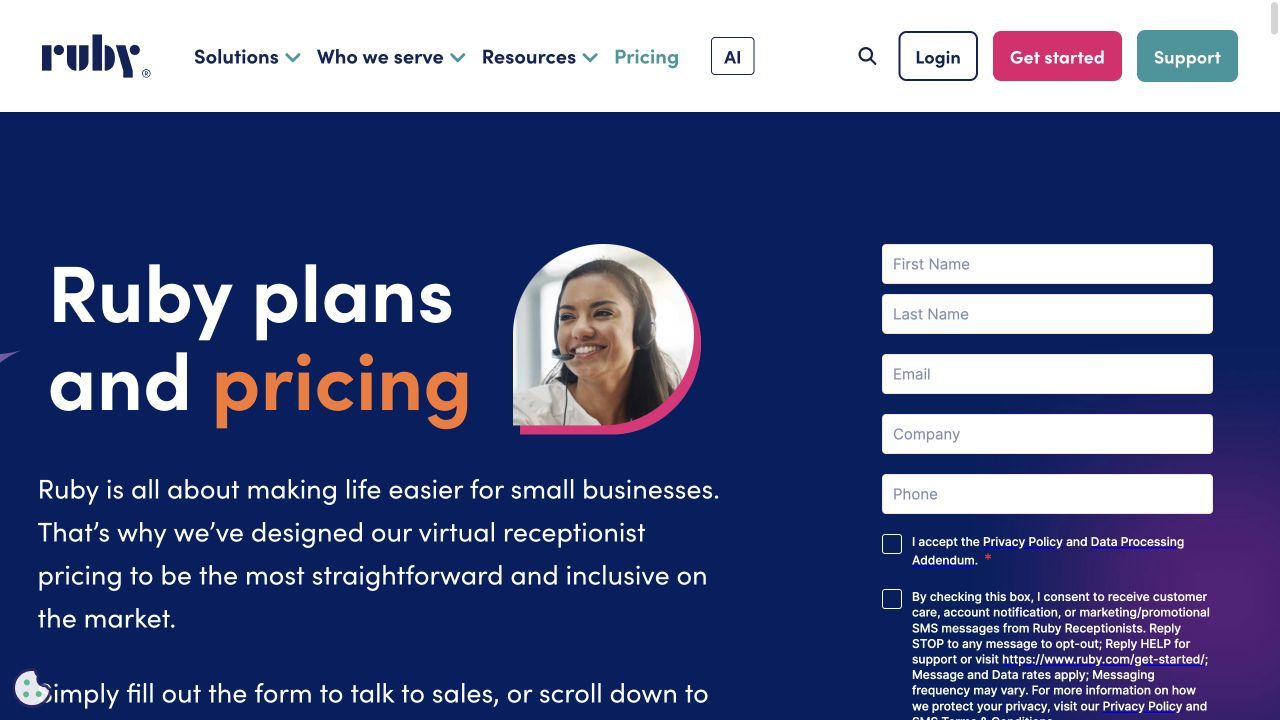
The homepage below introduces Ruby’s human answering, intake, scheduling, and call forwarding.
Features
Human reception
Route the initial conversation to a live receptionist rather than an automated agent.
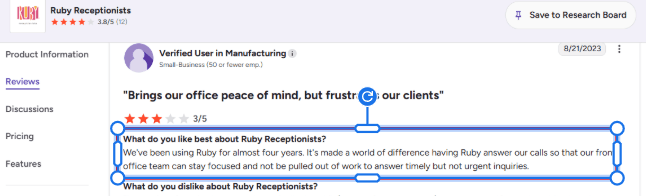
A G2 reviewer described reception helping the front office stay focused. That is useful when routine intake should continue without interrupting staff. The review excerpt is below.
Custom intake instructions
Supply the questions and approved answers needed for the enquiry.
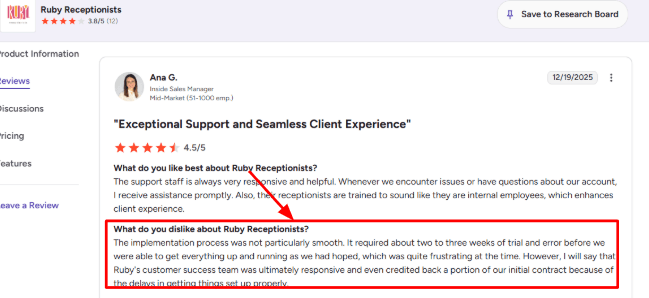
One G2 reviewer described two to three weeks of iteration during setup. Define the questions, callback details and escalation instructions the reception team needs. The setup experience is shown below.
Scheduling and forwarding
Agree supported scheduling access and which callers should be forwarded.
App and email messages
Use app and email call information to support the team’s next response.
Pros
- Suits callers who need a flexible human conversation.
- Instructions can reflect the team’s reception style.
- App-based instructions let staff update how callers should be handled as availability changes.
Cons
- Human minutes have a different cost structure from Goodcall customers.
- Telephone reception and chat add-ons must be assessed separately.
- Caller intake depends on maintaining clear instructions for the reception team.
Pricing
Custom quote
- Request a current receptionist plan quote through Ruby’s official pricing page.
Usage and terms
- Receptionist usage is measured in minutes
- The allowance depends on the selected plan.
Usage and terms
- Website chat and bundled chat prices are separate from telephone reception.
A human service, rather than an AI-only receptionist. Compare the allowance and required tier in the pricing breakdown below.
Prices checked 29 October 2026 against Ruby pricing.
AnswerConnect
AnswerConnect is the human-service option when the gap is around-the-clock coverage rather than another configurable AI flow. Define the script, the details to capture and the transfer rules before requesting a proposal. The quote should establish what receptionists can do in the calendar and other systems, not just the hours in which calls are answered.
When should you choose AnswerConnect?
AnswerConnect suits 24/7 human call answering. It combines live answering, scripted intake, and handoff.
When is AnswerConnect a poor fit?
Human service with a quote-led sales process. Capturing a message does not remove the need for someone in the business to follow up.
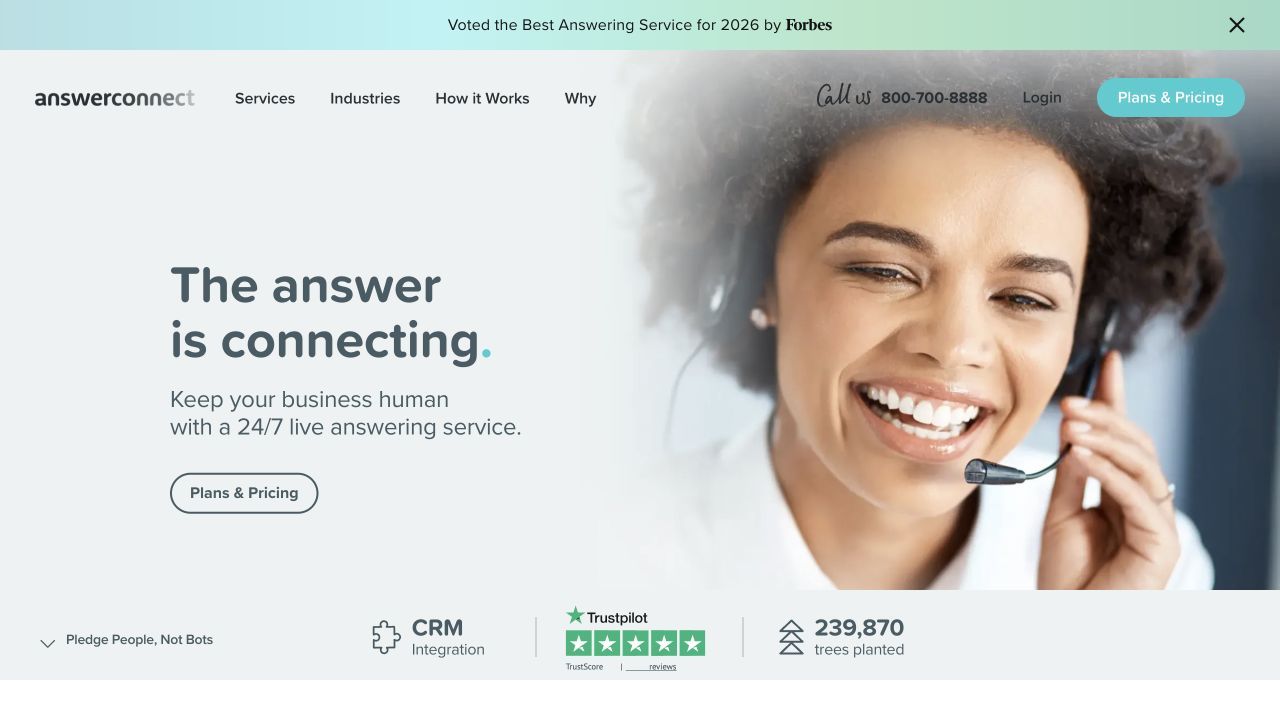
The homepage below introduces AnswerConnect’s live answering, scripted intake, and handoff.
Features
Round-the-clock human answering
Use human agents to cover closures, overflow and other periods without internal reception.
Business-specific scripts
Specify greetings, intake questions and the answers receptionists may provide.
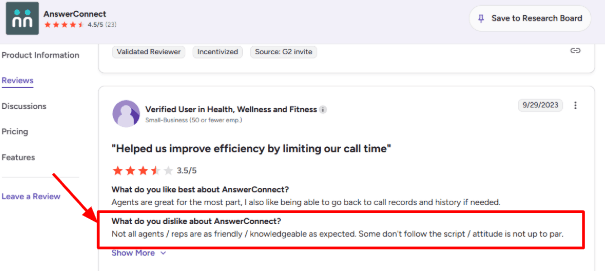
A G2 reviewer reported differences in agent knowledge and adherence to scripts. Clear intake questions and callback instructions matter when several receptionists handle the same business’s calls. The reviewer’s account is below.
Messages and staff handoff
Define which enquiries should become messages and which should be transferred.
Scheduling and integrations
Agree scheduling and integration access for the business tasks receptionists must complete.
Script setup support
Agree which enquiries receptionists may resolve and which need the business’s staff to continue.
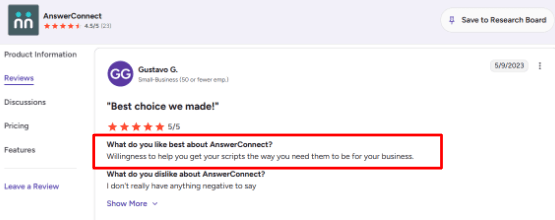
Another G2 review praised help refining business-specific scripts. That support is useful when message handling and staffed escalation need different instructions. The experience is shown below.
Pros
- Human coverage is the central service rather than an escalation add-on.
- Can cover out-of-hours and overflow enquiries.
- App and portal messages give the business a shared place to assign returned calls.
Cons
- Included minutes and overages need a tailored quote.
- Booking and system access should be agreed explicitly.
- Capturing a message does not remove the need for someone in the business to follow up.
Pricing
Custom quote
- The current pricing route requests business details for a tailored quote.
Usage and terms
- Confirm the included receptionist minutes, additional-minute rate and any setup charges.
Usage and terms
- Agree the coverage hours, transfer and booking scope before purchase.
Human service with a quote-led sales process. Compare the allowance and required tier in the pricing breakdown below.
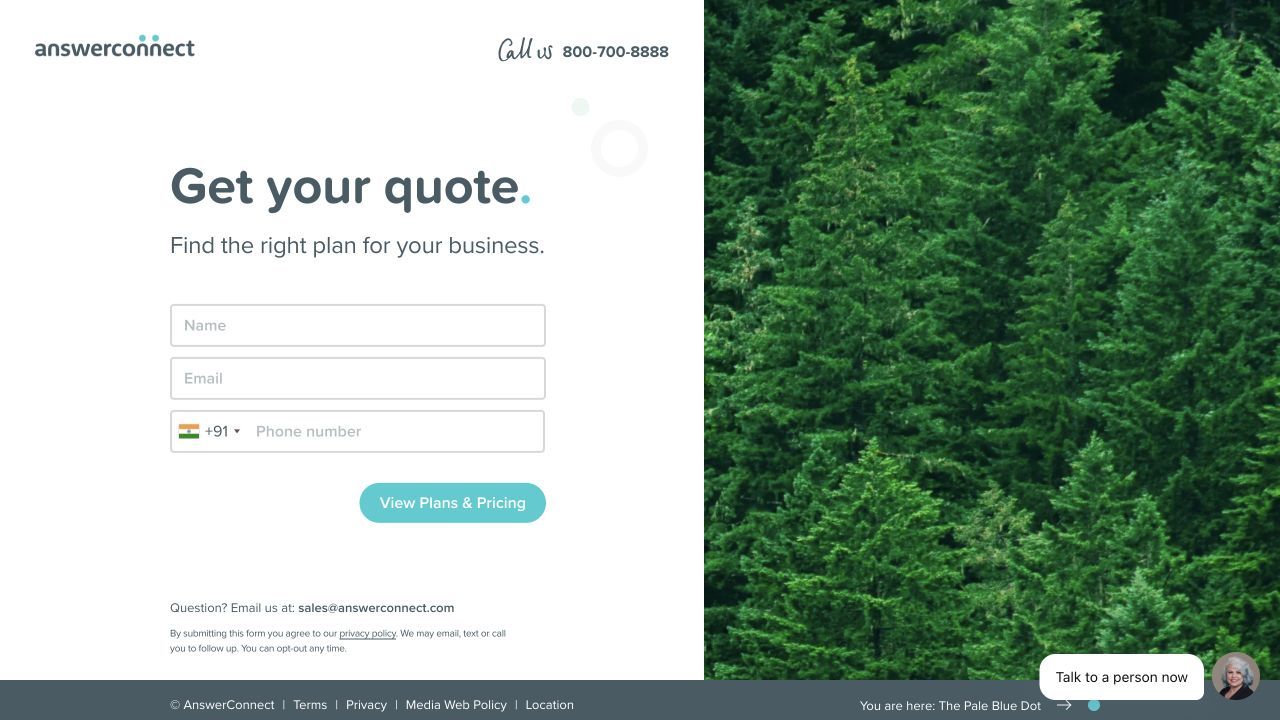
Prices checked 29 October 2026 against AnswerConnect pricing.
Dialpad AI
Dialpad AI belongs on the shortlist when reception requires custom agent actions and coordinated human handoff. Evaluate the agentic AI quote, rather than a phone-only seat price. It describes a billable conversation when the AI retrieves information or executes an action, making tool permissions and charging scope part of the workflow specification.
Which teams benefit most from Dialpad AI?
Dialpad AI suits custom AI reception and connected handoffs. It combines voice agents, workflow actions, and human escalation.
Who needs an alternative to Dialpad AI?
Agentic AI is separately quoted. A phone-only per-user price does not establish the price of Agentic AI reception.
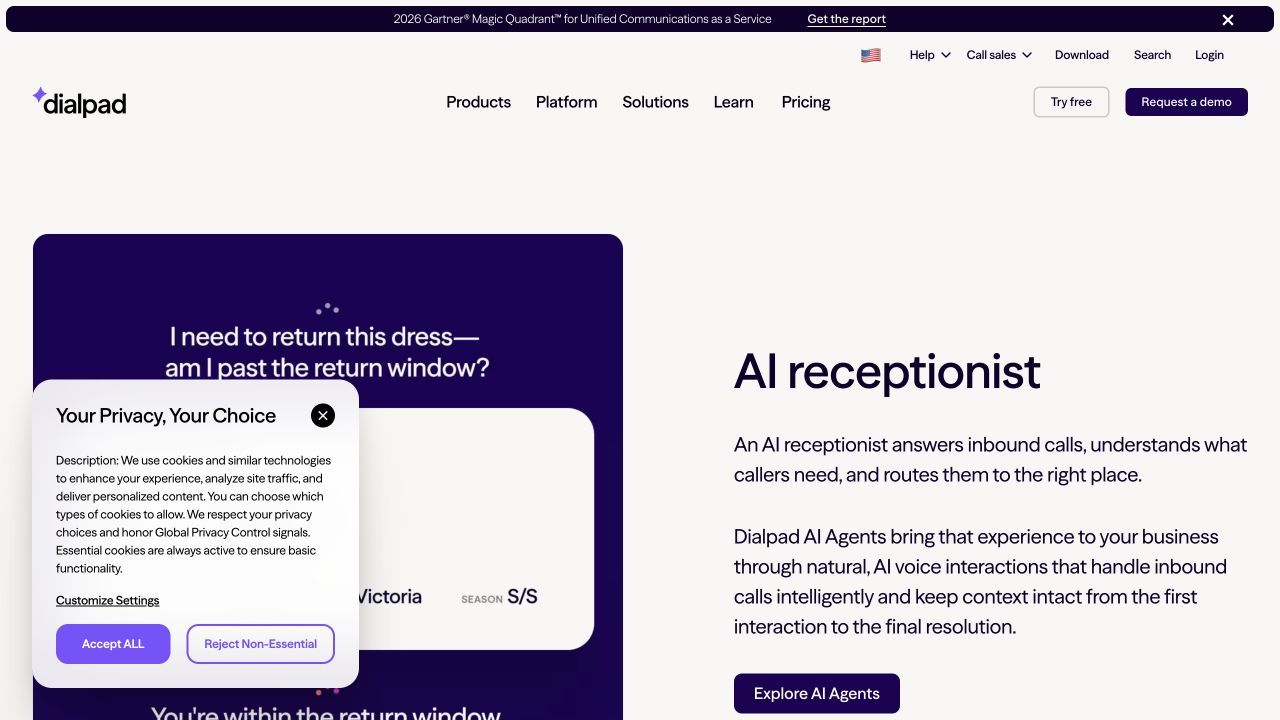
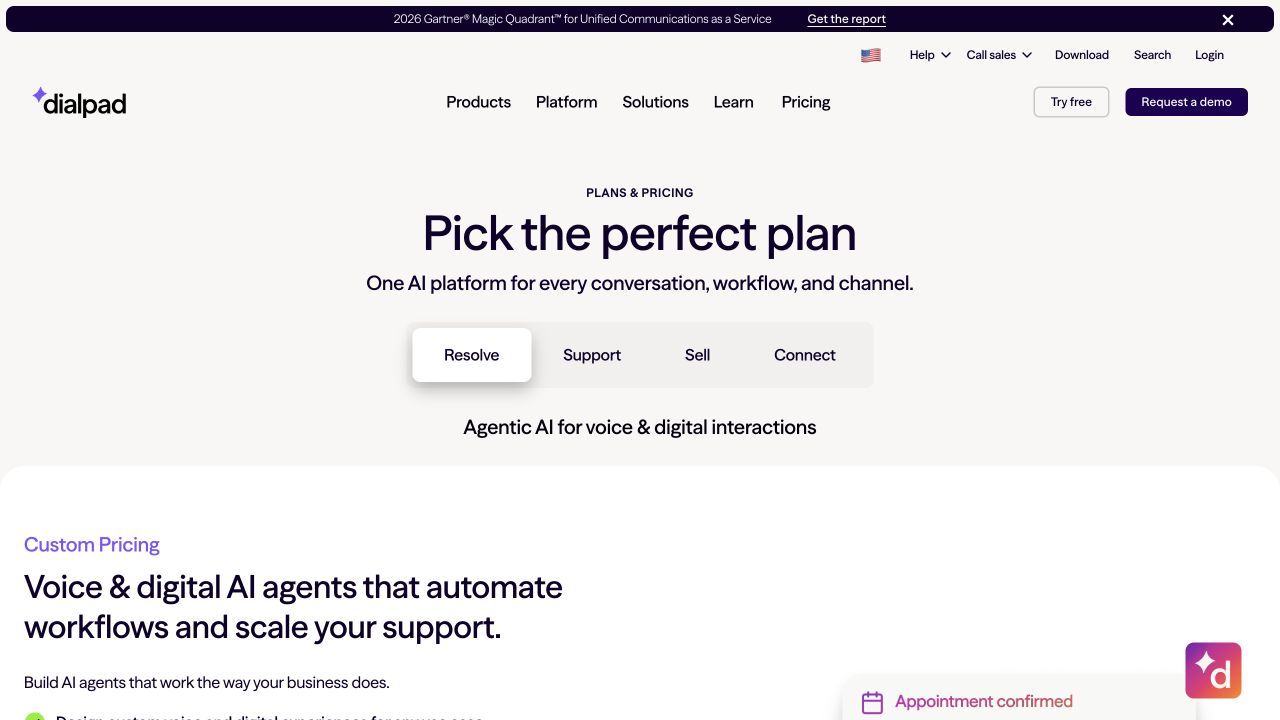
The homepage below introduces Dialpad AI’s voice agents, workflow actions, and human escalation.
Features
Voice and digital task configuration
Configure the voice or digital reception tasks the business actually wants automated.
Allowed tool actions
Specify which information the agent may retrieve and which actions it may perform.
Human escalation
Coordinate the move from AI to staff and define the context required for handoff.
Outcome monitoring
Inspect results as new call types and connected actions enter the workflow.
Pros
- Can connect reception to wider business processes.
- The billing explanation identifies action-based conversations.
- Connected actions can carry the enquiry into a broader service workflow.
Cons
- A phone subscription price does not establish the required AI-agent cost.
- Implementation, credits and connected systems need a complete proposal.
- A phone-only per-user price does not establish the price of Agentic AI reception.
Pricing
Custom quote
- Agentic AI uses custom pricing.
Usage and terms
- The quote supplies a pool of AI Agent Credits for billable conversations.
Usage and terms
- Confirm the cost of the required AI, phone and implementation components.
Agentic AI is separately quoted. Compare the allowance and required tier in the pricing breakdown below.
Prices checked 29 October 2026 against Dialpad AI pricing.
How we compared these options
We compared the reception outcome, the required plan and the work the business must maintain.
- Whether the call ends in a message, appointment or staff handoff.
- Local phone setup and the unavailable-person fallback.
- The actual calendar or CRM action, rather than a broad integration claim.
- Included usage, additional charges and implementation cost.
Replace the missing workflow, then move the calls
List the questions, tools and routing destinations in the current Goodcall setup. Assign an owner to each function in the replacement. Keep the existing number route available until booking, unanswered transfers and follow-up records reach the intended people.
For a cost-led decision, the separate Goodcall alternatives by pricing model examines unique customers, minutes, calls and human-service allowances. If the gap is incomplete intake, use the AI receptionist with lead qualification to specify required answers and the next action.
Goodcall workflow alternative FAQs
Which alternative changes the amount of human support?
Ruby and AnswerConnect provide human-first answering. Smith.ai has human-service options and escalation; Abby Connect offers a human and AI mix. A transfer feature in an AI answering service usually connects to your own staff rather than supplying a person.
Does an alternative replace the whole phone system?
Most reception choices should be evaluated separately from the business’s carrier or phone system. Australian RingCentral AIR specifically requires RingEX. Confirm forwarding, number support and the transfer destination for the chosen setup.
Can the existing Goodcall workflows be copied automatically?
An automatic migration is not established here. Recreate the necessary questions, connected actions, field mappings and routing rules in the replacement. Check the destination record and fallback outcome before moving the main call route.
For booking-led reception, define the connection and permissions using the AI receptionist with Google Calendar integration.
Summarize this content with AI