


Introduction
The shortlist is Ring Jenny, Smith.ai, My AI Frontdesk, Dialzara and Upfirst. Choose the plan that can complete the required booking, not only take a request. This comparison covers features, limitations, pricing and the setup needed for the intended call workflow.
| Product | Booking approach | Required tier or service | Important booking limit |
|---|---|---|---|
| Ring Jenny | Appointment booking with caller texts | Scale: A$109/month offer; 300 min | Professional takes messages, not bookings |
| Smith.ai | Qualified intake plus supported scheduling link/integration | Booking scope depends on selected reception service | Confirm inclusion/add-on; AI-first price alone is insufficient |
| My AI Frontdesk | Calendar actions within phone/SMS/CRM bundle | US$99/month or US$79/month billed annually | Confirm calendar and actions; separate channel allowances |
| Dialzara | Google and Outlook calendar sync | Business Pro: US$99/month; 220 min | Lite excludes sync; confirm appointment actions |
| Upfirst | Scheduling and caller texts | Starter: US$24.95/month; 30 calls | Confirm calendar compatibility; small call allowance |
| Product | Starting price | Billing unit | Included usage | Additional cost |
|---|---|---|---|---|
| Ring Jenny | A$0/month; paid plans from A$59/month | Minutes | Free: 5 min; Professional: 150 min | Professional overage: A$0.25/min |
| Smith.ai | US$0/month; Pro from US$150/month | Calls | Free: 25 calls; Pro: 75 calls | Free-plan overage: US$3/call |
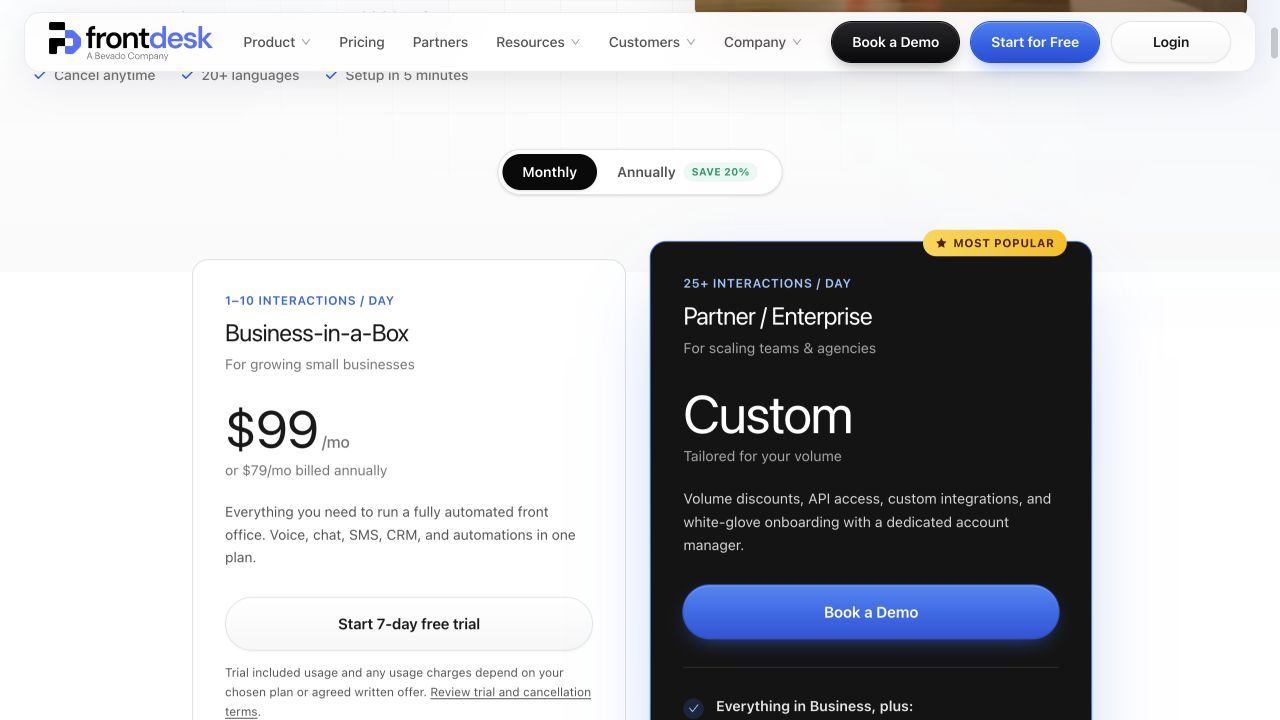
| My AI Frontdesk | US$99/month; US$79/month billed annually | Voice minutes plus messaging | 200 voice min; 400 SMS; 100 chats/month | Additional usage uses credits |
| Dialzara | US$29/month | Minutes | Business Lite: 60 min/month | Lite overage: US$0.48/min |
| Upfirst | US$24.95/month | Calls | Starter: 30 calls/month | US$1.50/additional Starter call |
A booking request, a scheduling link and a confirmed calendar event are different outcomes. Price the subscription and connection that can deliver the required result; support for cancellation, rescheduling or complex calendar rules is not assumed.
Prices retain the displayed currency and billing basis. Ring Jenny publishes this comparison and appears in the shortlist.
AI receptionists with appointment booking: calendar actions and required tiers
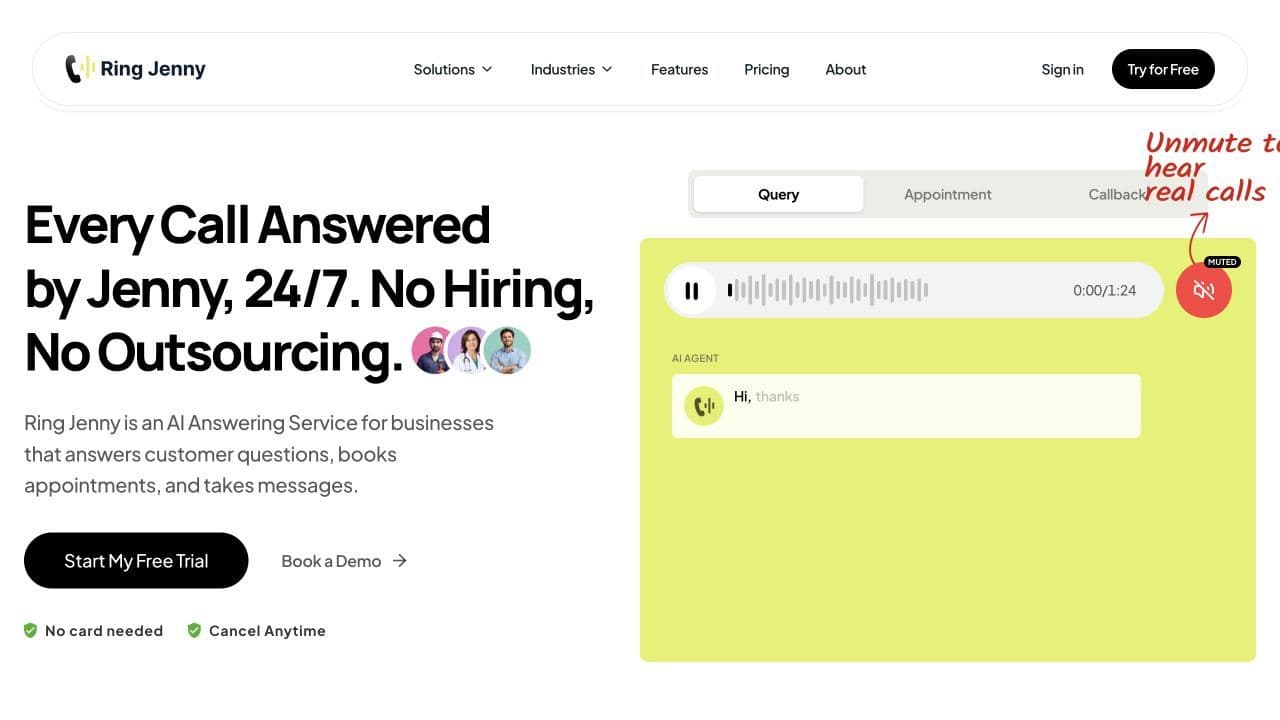
Ring Jenny
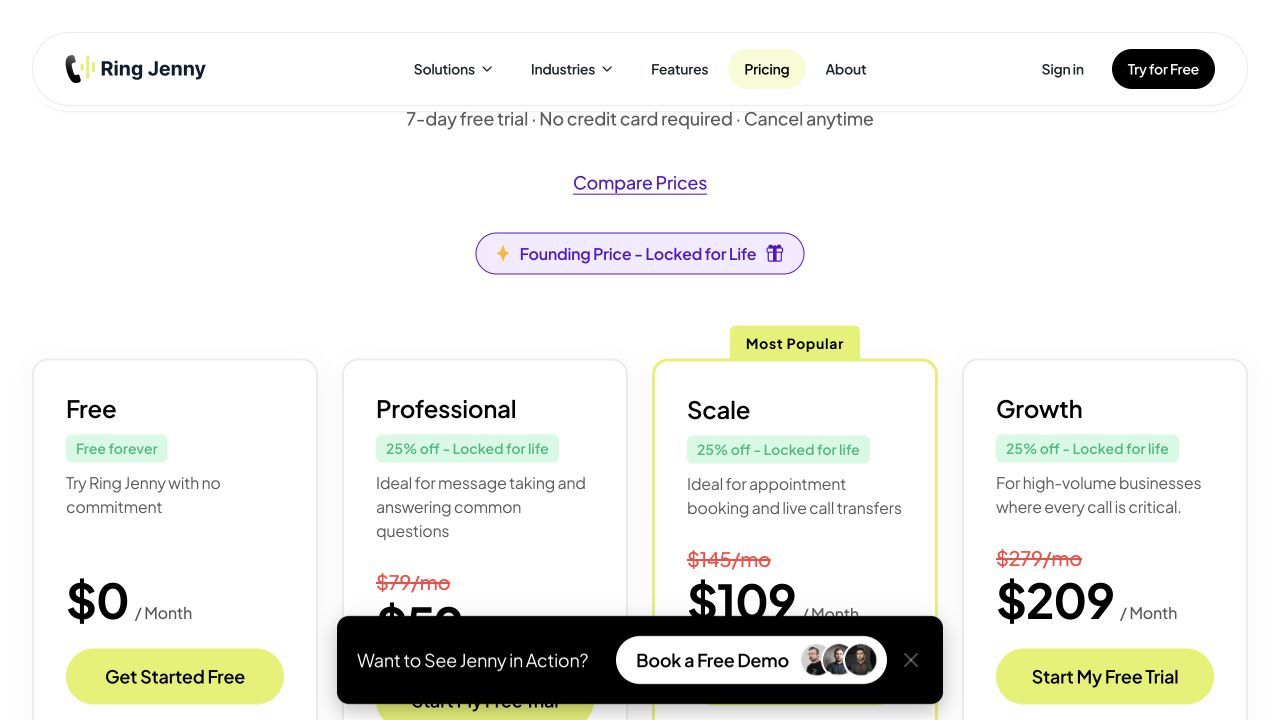
Ring Jenny booking starts on Scale, which also adds live transfer and caller texts. Compare the A$109/month advertised Scale offer and 300-minute allowance when an appointment must be created during the call. Professional’s message capture can record a booking request, but it is a different completed outcome.
Features
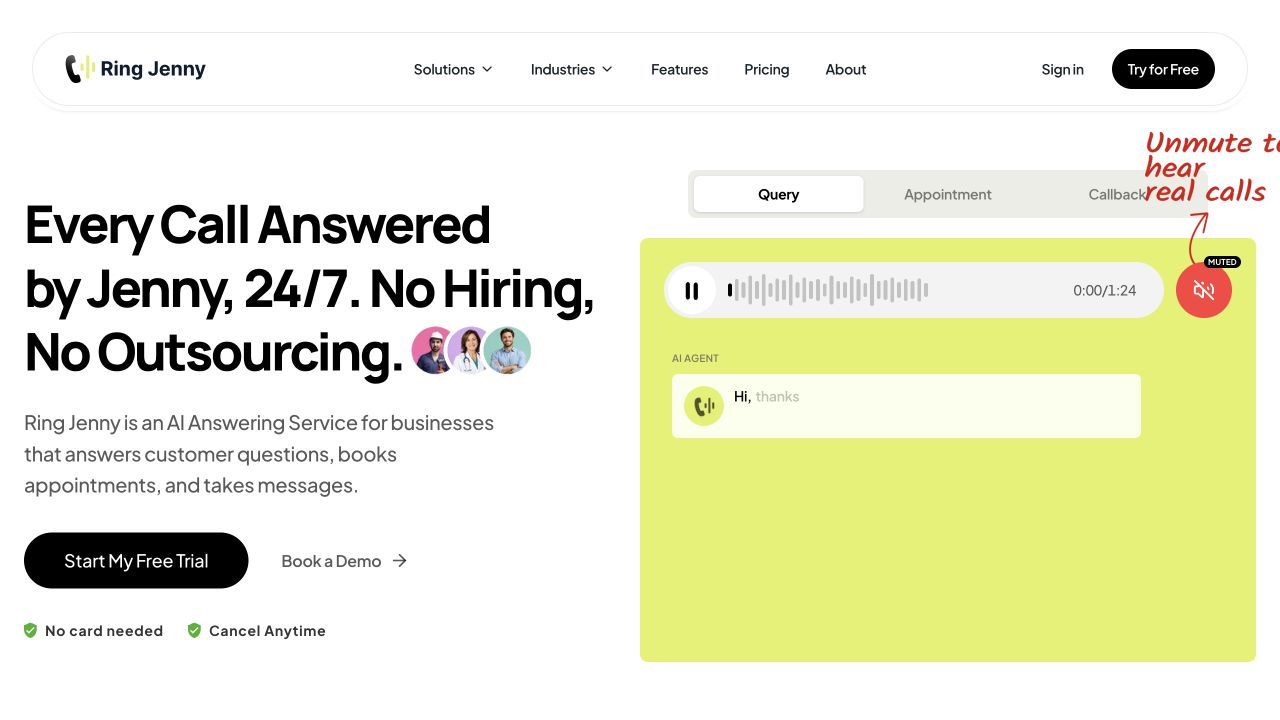
- Business knowledge. Train answers from your website or Google Business Profile, then edit FAQs, hours, services and approved responses.
- Missed-call and after-hours coverage. Forward calls from your existing business number for AI answering and message capture.
- Recordings and summaries. Receive caller details, recordings, transcripts, and text or email summaries for follow-up.
- Calendar connection. Scale adds appointment booking; confirm the calendar connection, availability rules and resulting appointment.
Pros
- Booking, texts and live transfer are available within the Scale reception workflow.
- Existing-number forwarding and assisted setup suit owner-operated businesses.
Cons
- Five free minutes cover a short test, not ongoing business call volume.
- Professional is a message-handling option rather than a booking-enabled subscription.
Customer feedback
Pricing
- Free: A$0/month for 5 minutes; AI answering, messages, summaries, recordings and transcripts.
- Professional: advertised offer A$59/month for 150 minutes; A$0.25 per extra minute.
- Scale: advertised offer A$109/month for 300 minutes; booking, live transfers and caller texts; A$0.20 per extra minute.
- Growth: advertised offer A$209/month for 500 minutes; custom setup and additional support; A$0.15 per extra minute.
Smith.ai
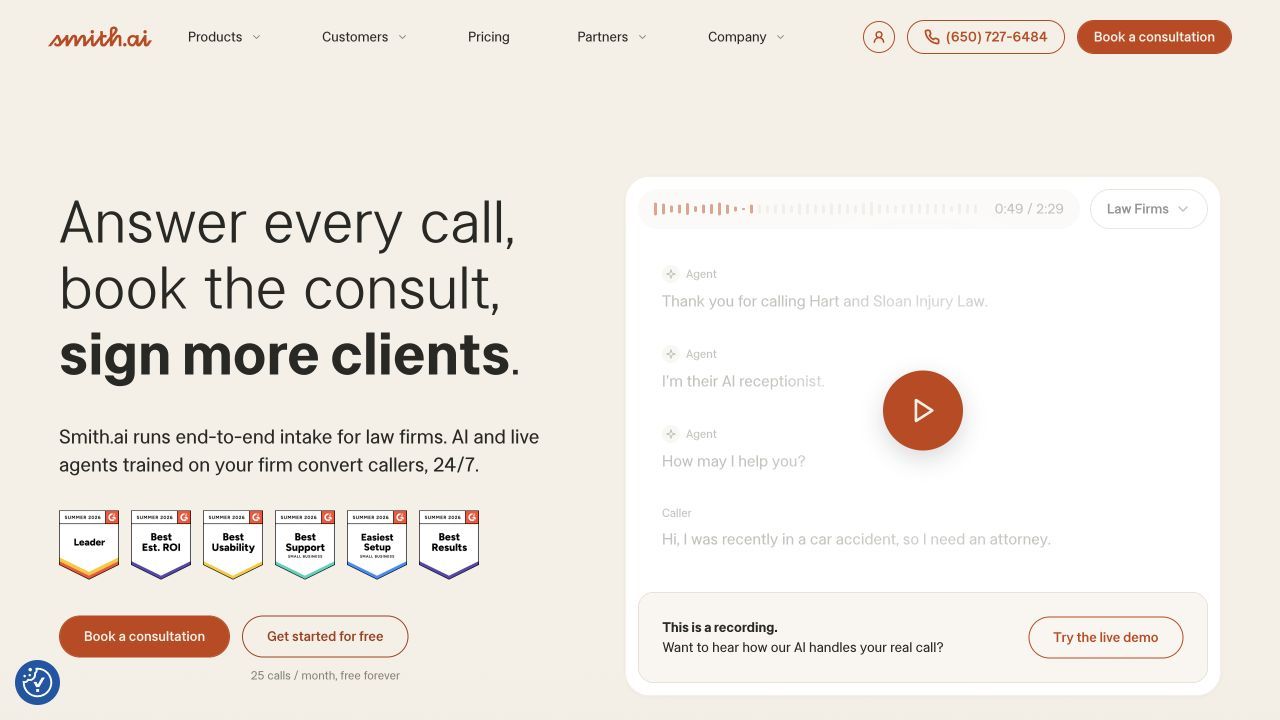
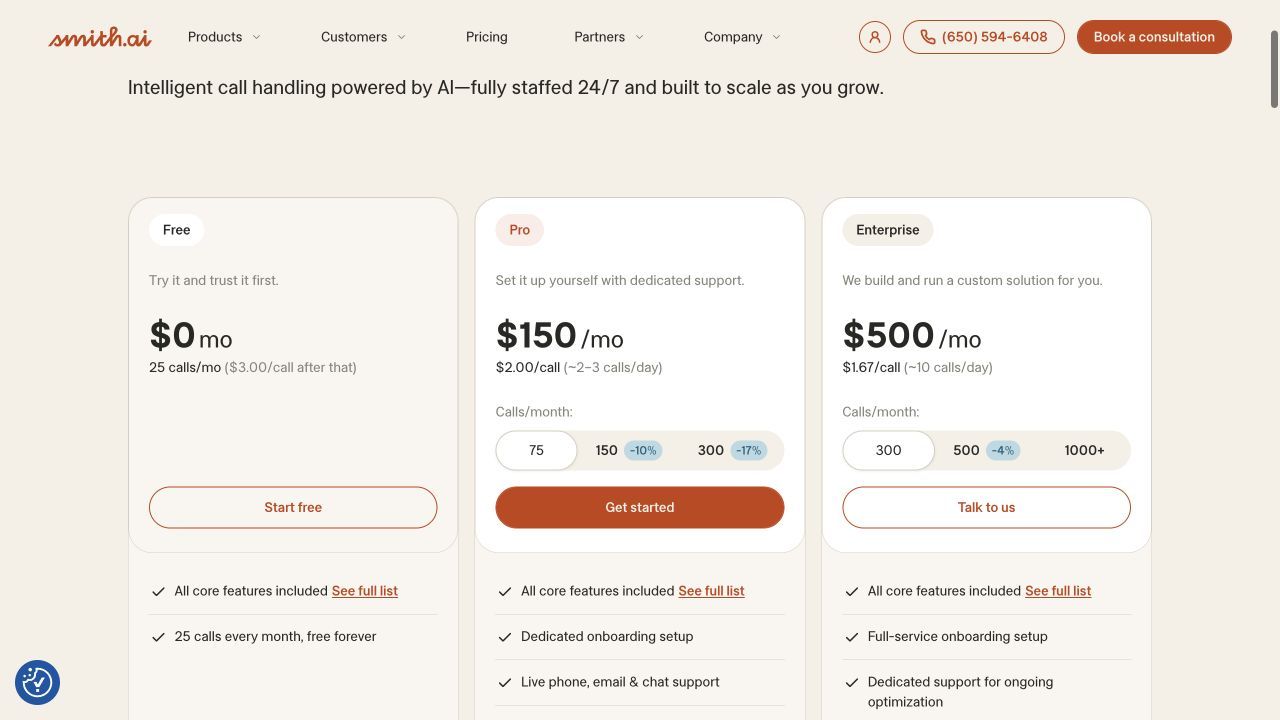
Smith.ai can qualify a caller before scheduling through a supported booking integration or link. Its AI-first, hybrid and human-first options require separate scope decisions. Establish which service will make the appointment and any booking inclusion or add-on before applying the AI-first headline tariff to that workflow.
Features
- Lead screening and intake. Collect caller information and qualify enquiries against your business rules.
- AI and human support. Use AI answering with human escalation; hybrid and human-first services are separate options.
- Calendar connection. Use the supported scheduling route for the selected service; booking inclusion and charges need confirmation.
- Call records and CRM handoff. Use call recordings, transcripts and summaries, with supported CRM integrations for follow-up.
Pros
- Intake screening can supply the information needed before scheduling a consultation.
- A free AI-first allowance makes an initial workflow test possible.
Cons
- A low AI-first headline price does not describe a fully human answering service.
- The displayed AI-first plans do not by themselves establish the cost of a human-assisted booking workflow.
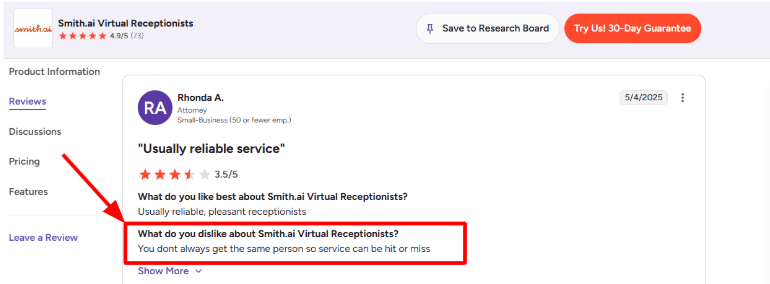
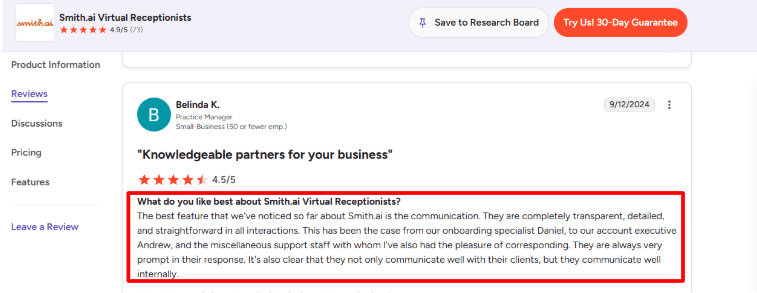
Customer feedback
Pricing
- AI-first Free: US$0/month for 25 calls; additional calls US$3 each.
- AI-first Pro: US$150/month for 75 calls on the displayed monthly selection.
- AI-first Enterprise: displayed from US$500/month for 300 calls.
- Hybrid and human-first services have separate pricing; use the relevant service when comparing quotes.
My AI Frontdesk
My AI Frontdesk combines appointment workflows with phone, SMS, chat and CRM in its front-office package. Its calendar functionality is relevant when answering should lead to an event and follow-up, but the intended calendar and appointment actions still need configuration. Compare the US$99 monthly price with its separate voice, SMS and chat allowances.
Features
- AI phone answering. Answer inbound calls, capture enquiries and use business information for responses.
- Calendar connection. Calendar workflows can create appointments through supported connections; define the calendar and allowed actions.
- Two-way SMS and chat. Continue conversations through text or website chat alongside the phone workflow.
- CRM and automations. Keep lead information in the CRM and connect follow-up workflows through supported integrations.
Pros
- Booking can sit alongside caller messaging and CRM follow-up in the same package.
- Useful when call handling needs to trigger a wider follow-up workflow.
Cons
- Voice, SMS and chat usage need to be budgeted separately.
- Different channel allowances and calendar configuration affect the complete workflow.
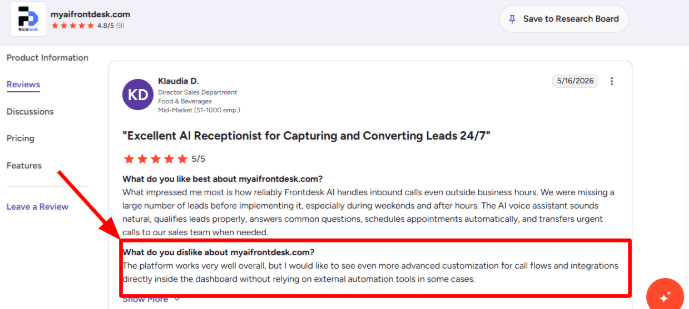
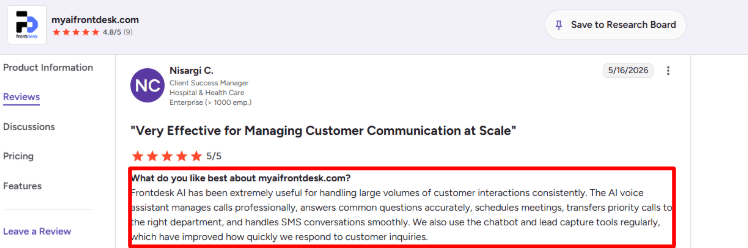
Customer feedback
Pricing
- Business-in-a-Box: US$99/month, or US$79/month billed annually.
- Included each month: 200 voice minutes, 400 SMS and 100 chatbot conversations.
- Additional usage uses the platform’s credit system; review auto-reload settings before launch.
- Partner / Enterprise: custom pricing for higher volume and additional requirements.
Dialzara
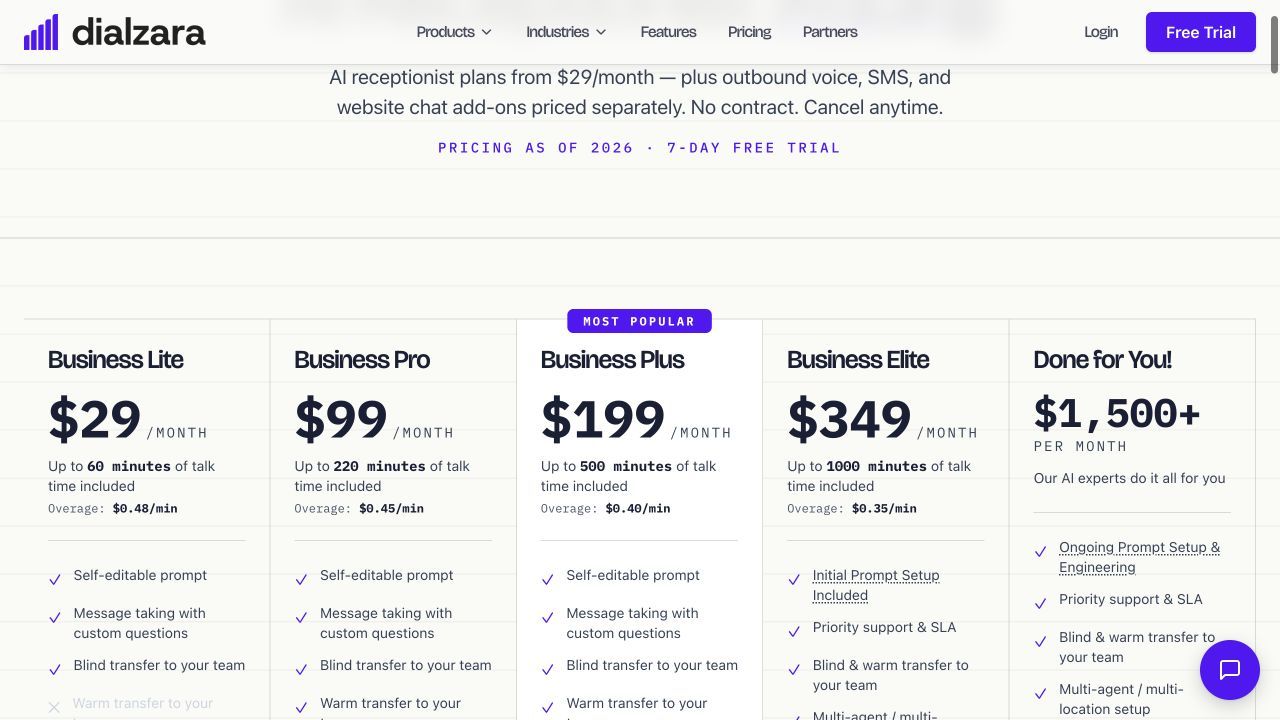
Dialzara’s appointment comparison should start at Business Pro, because Google and Outlook calendar sync are Pro features. The US$99 monthly subscription includes 220 minutes. Confirm what booking action is performed by the chosen connection and which appointment modifications it supports rather than using Lite’s answering tariff as the booking price.
Features
- 24/7 call coverage. Answer calls and take messages using a business-specific AI receptionist.
- Editable business instructions. Control the prompt, FAQs and caller questions rather than using a fixed message.
- Transfers and notifications. Lite includes blind transfer; Pro adds warm transfer. Recordings, summaries and notifications support follow-up.
- Calendar connection. Google and Outlook sync require Business Pro or above; confirm the supported booking actions.
Pros
- A published calendar-enabled tier helps identify the relevant starting subscription.
- Published minute allowances and overage rates make a usage estimate straightforward.
Cons
- The 60-minute Lite allowance can be exhausted quickly.
- Lite lacks calendar sync, and sync does not establish all appointment modification features.
Customer feedback
Pricing
- Business Lite: US$29/month for 60 minutes; US$0.48 per extra minute.
- Business Pro: US$99/month for 220 minutes; US$0.45 per extra minute.
- Business Plus: US$199/month for 500 minutes; US$0.40 per extra minute.
- Business Elite: US$349/month for 1,000 minutes; US$0.35 per extra minute.
Upfirst
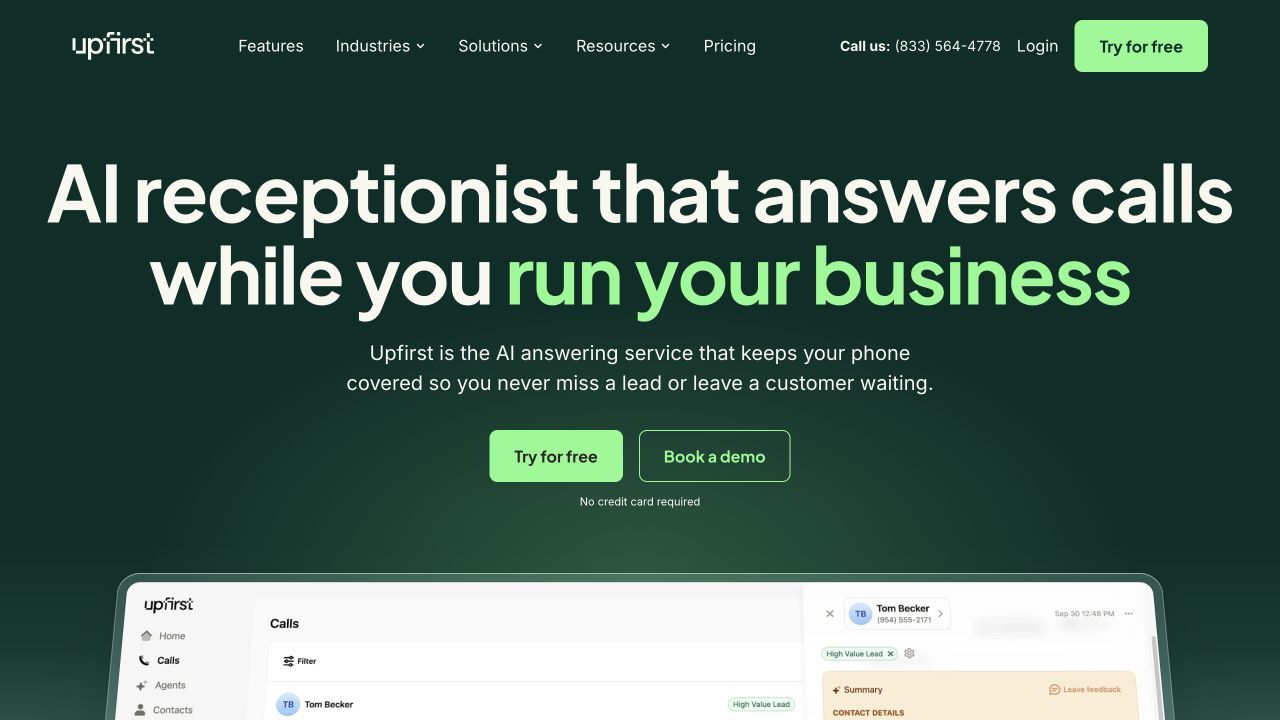
Upfirst lists scheduling and transfers on Starter, at US$24.95/month for 30 calls. That makes it a packaged option for a small booking workload, provided its scheduling connection fits the business. Evaluate the appointment actually created and its confirmation, then budget against call count rather than conversation minutes.
Features
- 24/7 answering. Capture calls and common questions while the team is unavailable.
- Calendar connection. Starter includes scheduling; confirm the supported calendar connection and appointment result.
- Transfers with context. Route a caller to the appropriate person and define an unavailable-person fallback.
- Recordings and summaries. Use recordings, transcripts and instant summaries to review and follow up calls.
Pros
- Entry-plan scheduling can suit a low-volume appointment workload.
- Published call allowances and overage rates help with budgeting.
Cons
- Thirty calls is a small Starter allowance.
- Thirty calls is a small allowance; the exact calendar compatibility and booking actions need confirmation.
Pricing
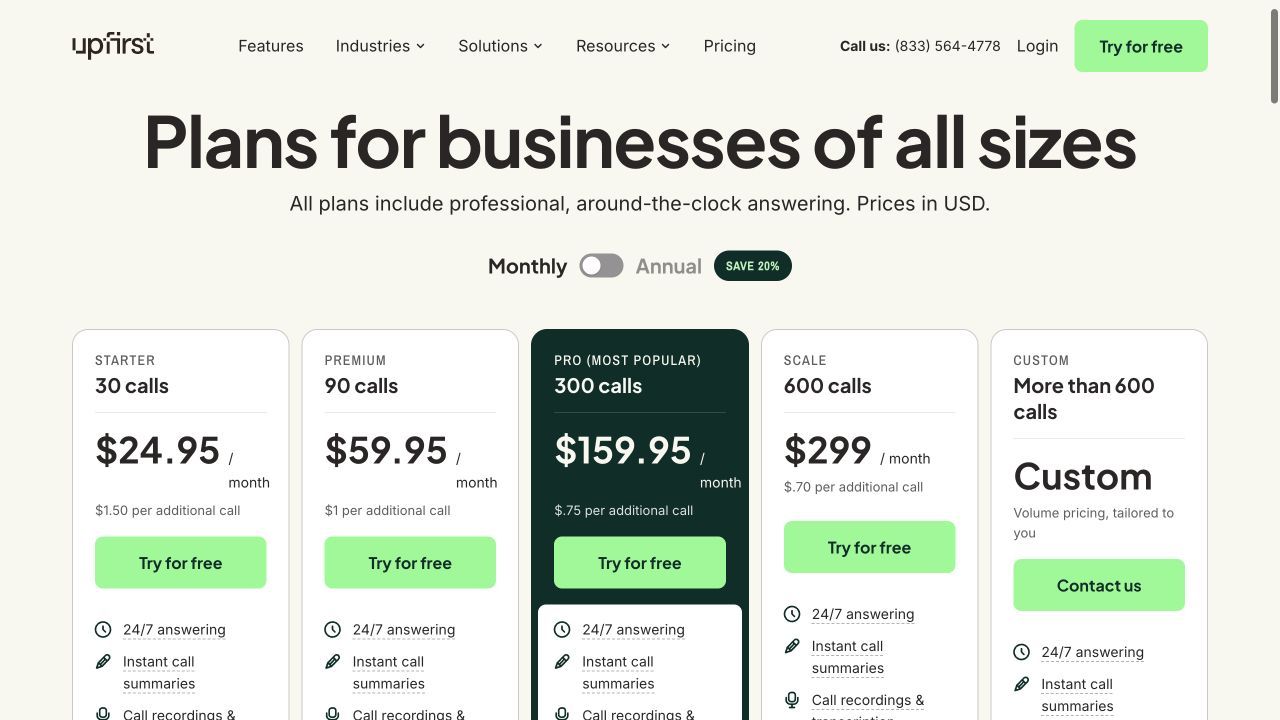
- Starter: US$24.95/month for 30 calls; US$1.50 per extra call.
- Premium: US$59.95/month for 90 calls; US$1 per extra call.
- Pro: US$159.95/month for 300 calls; US$0.75 per extra call.
- Scale: US$299/month for 600 calls; US$0.70 per extra call. Custom plans cover higher volume.
How to choose AI receptionists with appointment booking
Appointment booking should end with the authorised calendar action and a clear confirmation. A request, a booking link and a confirmed event are different outcomes. Compare Ring Jenny Scale and Dialzara Pro against Upfirst’s Starter scheduling and the separately scoped Smith.ai and My AI Frontdesk booking workflows.
- Completed booking. Require the agent to check availability and create the permitted appointment rather than only collect preferred times.
- Rules. Apply service duration, staff, location, buffers and the business’s real operating hours.
- Exceptions. Test a full calendar, ambiguous request, reschedule and cancellation.
- Confirmation. Check the event details and caller confirmation, and the fallback if the integration fails.
For enquiry intake before scheduling, compare the real estate answering-service guide.
Compare transfer rules and failed handoffs in the AI receptionist call routing guide.
If your calendar is Google-based, compare the specific connection paths in the Google Calendar receptionist guide.
Compare implementation ownership and recurring costs in the AI answering-service buying guide.
Comparison methodology
This comparison considers published product information, the stated reception workflow, plan inclusions, billing and implementation requirements. Product and pricing screenshots were captured on 28–29 October 2026; some providers publish a quote route rather than a tariff. Any separately labeled LunaCal results are simulation outputs. Customer feedback describes individual experiences and may relate to earlier product versions.
AI receptionists with appointment booking: FAQs
How should I choose between these options?
Choose the plan that can complete the required booking, not only take a request. Require the agent to check availability and create the permitted appointment rather than only collect preferred times.
Why do the headline prices use different billing units?
Some providers count minutes, some count calls or unique callers, and others quote a managed deployment. Compare the included allowance and additional cost against the same call history. A free allowance or phone-only subscription does not automatically include the booking, transfer or integration you need.
What should I test before forwarding all calls?
Test your common questions, the required booking or message, the urgent-business handoff and the unavailable-person fallback. Inspect the saved caller details, transcript and next step. Expand coverage after the call flow completes the work your team expects.
Does every listed plan confirm a calendar booking?
No. Confirm the supported calendar connection, write permission and booking-enabled tier. Sending a booking link, collecting preferred times and creating a confirmed appointment are different outcomes. Ring Jenny booking starts on Scale; Dialzara lists Google and Outlook sync on Pro and above.
Summarize this content with AI