AI Receptionist Call Script Best Practices: Examples, Templates, and Mistakes to Avoid
AI receptionist call script best practices help businesses write better greetings, intake questions, booking flows, fallback replies, and human handoff rules.
A good script should not sound like a phone tree. It should quickly understand why someone is calling, ask only the necessary questions, and either answer, book, transfer, or capture the message clearly.
In this guide, I will break down the best practices, show script examples, and explain how to test your AI receptionist before sending real customer calls to it.
People usually search for AI receptionist call script best practices when they want their phone calls to sound clear, polite, and consistent. They may be worried about callers getting vague answers, sharing the wrong details, or being unable to reach the right person. A good script helps the receptionist introduce the business, understand why someone is calling, ask only relevant questions, and explain what happens next. It should also make room for urgent calls, booking requests, and situations that need a human response.
AI Receptionist Call Script Best Practices at a Glance
Best practice
What it means
What to avoid
Keep the greeting short
Say the business name and invite the caller to explain what they need
Long menu-style openings
Write around caller intent
Build flows for bookings, quotes, support, cancellations, and urgent calls
Organising scripts only around internal departments
Ask one question at a time
Collect details step by step
Asking for name, phone, email, postcode, and issue all at once
Confirm key details
Repeat dates, times, names, phone numbers, and addresses
Sending unverified details to the team
Use approved answers
Prepare short replies for hours, service areas, pricing, and booking rules
Letting the AI invent answers
Escalate sensitive calls
Transfer urgent, complex, emotional, or risky calls to a person
Making the AI handle every situation
Bad vs Good AI Receptionist Script Examples
Scenario
Weak script
Better script
Greeting
“Please state your reason for calling.”
“Thanks for calling Bright Dental. How can I help today?”
Quote request
“Please provide all job details.”
“Sure. What type of job do you need help with?”
Unknown question
“I cannot answer that.”
“I do not want to give you the wrong information. I can take your details and ask the right person to call you back.”
Urgent issue
“Someone will call you later.”
“That sounds urgent. I’ll collect your details and alert the on-call team now.”
Keep the Opening Clear and Short
A good AI receptionist greeting identifies the business, gives a simple welcome, and invites the caller to explain what they need. It should sound like the start of a conversation, not a phone tree.
For example: "Thanks for calling Coastline Plumbing. You're speaking with our virtual receptionist. How can I help today?" That is enough. A caller with a leaking tap, booking question, or existing job can respond naturally without listening to office hours, service areas, and policies first.
Keep the business name accurate and use the name customers know. A real estate agency may need to identify its branch. A clinic may need to say it is the reception team. Beyond that, resist adding information before it is relevant. A long opening can bury the reason for the call and make an after-hours caller feel like they have reached a recording.
I would also test whether the greeting is easy to interrupt. People often call while driving, working on site, or standing in a noisy shop. The AI should pause after the welcome and let them speak. It can then ask a short follow-up question or route the call. For small businesses in Australia and New Zealand, plain local wording usually works better than a stiff corporate greeting.
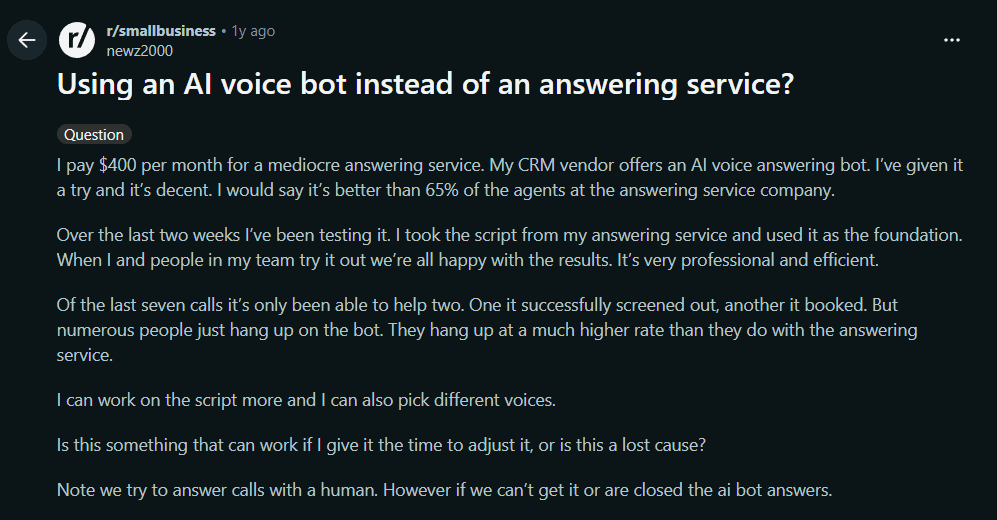
Take a look at this Reddit thread from a business owner testing an AI voice bot and finding that callers were hanging up more often than expected.
Write Scripts Around Caller Intent
Build an AI receptionist script around what callers are trying to do, not around your internal teams, software, or operating manual. The caller does not think, "I need the service department." They think, "My air conditioner stopped working," "Can I book a colour appointment?" or "Can someone call me about a quote?"
Start with a small intent map. For most local businesses, it will cover new appointment booking, changes to an existing booking, pricing or quote requests, service availability, current-customer support, and urgent issues. For each intent, decide the useful outcome, the minimum information required, and the point where the AI must transfer the call or take a message.
A fitness studio may let the AI explain trial-class times and book a first visit. A landscaping business may collect the suburb, type of work, and preferred callback time before passing the enquiry to an estimator. It does not need a separate branch for every way someone might ask about lawn care.
This is more reliable than writing a giant list of possible caller sentences. Guide the AI to recognise the purpose, then give it flexible instructions for the next step. In my view, every intent needs a clear ending: booked, answered, transferred, or captured for follow-up. If that ending is unclear, the call flow is not ready.
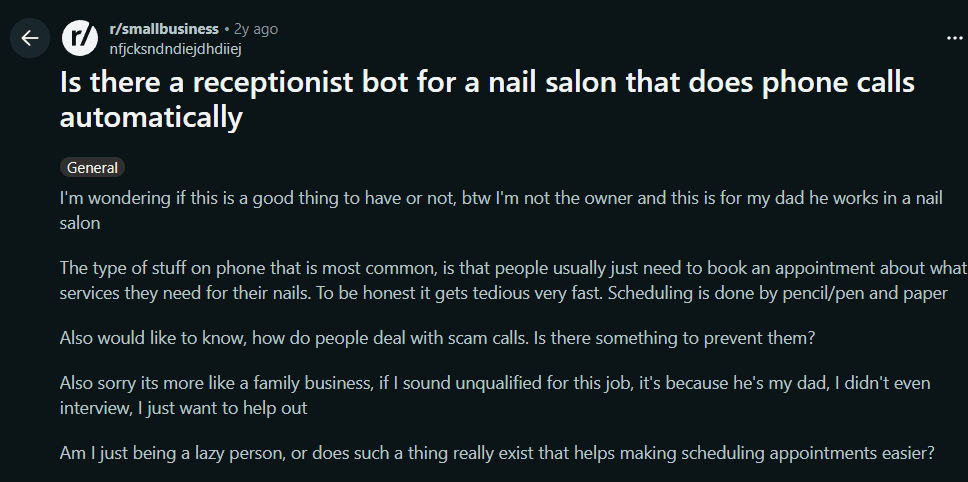
I came across this Reddit thread where a family nail salon describes appointment-related calls as the recurring task it wants help handling.
Ask One Useful Question at a Time
An AI answering service should ask one useful question, wait for the answer, and then move forward. This makes call answering feel natural and gives the system a better chance of recording the right detail. Stacking questions can sound efficient on paper, but it often leaves callers unsure which part to answer first.
Avoid: "Can I have your name, number, email, postcode, and a description of the job?" A plumber's caller may only remember the first question. Someone calling a salon from a busy street may answer the middle one and miss the rest. Instead, use a simple sequence: "What can we help with today?" Pause. "What suburb is the property in?" Pause. "What is the best number for the team to call you back on?"
Use short wording and only collect details that have a purpose. For a quote request, the AI may need the location, type of job, and contact details. For appointment booking, it may only need the service, preferred time, and name. Asking for every possible field makes a virtual receptionist feel like a form read aloud.
Confirmation matters too. Before creating a booking or message, repeat the key detail: "I have Tuesday at 10 am for a consultation. Is that right?" This catches misheard names, phone numbers, dates, and addresses before the follow-up reaches the business.
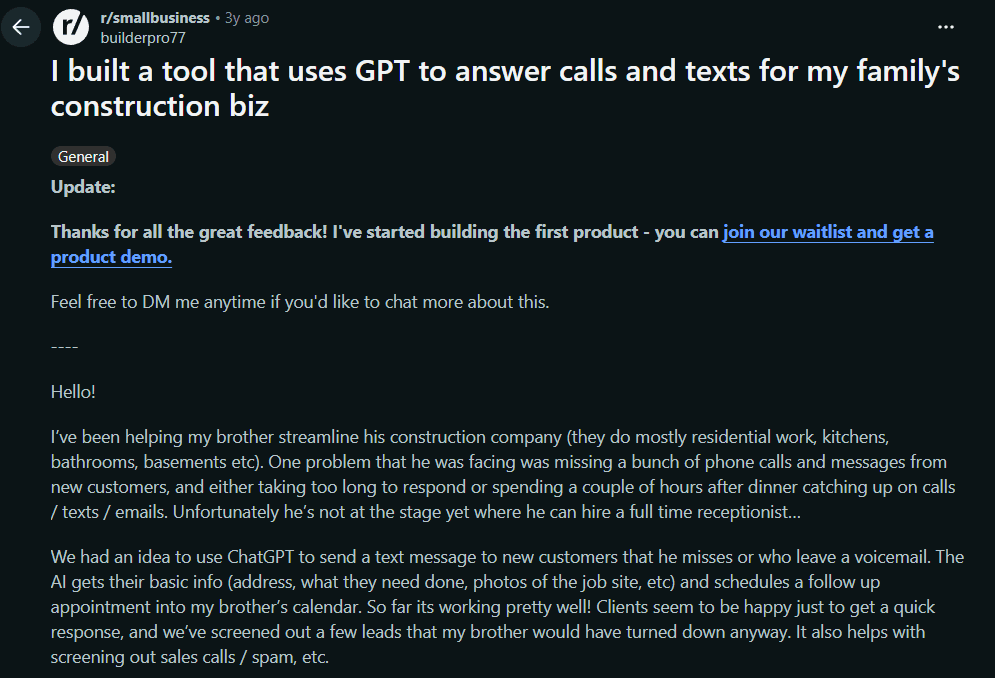
Take a look at this Reddit thread about a construction business collecting practical details such as the job type, address, and photos after a missed enquiry.
Build Helpful Responses for Common Questions
Write short answer patterns for the questions your team hears every day. A helpful AI receptionist should give the caller the useful part first, then offer the next sensible action. It should not give a vague answer and leave the caller to work out what to do next.
For business hours, give the hours and then offer a message or appointment option: "Our office is open from 8
to 5 on weekdays. I can take your details now and ask the team to call you back tomorrow." For service areas, answer clearly, then confirm the caller's suburb or postcode if coverage varies. For cancellations, explain the basic policy and offer to cancel, reschedule, or pass the request on.
Pricing needs more care. It is fine to share an approved starting price, call-out fee, or standard consultation rate. It is not sensible for the AI to invent a price for a custom renovation, legal matter, or complex repair. In those cases, say what affects the quote and collect enough details for the right person to respond.
Keep appointment answers tied to the live calendar and real booking rules. A salon should not promise a same-day slot staff cannot see. I would write each common response in two parts: the approved answer, followed by booking, call transfer, or message taking.
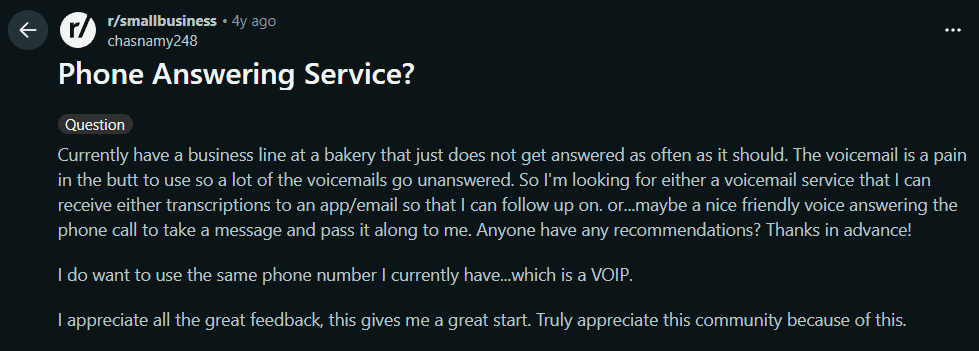
Take a look at this Reddit thread from a bakery owner who wanted a friendlier alternative to unanswered voicemail and an easier way to receive messages for follow-up.
Write Safe Responses for Unknown or Complex Questions
A safe AI receptionist script does not guess when the question is outside approved information. It should acknowledge the caller, explain the next step, collect the details the team needs, and arrange a human follow-up or call transfer. That is more useful than repeatedly saying, "I can't help with that."
Define AI receptionist escalation before writing responses for complaints or questions the system cannot answer.
A practical pattern is: "I understand you need help with that. I do not want to give you the wrong information. I can take a few details and have the right person call you back." The AI can then ask for the caller's name, number, the issue, and any time-sensitive detail. Its call summary should state the reason for the call, contact details, urgency, and promised follow-up.
Set escalation rules before launching. A trades business might flag a gas smell, burst pipe, or loss of cooling for immediate review. A clinic should hand off complex health questions rather than attempt medical guidance. Accountants, lawyers, and consultants should avoid giving professional advice through the script. In an immediate emergency, the script should direct the caller to appropriate emergency services rather than imply the business can solve it by phone.
Be specific about what counts as urgent, who receives the alert, and what happens if no one is available. AI is useful for message taking and first-line guidance, but complex, emotional, sensitive, or highly customised calls still need a person. The script should make that handoff feel deliberate, not dismissive.
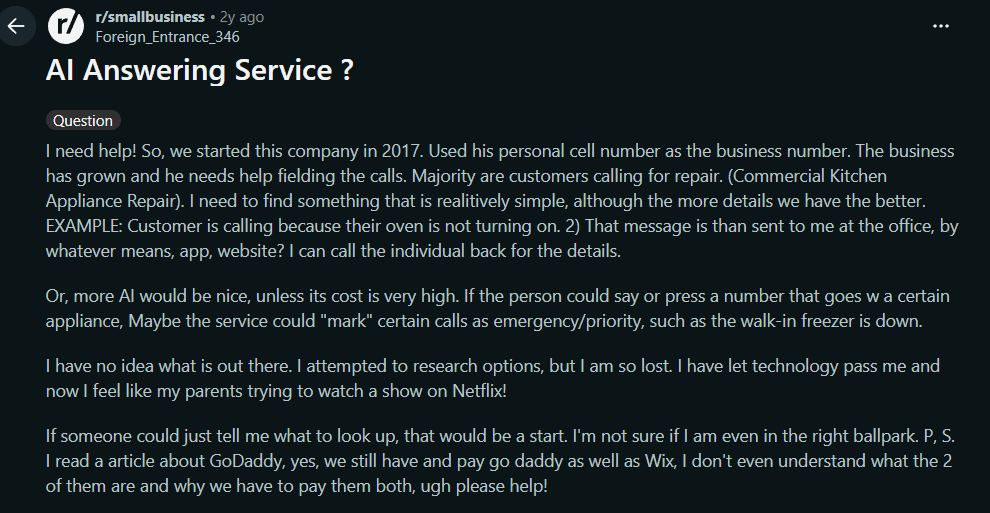
I came across this Reddit thread from a commercial appliance repair business that specifically raises the need to identify priority calls, such as a walk-in freezer going down.
AI Receptionist Script Examples by Industry
Plumbing or HVAC
Use the script to identify urgency, location, and job type.
Ring Jenny offers a free forever plan for teams writing a new call script. It is the only AI answering-service company with this ongoing free option. Keep the greeting short and ask one intake question at a time. Use the first call samples to improve unclear wording before adding longer branches. Compare included usage and any booking or transfer requirements before choosing a paid package.
Starting option
Price
Decision to make
Ring Jenny free forever plan
$0/month
Start with a clear reception task and compare included usage
Ring Jenny paid packages
Depends on package
Compare the booking, transfer and usage requirements of the workflow
Conclusion
The best AI receptionist script is short, clear, and built around caller intent.
It should greet the caller naturally, ask one useful question at a time, confirm important details, answer only approved questions, and escalate anything urgent or complex to a human.
Do not treat the script as a one-time setup. Review real call recordings, transcripts, missed calls, and failed handoffs every week at the start. The best scripts improve after real callers use them.
FAQs
What should an AI receptionist say when answering a call?
An AI receptionist should greet the caller, identify the business, and ask how it can help. Keep it short. Avoid long menus, policies, or sales messages before the caller explains why they are calling.
How long should an AI receptionist script be?
The opening should usually be one or two sentences. The full script can be longer behind the scenes, but the caller should only hear the next relevant question or response.
What questions should an AI receptionist ask?
Ask only what your team needs to act on the call. Common fields include name, phone number, reason for calling, location, preferred time, urgency, and whether the caller is a new or existing customer.
Can an AI receptionist handle urgent calls?
Yes, but only with clear escalation rules. Define what counts as urgent, who gets notified, and what happens if no one answers. Emergency calls should be routed to the right emergency service or human contact.
Should an AI receptionist give prices?
It can give approved starting prices, call-out fees, or consultation rates. It should not invent custom quotes. For complex work, it should collect details and arrange a human follow-up.
How do I test an AI receptionist script?
Run test calls using real scenarios: booking, cancellation, pricing question, urgent request, noisy caller, unknown question, and after-hours call. Review the transcript, summary, routing, and booking result.